Hiding File Permissions in Dired

Dired mode in Emacs is fantastic, but one little thing that annoyed me was that the directory listings show file ownership and permissions, taking up space with information I almost never care about.

I started down a rabbit hole of figuring out how to hide those columns. I spent wasted an hour on my way to discovering that, of course, there's a built-in way to do it: dired-hide-details-mode.

Well, that was easy.

;; Hide file ownership/permissions by default
(add-hook 'dired-mode-hook 'dired-hide-details-mode)

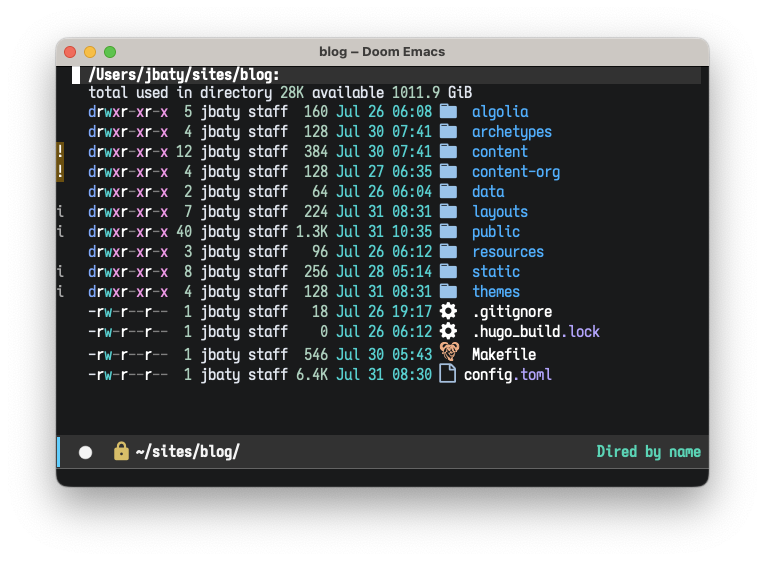
This makes the listing go from this...

Dired listing before hiding permissions

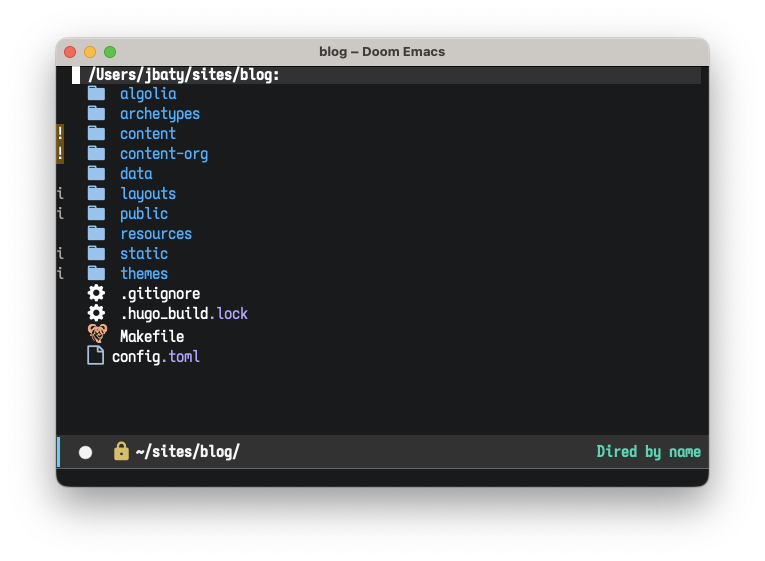
...to this...

Dired listing after hiding permissions

This is almost always what I'd prefer.

Permalink #

Searching this site using Pagefind

Note Pagefind is no longer used on this site, due to a theme change.

I was made aware of Pagefind via a post by Bryce Wray.

Pagefind is...

Pagefind is a fully static search library that aims to perform well on large sites, while using as little of your users’ bandwidth as possible, and without hosting any infrastructure.

Pagefind.app

They had me at "...without hosting any infrastructure". The theme I used to use included a nice search using Lunr. My new theme uses Algolia, which I don't love because it involves a separate, commercial service and requires rebuilding and pushing an updated index to the Algolia service every time I post something.

As an alternative to Algolia, I thought I'd try Pagefind. Turns out it's quite good and very easy to implement. Here's a quick summary of what I did to add Pagefind search here at baty.net.

First, I created a search page at /search/. The search form looks like this:

<link href="/_pagefind/pagefind-ui.css" rel="stylesheet">
<script src="/_pagefind/pagefind-ui.js" type="text/javascript"></script>
<div id="search"></div>
<script>
    window.addEventListener('DOMContentLoaded', (event) => {
        new PagefindUI({ element: "#search", 
        showImages: false,
        });
    });
</script>

The only change there from the default is the addition of showImages: false;. This is a new option which disables image thumbnails on the search results. I found it much faster to leave images out.

Then, to build the index, I run the following:

npx pagefind --source "public"

Pagefind publishes a wrapper package through npm, so running the above takes care of everything, no installation required. Eventually I'll run it via a local binary. Since Pagefind is built using Rust, it's just a single binary with no other dependencies. I love not having dependencies.

And that's all I needed to have search up and running on my site.

However, I noticed that it was indexing everything, including the home page, tag listing, category pages, etc. This was too much, so I needed to add data-pagefind-body to the "article-wrapper" div, like so... <div class="article-wrapper u-cf single" data-pagefind-body>. Here's what that does (from the docs):

If data-pagefind-body is found anywhere on your site, any pages without this attribute will be removed from your index. This means that if you tag your blog post layout with data-pagefind-body, other pages like your homepage will no longer appear in search results. This is usually what you want — if not, just add data-pagefind-body there as well.

Pagefind docs

That made the results much cleaner.

All that remained was to make sure the index was updated when publishing. I don't use any fancy CI business for publishing. I use rsync to copy the /public folder up to my server.

I simply added the npx command to my Makefile, which now looks like this:

SERVER_HOST=server01.baty.net
SERVER_DIR=/home/jbaty/apps/baty.net/public_html
PUBLIC_DIR=/Users/jbaty/sites/blog/public/
TARGET=server01.baty.net

.POSIX:
.PHONY: build checkpoint deploy


build:
	rm -rf $PUBLIC_DIR
	hugo --gc --minify
	npx -y pagefind --source public
	
checkpoint:
	git add .
	git diff-index --quiet HEAD || git commit -m "Publish checkpoint"

deploy: build checkpoint
	git push
	@echo "\033[0;32mDeploying updates to $(TARGET)...\033[0m"
	rsync -v -rz --checksum --delete --no-perms $(PUBLIC_DIR) $(SERVER_HOST):$(SERVER_DIR)

For my blog, it takes less than half a second to generate the necessary indexes:

Running Pagefind v0.5.3
Running from: "/Users/jbaty/sites/blog"
Source:       "public"
Bundle Directory:  "_pagefind"
Walking source directory...
Building search indexes...
Found a data-pagefind-body element on the site.
↳ Ignoring pages without this tag.
Indexed 291 pages
Indexed 5405 words
Indexed 0 filters
Created 5 index chunks
Finished in 0.430 seconds

So far this works swimmingly. Try it yourself and let me know if you have any issues.

Permalink #

A couple 4x5 self-portraits

I dug out the big Linhof today and made a few self-portraits.

The setup was my usual: painted backdrop with two Profoto strobes, one through a octogon box and one with a small modifier on the background. I mostly wanted to test my new digital camera scanning setup. I think it worked pretty well.

Self-portrait

Here's another. I was just horsing around by this point.

Self-portrait

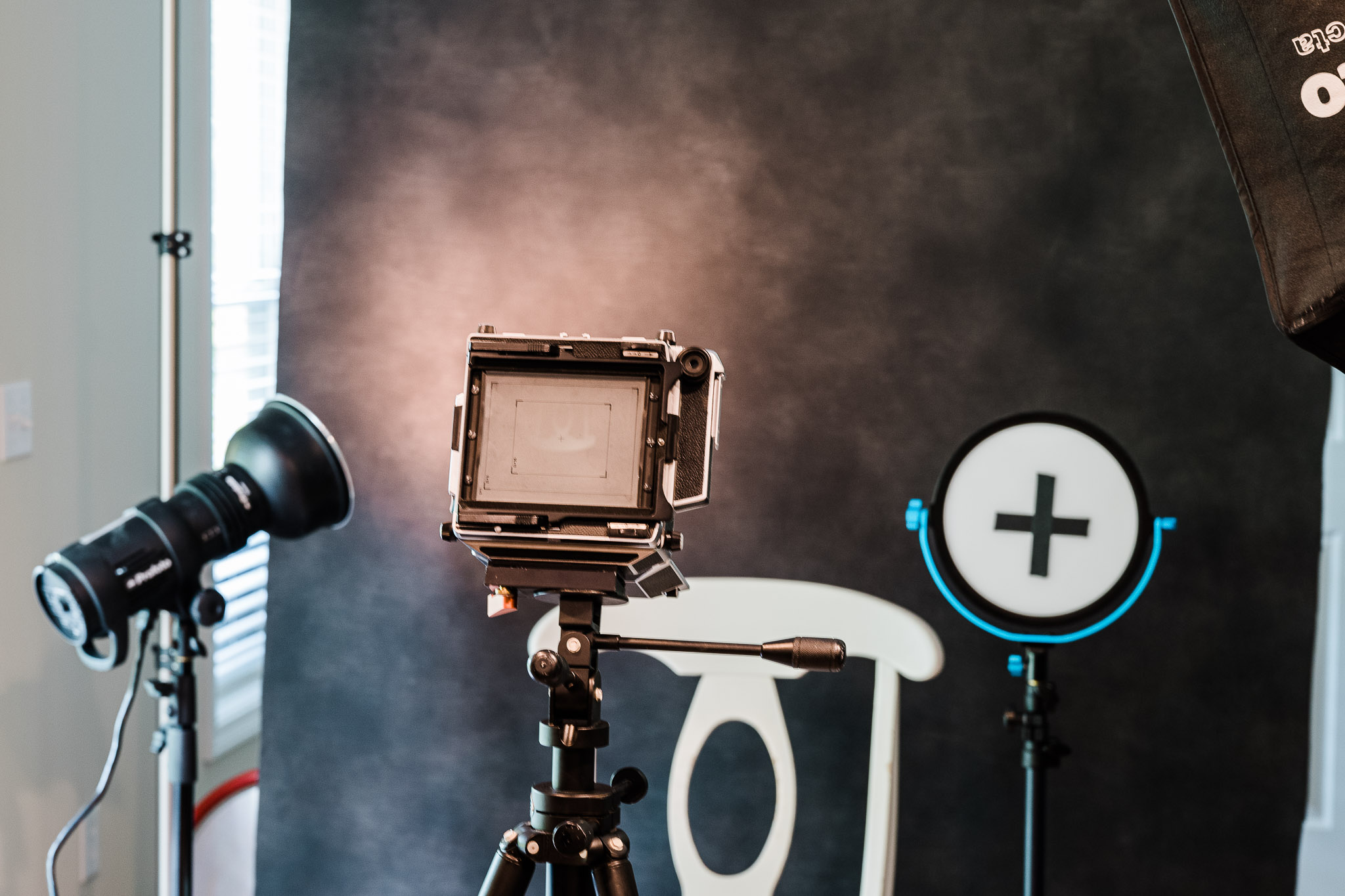
This is what the "studio" looked like while setting things up.

Studio

Permalink #

Welcome to Tumblr

As much as I, ehem, LoveIt, the theme's very theme-specific magic felt like trouble waiting to happen. And honestly, I was bored with it, so I went looking for something new.

I dislike modern blog themes. They all seem to think I want a giant hero image and way too much white space. Or that I'm selling something.

I knew I liked the Bilberry theme as soon as I saw it. It's very Tumblr-esque, with its small, isolated posts and its post "types" for different kinds of content.

So I ported my content over, made a few tweaks, and here we are. You'll notice the lack of a "Journal" post each day. I haven't decided whether to spend the time implementing that or if I'll just go back to using daily.baty.net.

Permalink #

Roll-078 (Leica MP)

Here are few from the latest roll of HP5 through the Leica MP. This is notable because it's the first roll scanned using a digital camera.

Jeff got a new shirt Jeff got a new shirt

Gail Gail

Steve Steve
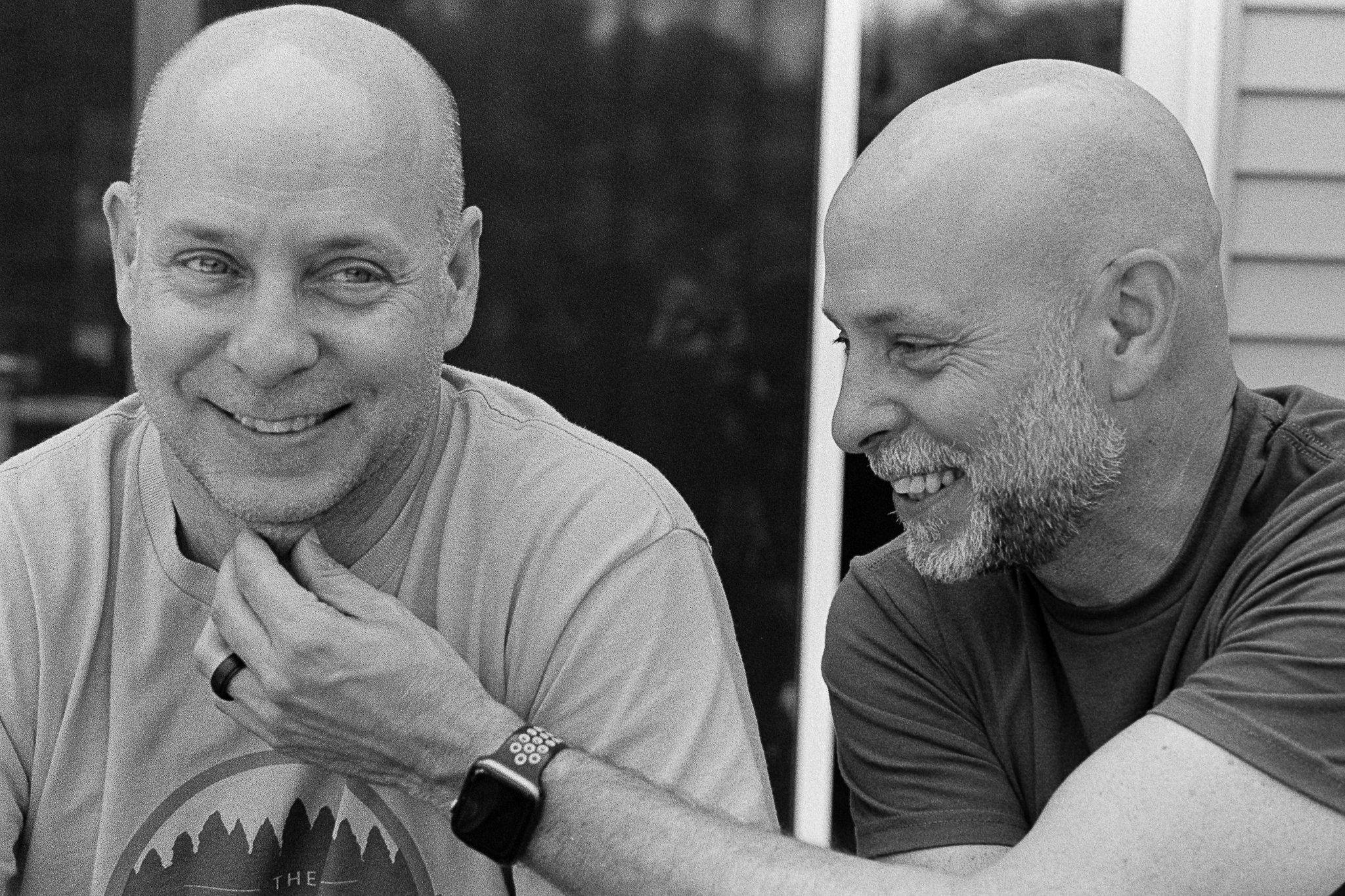
Steve and Bryan Steve and Bryan
Permalink #

My first salt-water-aquarium

When I was a kid I kept a small, fresh-water aquarium. It was fun, but I always knew that the really cool fish lived in salt water. Fast forward 40 years or so and I’ve finally put together a salt-water “reef” aquarium. I’ve started small because there seems to be quite a percentage of people who bail on them within the first year or so. I want to be sure it sticks before spending tons of money and going all-in. I went with the “beginner” BioCube 32. I set the tank up the first week of June. Added “live” rock and sand. “Aquascaping” the aquarium was fun. I think I have a configuration that looks nice and also leaves plenty of nooks and crannies for critters to hide in. I added a powerhead pump for better flow, and waited. I had to buy water!

Hauling saltwater for the new aquarium

New tanks need to go through an initial Nitrogen cycle before adding any fish or corals. This can take four to six weeks. Using live rocks and sand helps move it along. I impatiently tested my water for Ammonia and Nitrites every day or two, and after just two weeks it was ready.

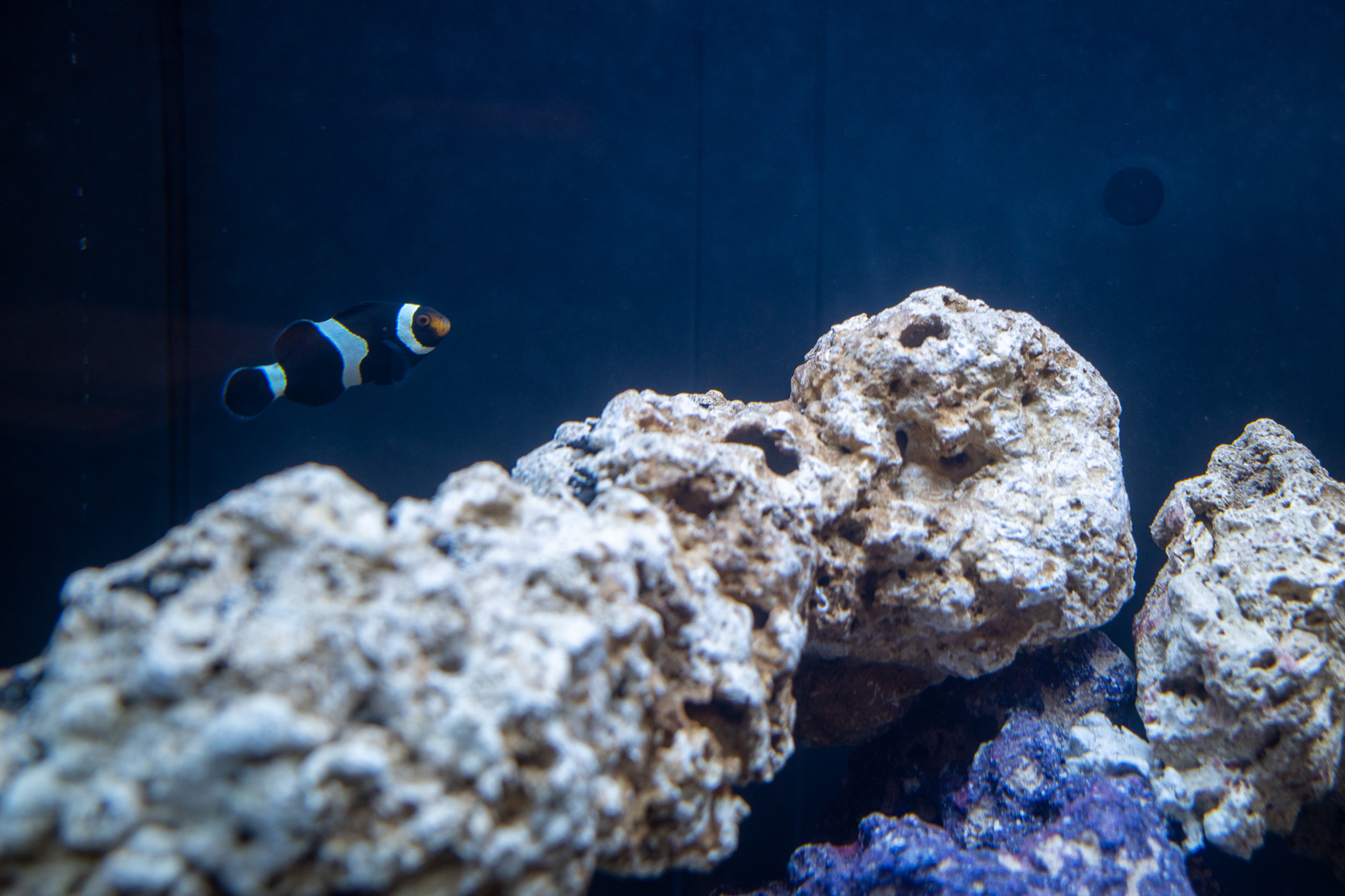
I added my first fish, an Ocellaris Clownfish, on July 3rd. Clowns are nearly everyone’s first fish. They’re cool and easy to care for, so why not? And who doesn’t love Nemo? Mine is a “designer” Black Clown. We named him “Marcus” for no particular reason.

Here he is in my tank:

Marcus the Clownfish in his new home

Isn’t he cute! (All clowns are born male…and cute). Since Marcus seemed to be doing well, I added another fish yesterday: A Bicolor Blenny. We named this one “Benny”. (I know).

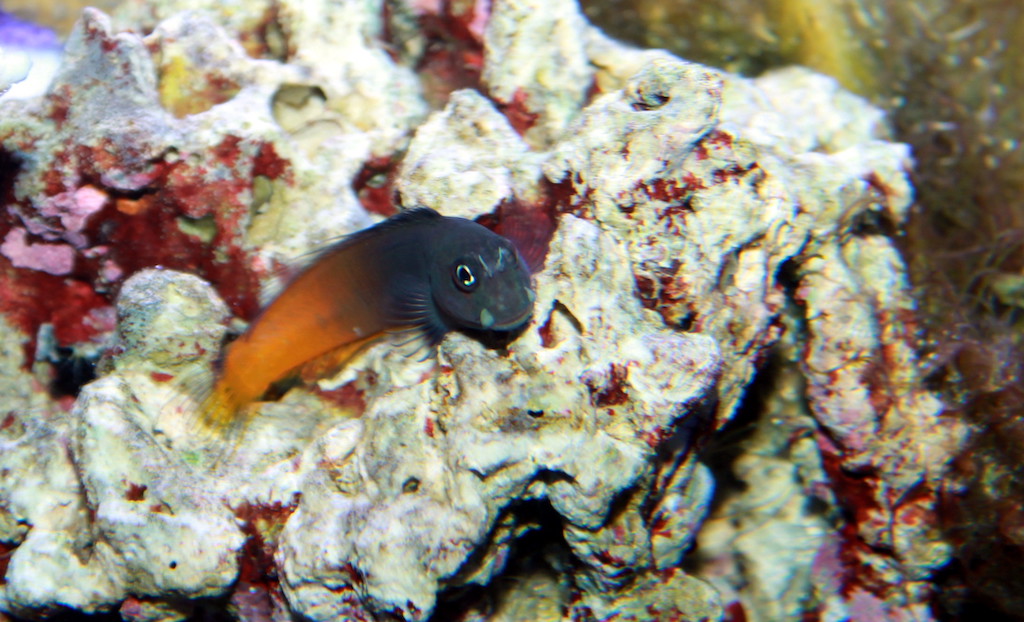
Bi-color Blenny

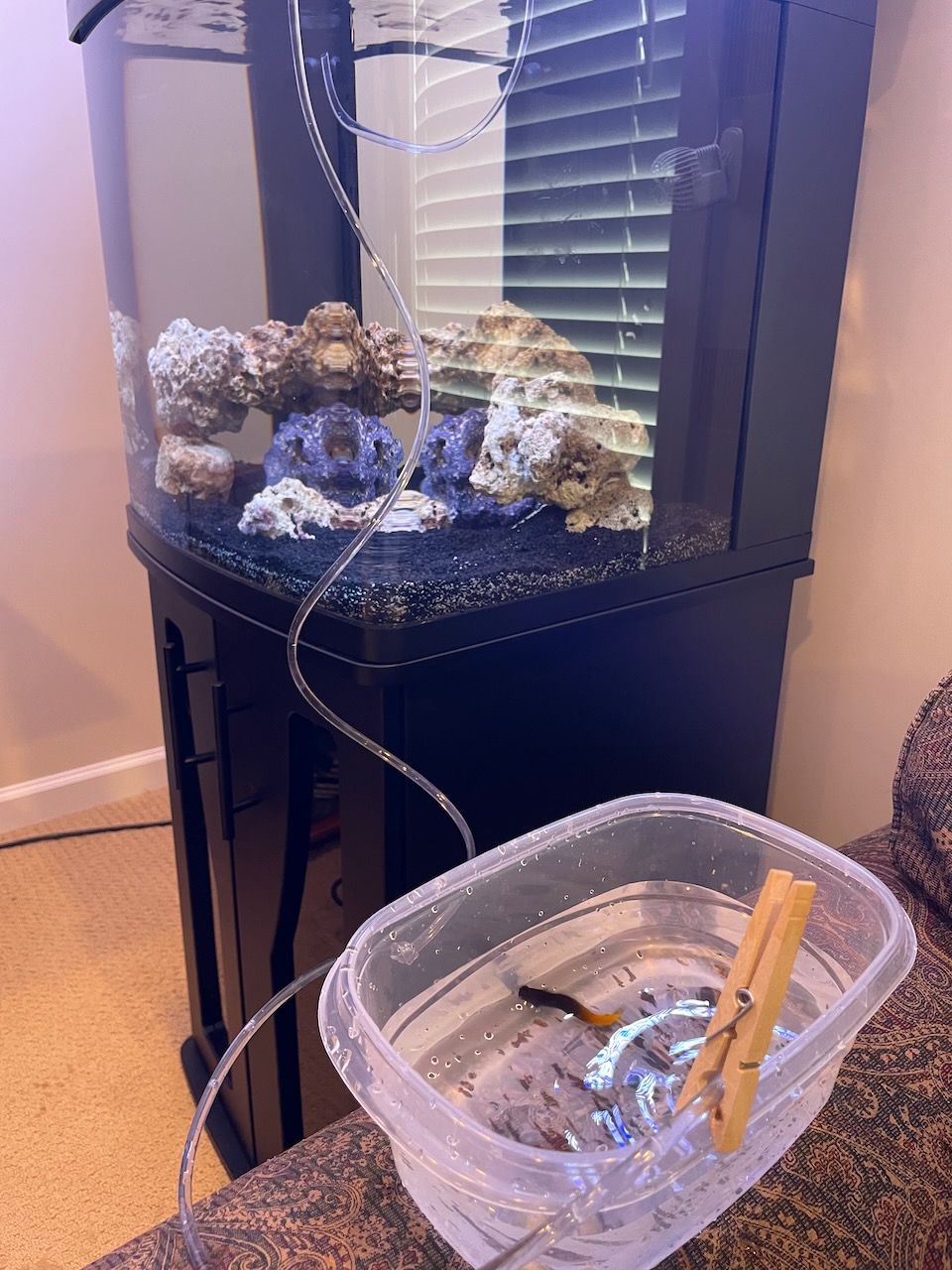
I haven’t taken a photo of him yet because he’s still hiding in a hole on the rocks. I did take a snap while acclimating him. Acclimation involves slowly dripping water from the aquarium into his water from the local fish store (Water Colors Aquarium Gallery)

Acclimating Benny

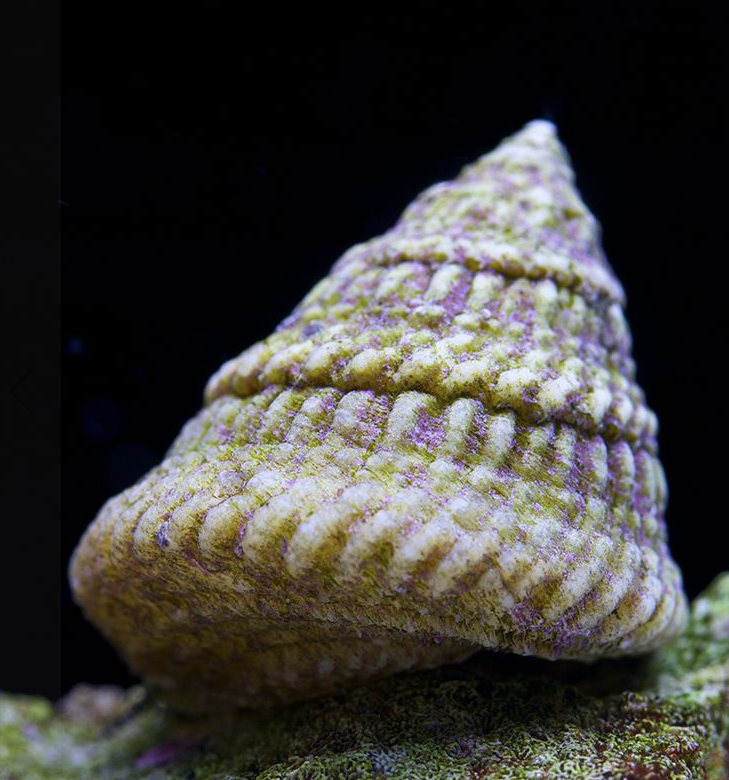
I also added a couple of Astrea snails in anticipation of algae growth. I’ll need a lot more of these eventually.

So far, so good. There’s a lot to learn about keeping a reef tank. Water parameters are critical, especially with coral. I can’t wait to start adding coral! There are feeding issues, cleaning, filtering, diseases, livestock problems, and on and on. It’s awesome so far. I love fish!

Permalink #

I almost sold the M10-R

Sometimes I notice the Leica M10-R sitting forlornly on my desk and I’m reminded that I don’t deserve it. A camera like that should be used, and used a lot. Mine mostly sits around waiting for me to take another selfie or photo of my dog. That’s a lot of money tied up in what most people do (and often better) with their phones.

I’m a rangefinder guy at heart. I’ve shot with one almost continually since 2003. The Leica M, whether film or digital, is IMO the pinnacle of camera design and construction. But…I often just want to have a camera with me for simple grab shots. You know, the one-handed snapshot of a friend at dinner. Or a macro of my dog’s toes. The M is not the camera for those. Not in my hands, anyway. So I long for auto-focus, and EVF, maybe even IBIS.

I thought the answer to this was to replace the M10-R with a Q2. I’ve had several Qs and they are fantastic, so I listed the M10-R and waited. I got a couple of the usual lowball offers. A few people sent questions. Then, one gentlemen wanted to work out a trade for his like-new Q2. That’s when I panicked.

I’ve been down this road before…twice. I sell an M and, after a short honeymoon with whatever replaced it, I miss it and want it back, so I sell something else and buy another.

So, I withdrew the listing. The fun part was that I’d boxed the camera up for sale and so it was like buying it again for the first time. Mmmm.

Boxed and ready to re-open
Ahh that

Remember: Never sell a Leica M or its lenses, because selling cameras is usually a mistake.

UPDATE (July 17, 2022): I've relisted the camera on fredmiranda.com.

Permalink #

C-x C-c

I rage-quit Emacs this morning. By that, I don’t mean that I hit C-x C-c really hard, although I did do that. I mean I stopped using Emacs.

I have spent so much time this past week futzing with my Emacs config. And then futzing with my note-taking process in Emacs. And then reading articles about how other people futz with these things. It occurred to me that I’ve not done much of anything else. So I quit. Emacs is worse for me than other software because it’s too damn good at too many things. This sounds like a stupid reason to stop using Emacs, and it kind of is, but I need a break from living neck-deep in it. I need a change in venue.

What usually happens is that after a couple of weeks (sometimes days), I miss it. I miss that it does nearly everything and what it doesn’t do I can make it do, with just a few days of venturing down various rabbit holes. It’s those rabbit holes that get me. I’m trying to avoid that right now. And around it goes.

So, for now, I’ll edit text in BBEdit or (gasp!) Vim (an excuse to try the new v9). I’ll keep tasks in Things. I’ll write notes in TheBrain. Everything else I’ll just stop doing, I guess.

“But did you really quit?” you ask. I know, we’ve been here many times before. But yes, for the moment, I’m going to take a break from Emacs (and :sniff: Org-mode). I have to quit cold turkey or I just keep going back. Let’s see how long it lasts this time.

Update July 06, 2022: It lasted almost a week.

Permalink #

The LoveIt theme is back

I was struggling with some recent tweaks to this blog's theme, and while poking around I discovered that the LoveIt theme was once again being developed. I had moved to the CodeIt theme after LoveIt looked to be abandoned back in 2020. The author had simply seemed to disappear. And then, a month ago, there was this post.

Since CodeIt was archived recently and development stopped, I took the opportunity to kill my fork and switch back to LoveIt. I cleaned up a bunch of unnecessary CSS while I was in there. I'm trying to stick as close as I can to the defaults for now.

I did need to re-integrate my Daily posts section, but that wasn't too bad. Rather than fart around with forking the theme, I just overrode the layouts.

It's missing a few fancy tweaks and some font changes from the other theme, but it's less convoluted and hopefully less prone to falling apart when I'm not looking.

Permalink #

TMI?

The quote from Robert Greene that I posted yesterday has thrown me a little:

[People] are far too present and familiar, their every move displayed on social media. That might make you relatable, but it also makes you seem just like everyone else.

Robert Greene

I don't know how I feel about the idea that posting so much about myself makes me seem the same as everyone else. I always figured it showed how I was different. The very last thing I want to do is be just like everyone else.

I started writing daily notes on my wiki as an alternative to spamming social media feeds with my every passing thought. I moved them to a separate blog because I thought that it was easier for normal people to read than the wiki. Then I rolled them into baty.net and here we are.

But I sometimes worry that I share too much. I worry that there's nothing left to the imagination. I honestly don't know if this is a problem or not. I have days I want to burn it all down and pull a _why.

I have a strong feeling that I will die young without artifact. That I will make no lasting impression. This will be my avenue. So hold your horsess I just have a few more things to do in life and I’m sure I’ll be out of your hair.

Why The Lucky Stiff

How could I ever re-invent myself if the self everyone knows is the real one?

The answer is unclear. I share things because it's the best way I know of to be part of society without actually being part of society. Sharing makes me feel known. It makes me feel like I exist. Writing on my blog rather than on social media feels like a different and better way to feel that way while still being different than everyone else.

I have no real intention of disappearing, but I am re-thinking what it means to be here.

Permalink #

2022-Roll-073. OM-2n/HP5

There was a roll languishing in the OM-2n so I finished it during my walk today. I really need to find some new subjects.

Shot on HP5 Plus. Developed in HC-110 (dilution B) for five minutes. Scanned on the Epson V750.

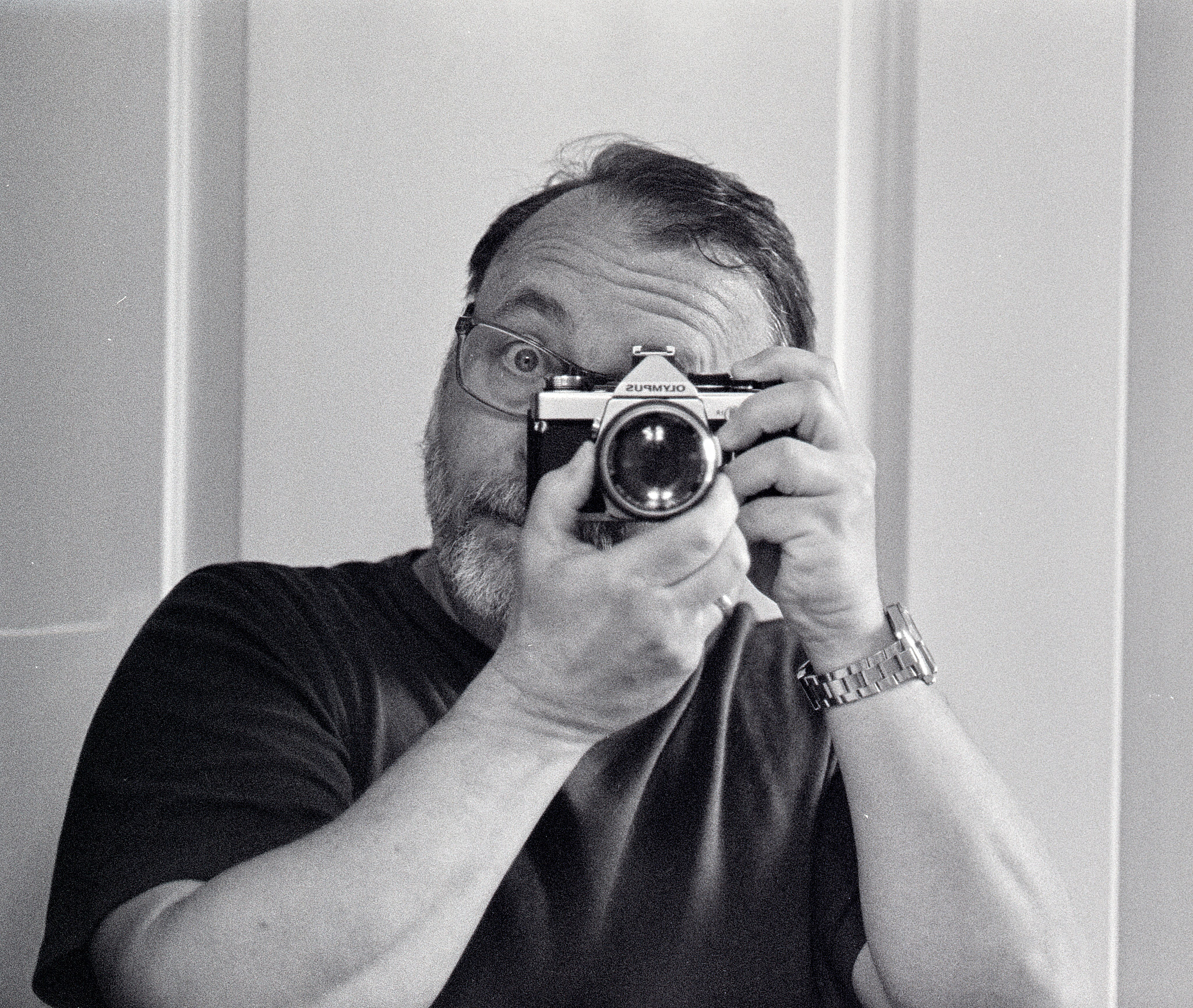
Mirror self-portrait. OM-2n. HP5 Plus
Flag while driving. OM-2n. HP5 Plus
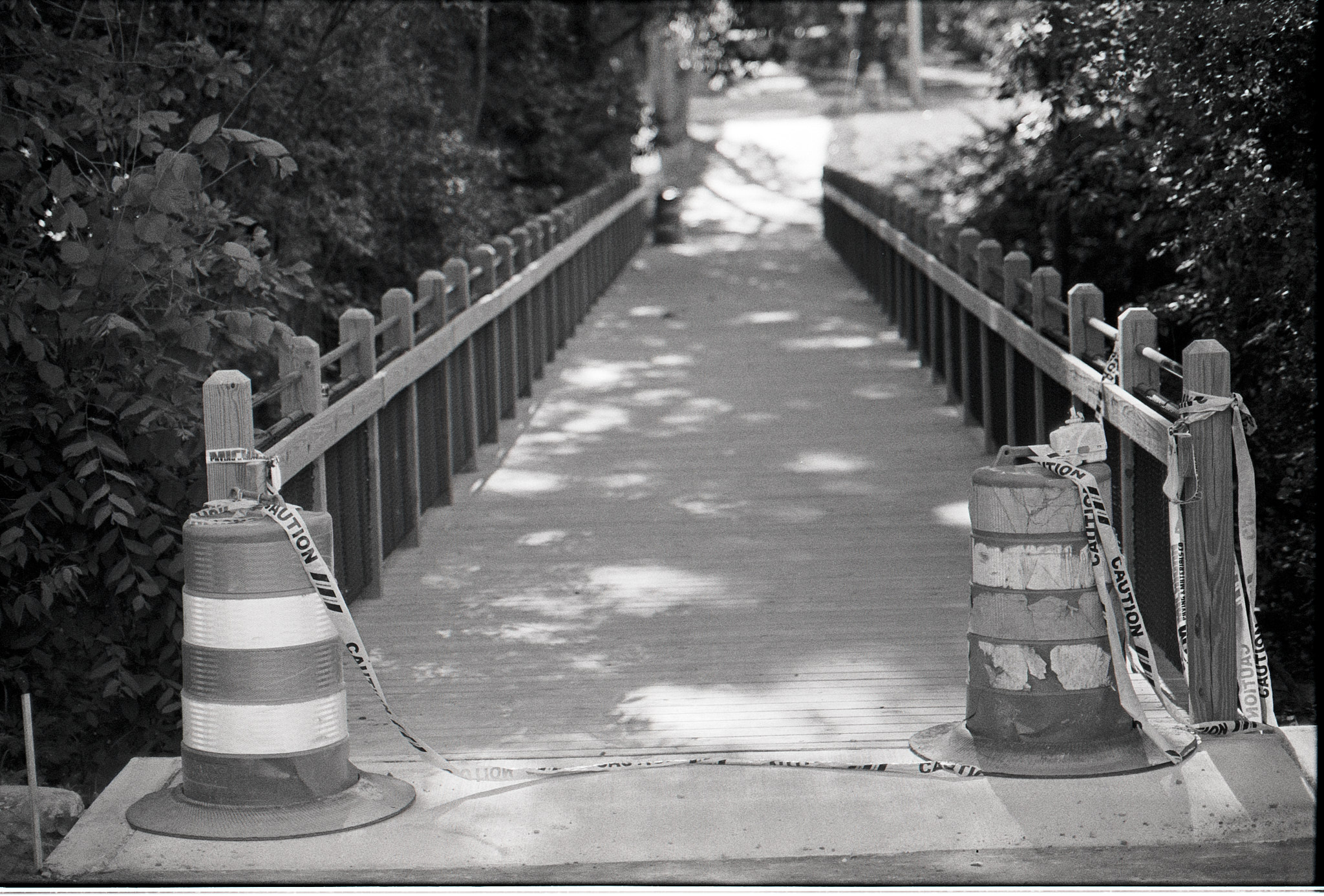
Bridge. OM-2n. HP5 Plus
Permalink #

Marking a region for highlighting in Hugo posts

You'll notice that I highlight short phrases in many of my daily post entries here. I think this makes it easier to scan things later. The HTML markup for this is just a styled <mark> tag wrapping the text to be highlighted.

I write my posts in Org-mode and convert them to Hugo-compatible Markdown using ox-hugo. The path from Org-mode to HTML for this is a little convoluted, so I cheat and use a macro to generate the markup.

At the top of my blog.org file, I have defined the following macro:

#+macro: mark @@html:<mark>$1</mark>@@

And when writing posts in Org-mode, I surround the text I want to be highlighted with the macro, like this:

I would like to {{{mark(higlight this text)}}} in the rendered HTML, please

This replaces the text passed to the macro with properly-escaped markup for export. While it's easy enough to type the macro manually, I've created a small elisp function to do it for me:

(defun jab/markregion ()
  "Add a 'mark' macro to the current region (for Hugo)"
  (interactive)
  (if (region-active-p)
      (progn
        (goto-char (region-end))
        (insert ")}}}")
        (goto-char (region-beginning))
        (insert "{{{mark("))))

Now, I can simply highlight some text and call the jab/markregion function and I'm done.

It's easier and faster than it sounds, really.

Permalink #

Will I always be a static website person?

UPDATE June 09, 2022: This post was copied and pasted from the original WordPress post. Meta! :)

I’m typing this post in the WordPress editor. I don’t enjoy writing here unless I’m adding an image gallery or some other fancy embedded content. It just feels off. “So write in MarsEdit or Ulysses or something instead,” you implore.

Nah. I’ve tried that and decided that if I’m going to write in one place and publish somewhere else, I may as well just write in Emacs and publish a static website.

Speaking of static websites, this site was static just three weeks ago before I moved it to WordPress. It’s always a relief moving from a static blog to WordPress or Ghost. Everything becomes so easy! No futzing with rendering or deployment scripts. Images are just there, and properly sized and cached. Mmmm, good. But, easy doesn’t mean fun or nice. There’s no way around the fact that WordPress is big and a bit janky to work with. It may have everything one needs for maintaining a blog, but it also has everything one might possibly ever need. Those extra things inevitably get in the way and make the experience less fun.

There’s also the permanence issue. For example, my 20-year blog archive runs on a simple, static, cheap Digital Ocean droplet. I never think about hosting it. I don’t worry (as much) about security or patches or upgrades. It just sits there, idling, almost entirely on its own. And, I always have a rendered version locally, right next to the original Markdown (and Org mode) source files. Everything is managed in Git and backed up easily with a simple file copy. Everything is searchable and fungible locally. Everything is fast.

WordPress, while easy to host, needs to be watched closely and constantly. Things can break. Backups are more complex. Everything is more complex, really.

What it comes down to for me, I think, is that having a static website feels better to me. It feels right.

I love tinkering with different blog engines and methods. I’ll probably always switch between them. It’s fun! But for the long haul, and for peace of mind, I find that running a static site suits me better.

So I'm sorry if your RSS feed is pummeled with duplicates, but we've gone static again.

Permalink #

Moving my journal to (mostly) digital

For years, I’ve kept a paper notebook at hand. I always have a Moleskine-style bullet journal or a Field Notes pocket notebook or a Hobonichi Techo nearby. Sometimes all three.

Lately, I’ve been feeling hampered by keeping my journal on paper. My handwriting is terrible unless I write very slowly and deliberately. I worry that personal journaling suffers from too-slow, overly-deliberate writing. I spend too much time deciding between and playing with various writing instruments. I love my fountain pens, but I’m left-handed, and fountain pens are not ideal. The ink and paper must be just right, and that’s hard to arrange.

Eleven years ago I started using Day One, a journaling app for macOS and iOS. Day One is a fantastic app, dedicated to journaling. I’ve used it intermittently ever since. I’m now using it all the time.

What this has meant is that I’ve been keeping a journal in both paper and digital formats. This doesn’t make sense.

I love (I mean, love) having the artifact of a paper journal. Just seeing all those filled notebooks lining my shelves is comforting. It may be comforting, but it’s not useful. I’m starting to feel like I need more usefulness in my tools.

Journaling offers different benefits to different people. For some, the simple act of writing down one’s thoughts is enough. I love that part of it. However, I also love searching for things my past self has written. Not browsing, searching. They’re different. Browsing old paper journals is a favorite pastime of mine, but more often it would be handy to be able to look for specific things I’d written. I could keep a detailed paper index, but I’m not even close to disciplined enough to maintain that. I’ve tried. It’s awful.

Being able to paste in texts or emails from family and friends is another bonus with digital journaling. Or quotes, or tweets. Sure, there’s a certain romance to transcribing quotes by hand, but in reality, I rarely do it.

And then there are images. I have a big Moleskine notebook that serves as both a journal and a photo album/scrapbook. It’s beautiful and, again, a wonderful physical artifact. But, I need to be in the right mood or it doesn’t get updated. Day One pulls photos in from my photo library and fits them nicely into the day’s entry. Hard to beat that kind of convenience.

As for artifacts, I print my digital Day One journal every month and put the pages into a binder. It’s not quite as lovely an artifact as a hand-written paper notebook, but it’s pretty good. And Day One lets me print a real book from entries, which I’ve started doing annually. The books might be even nicer than paper notebooks.

I don’t think I’ll ever be able to stop writing in paper notebooks completely, but for the moment, most of my writing will be digital. I’ll pick up the notebook now and then and write a little. One thing I’ve learned is that no matter how infrequent the entries, the result is still valuable. This way, I’ll have most of my writing in a convenient digital format, backed up on paper. I’ll also have beautiful, timeless paper notebooks so that future generations can throw them away, unread.

Permalink #

Sold: Leica Q2 Monochrom

I just sold my wonderful Leica Q2 Monochrom. This was the second time I’ve owned a Q2M and the second time I’ve sold one.

The Q2M is a nearly perfect walk-around, everyday camera for someone who wants to focus purely on making black and white images. That describes me perfectly, for a while. I love B&W photographs and the Q2M makes them as good or better than anything available. I love how using a B&W-only sensor forces me to think in tones, shades, and lighting.

But, and there’s always a “but”, my use of the camera is mostly while hanging around with family or out at dinner, etc. As an everyday carry camera, I am often asked by family members if they could “see the color version” and they are disappointed when I tell them there is no such thing. After a while, I start to feel like I want the option to shoot black and white, but not always.

I also have a beautiful M10-R which is always just begging to be used. The decision about which camera to bring is crazy-making for me, so I now have fewer choices, which I am telling myself is a good thing.

My “kit” now consists of the Leica M10-R and Leica MP. It’s great being able to use the same lenses on both film and digital bodies. And there really is nothing that compares with an M.

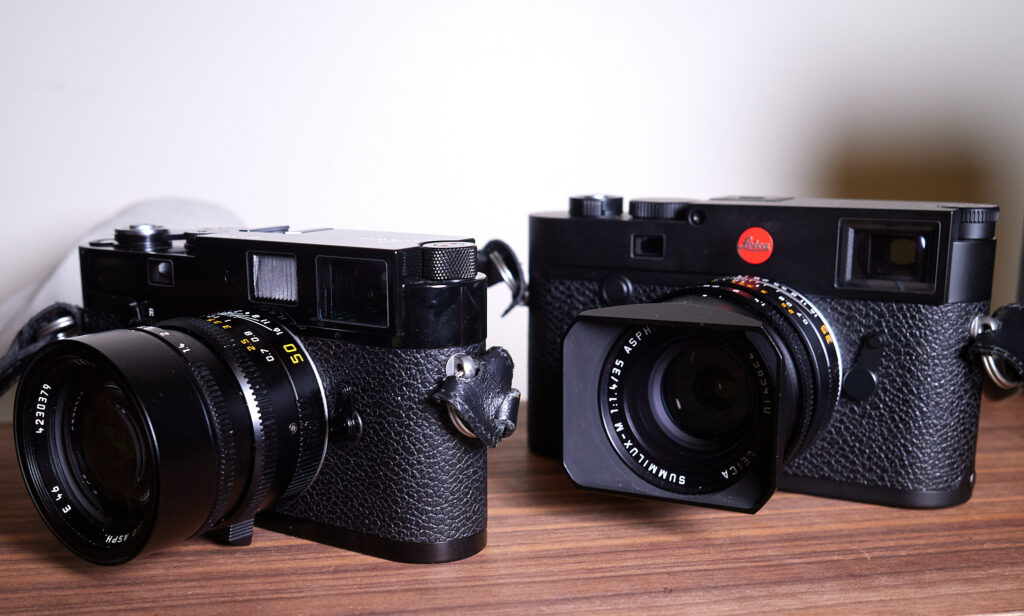
Leica MP and Leica M10-R

The biggest gap this leaves is that I still need something for casual carry. Something with auto-focus and macro capabilities that I can shoot one-handed. The M cameras leave me without any of that and I often miss it. For now, I’m filling that gap with the little Ricoh GRIII. It’s a great, tiny, easily-pocketable camera that should do just fine.

I’ll miss the Q2M, but for now, I’m going to work with what I have, and what I have is pretty great. But don’t be surprised if a future post discusses something entirely different.

Permalink #

Trying a hybrid (digital/analog) workspace

Long story short, I have successfully rationalized the purchase of a new iPad Pro and keyboard.

After a week or more of non-stop tinkering with nearly every bit of software on my Mac, I had a fit and decided to switch things up. I now have an iPad Pro (11-inch) with Smart Keyboard. The idea is that the software I use on iOS is less prone to tweaking. Plus, I’m not always futzing with shell aliases and other CLI tools just for fun. I’m not tempted by a 32-inch screen peppered with windows just begging me to play with them. I’m still thinking Reset to Defaults.

I just want to read and write. Maybe doodle a little. And I want to do it digitally and on paper. Hence, the “hybrid” idea.

So I have a limited-capacity device alongside my paper notebooks and index cards. I took over the unused upstairs bedroom (which used to by my office anyway) and cleaned out everything I don’t need. This is the first iteration. I’d like to keep it minimal so I’m not adding things until I feel I need them.

Permalink #

Reset to Defaults

A week ago I did that thing where I blow up my system because I noticed I’d been doing that other thing where I spend all my time tweaking everything.

I’m calling it an experiment, and I’m naming it “Reset to Defaults”.

The idea is to revert to stock macOS apps where feasible, or simple and established apps otherwise, and avoid tools that lend themselves to constant tweaking. This hurts because tweaking is what I spend much of my time doing. I enjoy it! But, it’s a distraction and I should do less of it. To this end, I’ve restructured task management, blogging, journaling, note-taking, photo editing, file management, etc.

Yesterday I wrote that I no longer wanted to talk about my process. Yet, here I am talking about my process. I’m doing it because this is what helps me sort things out and remember how they were sorted. So, what the hell, let’s make it a blog post.

Here’s what I’m trying.

Apple Reminders for task management. Reminders has gotten much better recently. There’s smart lists, tags, the works. It’s a very capable app and integrates with everything, so I’m trying it. This change has the highest chance of failure, because I don’t like Reminders. I don’t like how it feels or how it handles notes or how I need to click in a certain area to select things or that it adds a new reminder every time I simply click in an empty space below the list. Anyway, we’ll see. There’s a 50% chance I’ll be back in Things and a 25% chance I’ll be back in Org mode for my tasks.

Apple Notes for notes. What?! That’s right, I’m writing all my “evergreen” notes in Apple’s venerable Notes app. I have to say, Notes is really nice, once one lets go of “IT MUST BE MARKDOWN” or whatever. It doesn’t have to be Markdown, btw, if you’re not converting your writing to HTML or some other format. I have zero fear of lock-in and there are various methods of saving notes as text or other formats. I’m trying to get over wringing my hands about all that.

Day One for personal journaling. I have 3,671 entries in Day One going back to 2011. Each of them has location and weather info, along with date and time. Many have photos or other images. I can filter and export them any way I see fit, to text, Markdown, PDF, or HTML. I can order a nice printed book from any selection of entries. I can journal on my iPhone or iPad. I can hook it into other tools using the CLI if I want. And I spend almost no time tweaking it. I just type and save. Day One was my default journaling app for years and I’m going to try it again for a while.

WordPress for blogging. I know, I know, we’ve all been around this block before. But using a CMS that does everything, pretty easily, and without much fuss is what I’m looking for right now, so WordPress it is.

Of course there are always a bunch of supporting players, and I’m evaluating how I use those too. For now, this feels like I’m using the tools that I would use if I didn’t think too hard about tooling. Let’s see what happens this time.

Permalink #

I love the HHKB but my pinky hurts

I've been using the Happy Hacking Professional 2 Keyboard since 2018. After a long search and many different dead ends, I'd found the keyboard for me. I still think the HHKB is nearly perfect, but there's one problem.

The problem is that having to access the Function layer (for arrow keys, etc.) using my pinky is causing discomfort in my hand. On the one hand (pun!), I'm good at using the function key to access the arrow keys. They are close by so it's actually faster and easier than on keyboards with dedicated arrow keys. This took me a long time to realize, but now that I'm used to it, other keyboards feel less efficient. But, on the other hand (again!), I don't enjoy the pain in my hand.

I'm going to reset for a bit and give the pinky a break. I'm taking the lazy way out and just using the Apple Magic Keyboard. The Apple keyboards are fine, and as a bonus, the layout matches the MacBook Pro keyboard so switching is less jarring. Still, it's a shame.

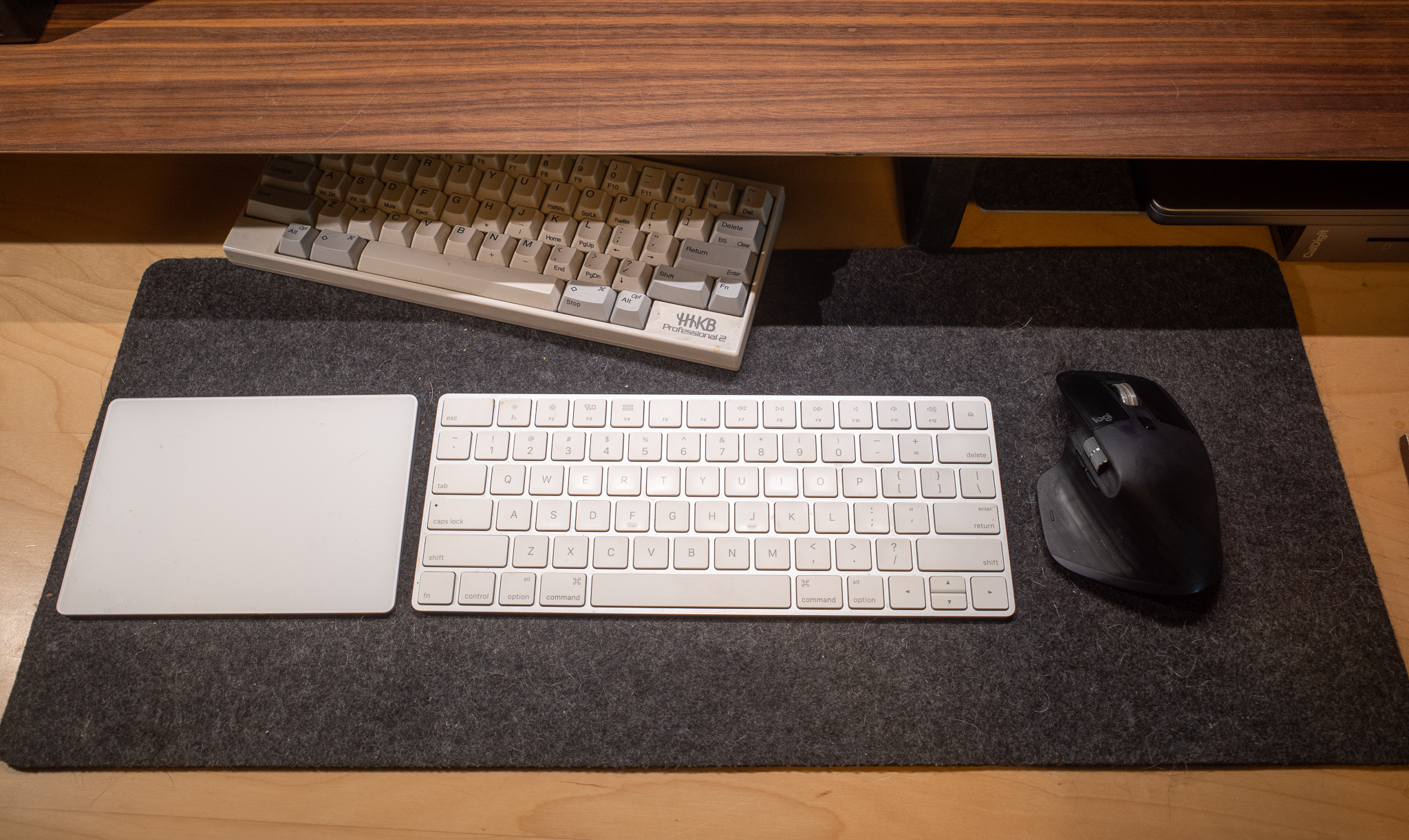
Here's my setup today. (Notice my poor HHKB cowering in the shadows.)

UPDATE: (24 hours later). I'd rather suffer the pain than not use the HHKB. It's back on my desk this morning.

Permalink #

AirPods Max are amazing but I kind of hate them

I've had a pair of Apple's AirPods Max for almost exactly one year. The headphones

look nice and sound very good, but I don't enjoy using them. I've been thinking about why that is, and came up with the following list.

There's no Off button. I hate this. I don't use them every day, and if I don't remember to either plug them in or put them in the case (for "low power mode" or whatever it is), the batteries are often dead when I go to use them.

They feel unstable on my head. I can't figure out what it is about the way the AirPods Max fit, but I find that I'm always aware of them on my head and am constantly adjusting them. Maybe it's because of my giant head, but they aren't as comfortable as they should be.

They steal audio from the AppleTV. Occasionally, when my wife is doing a workout using the AppleTV in the next room, I'll put on the AirPods, and they steal audio from the TV instead of connecting to my Mac, which is right in front of me. I haven't been able to figure out why this happens, but it bugs both of us.

I can't stand the clicking sound they make when moving them around. If the AirPods are folded flat, they bang together when I pick them up and move them around. The sound is like fingernails on a chalkboard to me. Why is nobody talking about this?

The "case" is stupid. Who approved that thing?

I wish I enjoyed them more. Spatial audio is nice, and the noise canceling works great. They sound really good, too. However, and as much as I hate wires, I find myself plugging in the Sennheiser HD 650s most of the time instead. The 650s fit perfectly, sound even better, don't need charging, and never do anything wrong.

Permalink #

Blogging with Curio

I’ve used Zengobi's Curio for many years when I needed a visual system for managing projects and associated files. In a recent version, Curio gained a Journal feature. It’s fairly rudimentary compared to dedicated journal apps, but I recently started testing it as a way to create a sort of scrapbook each day. It works pretty well for that. I export a PDF of the day’s entry, print it, and put it in a binder.

While farting around with Curio exports, I tried exporting a few entries as HTML and was surprised how much fidelity is maintained when exporting. For giggles, I uploaded a few days’ exports to a web server. I had a crazy idea that this could be a daily blog. Here is my test site.

It’s neat, right? I slap images, notes, cards, mindmaps, lists, anything on the day’s entry, and it ends up as a web page.

While a fun experiment, I don’t think it makes sense long-term, since the resulting web pages are a mess on mobile, offer no accessibility, and managing navigation, etc. is a pain. Still, it’s a neat trick and I may throw pages out there every once in a while, just for fun.

Curio Journal Page

Permalink #