Doom Emacs and go back to building Emacs from Scratch, and once again I was reminded what a terrible idea that is.
Seriously, stock Emacs, even with a leg up from Nano Emacs, gets so many things “wrong” that I could spend the rest of my life fixing things and still wanting more. I thought building from scratch would help me avoidConfiguration Fatigue. Wow, was I wrong.
So, back to Doom. I started from scratch with the usual…
Then I edited init.el and enabled just a few non-stock things. “Zen” mode, org-journal, and pandoc-mode. Otherwise, it’s right out of the box.
I copied the gotta-haves from my original config.el. Most of these are around file paths, Org mode, and LaTeX. Plus a few of my favorite key bindings. Otherwise, I left it alone. So far.
Doom Emacs is simply too good to pass up. It handles all of the little behavioral and visual tweaks that would otherwise take forever to learn about and modify on my own. Half of the things it does for me I just expect to be part of Emacs, and am surprised when I find they’re not.
I’m still using the default Doom theme, which isn’t my favorite, but I’m trying to resist farting around with that for at least a couple of days while I get settled back in.
Sometimes I want a better environment for writing and posting to my blog. Ghost’s post editor is fine, but not “nice”. For writing with Markdown, iA Writer‘s editor is hard to beat. I thought I’d see if there’s a way to post from iA Writer to Ghost.
There is. First I had to add an “App” in the control panel so I’d have an API token. I entered that and the corresponding endpoint URL in iA Writer. Now, I can write, add images, and post a new draft simply by right-clicking the post and hitting “Publish…”.
I can’t seem to add “Featured” images this way, which is too bad. Still for feel-good editing, using iA Writer for writing blog posts is worth it.
Of all the ways I’ve logged books, I’m thinking that plain text remains the best. I’ve been adding books to a text (Markdown) file for while now and it’s not pretty, but it works. And it will always work.
Like I said, it ain’t pretty. On the other hand, I use it regularly by simply running little searches. If I want to know how many books are read in 2020, it’s just grep 2020- books.md | wc -l and I get 14. To see the actual books, it’s even easier: grep 2020- books.md which gives me this:
A Gentle Madness: Bibliophiles, Bibliomanes, and the Eternal Passion for Books by Nicholas A. Basbanes (2020-01-05) | ★★★★
How to Do Nothing by Jenny Odell (2020-02-05) | ★★
The Instructions by Adam Levin (2020-02-15) | ★★★★
The Wisdom of Insecurity by Alan W. Watts (2020-03-06) | ★★
American Dirt by Jeanine Cummins (2020-03-09) | ★
Recursion by Black Crouch (2020-04-05) | ★★★
Devoted by Dean Koontz (2020-04-23) | ★★★
The Soul of an Entrepreneur by David Sax (2020-05-04) | ★★★
Shakespeare for Squirrels by Christopher Moore (2020-06-09) | ★★★
Network Effect (The Murderbot Diaries, #5) by Martha Wells (2020-06-24) | ★★★★
Dark Matter by Blake Crouch (2020-07-19) | ★★★★
The Permanent Portfolio by Craig Rowland (2020-07-22) | ★★★
More Effective Agile by Steve McConnell (2020-10-10) | ★★★
Futuristic Violence and Fancy Suits (Zoey Ashe, #1) by David Wong (2020-12-27) | ★★★★
Or, how many books have I read by Christopher Moore? grep 'Christopher Moore' books.md:
Coyote Blue by Christopher Moore (1999-01-01)
The Lust Lizard of Melancholy Cove by Christopher Moore (1999-01-01)
The Griff: A Graphic Novel by Christopher Moore (1999-01-01)
Lamb: The Gospel According to Biff, Christ’s Childhood Pal by Christopher Moore (2008-12-24)
Island of the Sequined Love Nun by Christopher Moore (2009-03-12)
A Dirty Job by Christopher Moore (2010-12-28)
Bloodsucking Fiends by Christopher Moore (2010-12-28)
The Stupidest Angel by Christopher Moore (2011-01-01)
Secondhand Souls by Christopher Moore (2015-11-12)
Noir by Christopher Moore (2018-05-15)
Shakespeare for Squirrels by Christopher Moore (2020-06-09) | ★★★
It’s not perfect, and leaves out any kind of social discovery, so I also enter books in both GoodReads and StoryGraph, which honestly only takes a few minutes per book so it’s hardly a burden.
I love that my plain text book log is so lightweight and simple.
There’s a scene in Lexicon by Max Barry in which Emily is sitting in a waiting room watching a single fish swimming in the upper half of a tank shaped like a large hourglass. The water drips slowly into the bottom half. Emily assumes that the whole mechanism will automatically pivot at some point and then the fish will be swimming in the bottom half. And so on, indefinitely. She figures it’s some sort of art piece. Looking more closely, she realizes that there is no mechanism for allowing the tank to pivot and that someone must just come in and replace the dead fish each day.
I can’t get this out of my head. The tank is not so much an artistic statement as a metaphor for life. It doesn’t pivot when the water runs out. And there’s no one to replace the fish.
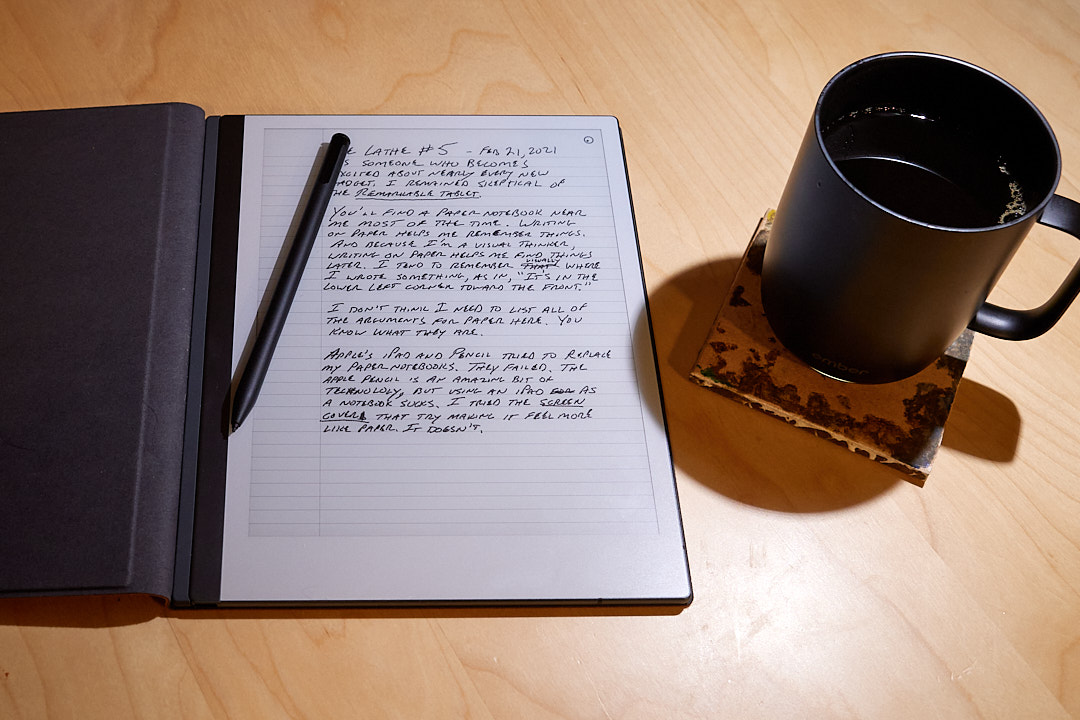
You'll find a paper notebook near me most of the time. Writing on paper helps me remember things better than typing notes into an app on a computer. Because I'm a visual thinker, writing on paper helps me find things later. I tend to remember, spacially, where I write things; as in, "It's in the lower left corner toward the front."
I thought Apple's iPad and Pencil would be ideal for taking notes. They aren't. The combination of iPad and Pencil is an amazing bit of technology, but using an iPad as a notebook sucks. Writing on an iPad feels like using a somewhat clumsy input device through glass onto a computer. I tried the screen covers that are supposed to make writing on an iPad feel more like paper. They don’t. And worse, the rest of the iPad's features (along with the entire internet) are always right there, lurking behind the glass, waiting to distract me.
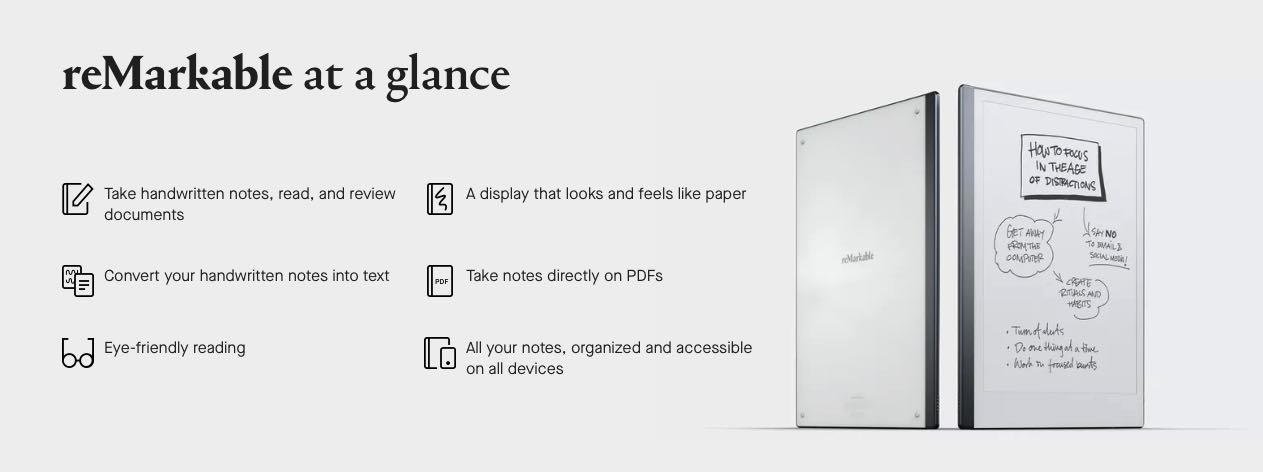
The reMarkable tablet is billed as "the only tablet that feels like paper," so I was of course intrigued. Skeptical, but curious. I wondered if it could really replace my paper notebooks even after the iPad failed.
Turns out that, yes, it can.
I love the reMarkable tablet, and here's why.
It really does feel a lot like paper. The first time I wrote on it I was like, "Woah, that's nice!" It's enough like paper that I'm not distracted by how it feels.
I love the hardware. The device looks and feels great. Solid. It's as thin as a half-used legal pad. The pen is light but not too light. And speaking of the pen, I bought the fancy one with an "eraser". The eraser takes a minute to get used to, but is exactly the right thing. The pen doesn't use a battery, so there's never that fear of not being able to write because I forgot to charge it.
I love the look of the screen. It looks like paper. There's no backlight, which many consider a missing feature. I don't. It's very easy on the eyes. It's cool that I can choose the type of "paper". No more fretting about which type of notebook to buy. Should I choose lined paper or do I go with a dot grid pattern? Doesn't matter, now I can have all of them any time I want.
Battery life is great. The battery lasts long enough so that I'm not always thinking about the battery. I charged mine a couple days ago and it's now at 87%.
It's always ready. Using an iPad for writing is acceptable if I'm specifically sitting down to write for a while, but it's less useful for general note taking. The reMarkable is always ready. I have mine set to sleep after 20 minutes. If it does happen to fall asleep while I'm thinking or doing something else, I just tap the button at the top left and it's ready to go in less than a second. The iPad, on the other hand, needs to sleep much sooner if I want the battery to last through a couple of meetings. And when the iPad does fall asleep (as it always does) I have to tap to wake, then swipe up, then lean over so FaceID works (and it often doesn't, so then I must also enter my pass code). This makes the iPad an unacceptable replacement for paper. The always-ready feeling of the reMarkable might be the most meaningful difference between it and the iPad. It's not as ready as paper, but it's close.
I love the lack of features. What I love most about the reMarkable tablet is what it doesn't do, which is just about everything. There's nothing else there[1]. I can write and organize notes and sketches. That's it. There's nothing lurking behind a swipe or a notification. If I want, I can see all my notes on the companion apps on my Mac and iOS devices. I can convert my handwriting to text and email it to myself. That's how I wrote this post, in fact. It worked great.
Many of the reviews I've read have focused on all the features that the reMarkable 2 doesn't have. They miss the fact that those missing features are the greatest feature of the reMarkable. The reMarkable tablet is not much more than a stack of flexible notebooks, and that's all I wanted.
Well, I can read and write on PDFs but that is likely something I will only occasionally do ↩︎
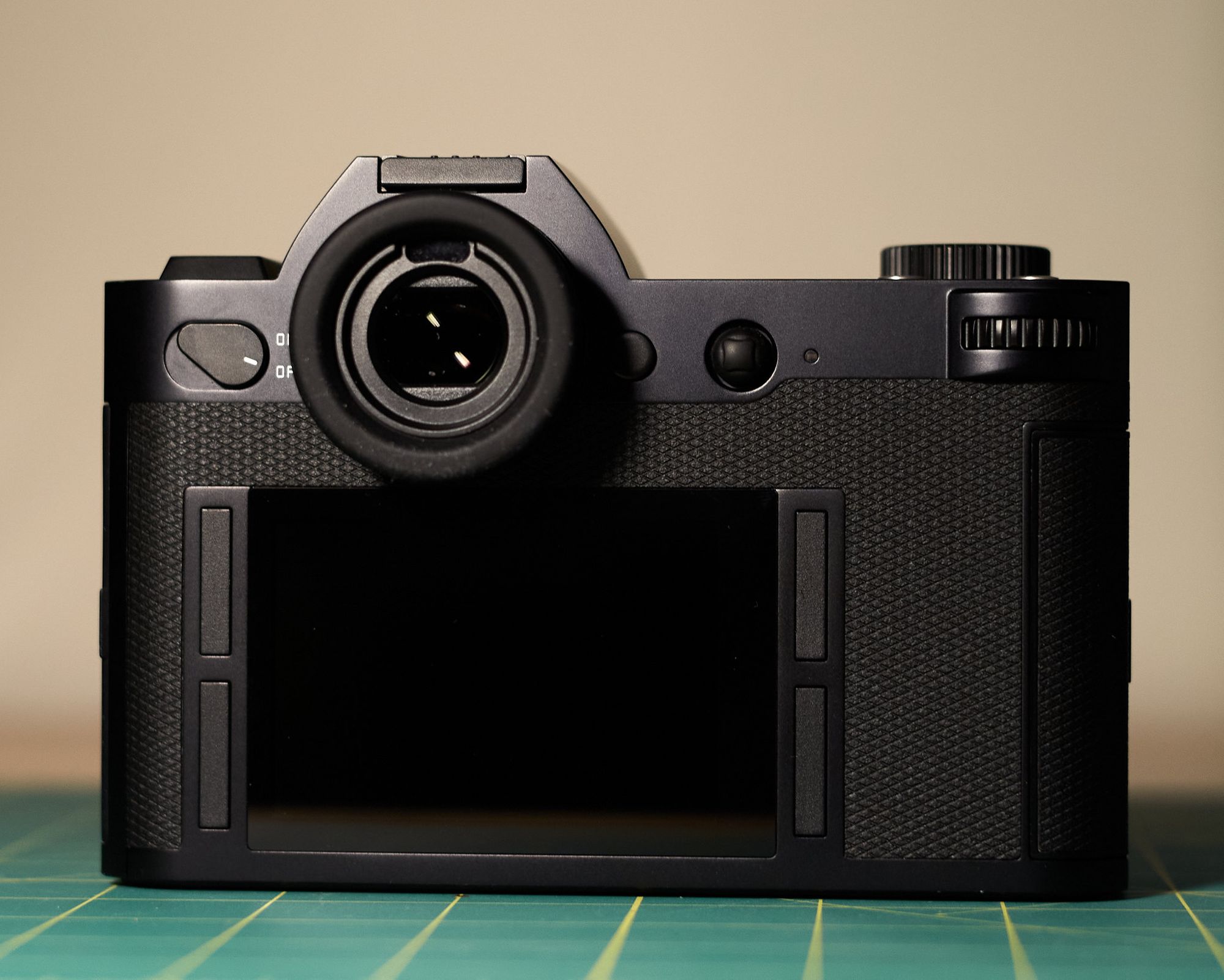
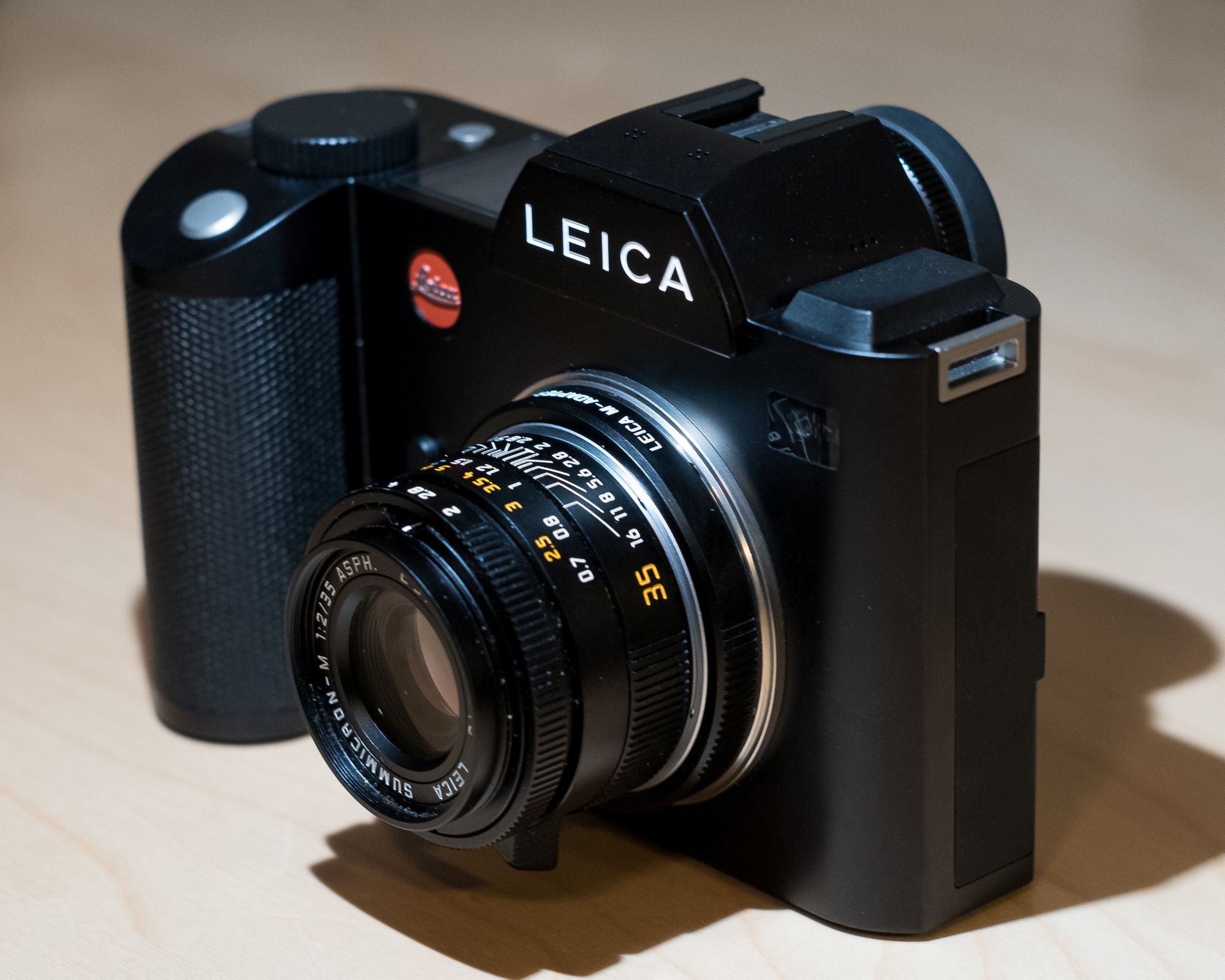
I was supposed to sell the Leica SL once the SL2-S arrived. I almost did it, too. It’s technically still listed for sale in a couple of places, but I’m not ready to get rid of it yet. I mean just look at it.
The Leica SL is five years old and still a wonderful camera. If I’m being honest, the brand new SL2-S is better, but not that much better. I’m keeping the original because it’s awesome and it’s worth more to me to have around than the money I could get for it. This calculus could change, of course, but it’s kind of amazing that I have an extra SL available. I don’t see the APO-Summicron-SL 35mm ever coming off the SL2-S, so it’s great that I can keep one of the M primes or the Zoom lens on the SL without having to switch lenses.
Another benefit of keeping the SL is that I can take it places I might not take the newer one. It seems silly to call the SL my “beater” camera but that’s how I’m thinking of it. If I drop or lose or have the SL2-S and Summicron stolen, I’m out a very significant amount of money. With the SL and cheaper lens it would still really hurt, but less. The SL has GPS built in and the SL2-S does not, which is handy for if and when I actually do go places again.
Leica SL with 50mm Summilux-M ASPH and SL2-S with APO-Summicron-SL 35 ASPH
I no longer have a camera to use for scanning film, since I sold all my Fuji gear. I’m thinking about finding a cheap Nikkor macro and adapter and using the SL for the scanning station. Not an ideal use for such a fine camera, but should work well.
And finally, I get a little emotional about cameras. I sold the M10-P and hate myself for it, even though it was necessary at the time. I’m thinking that if I don’t have to sell the SL, why not keep it around for a while?
I have had thoughts about finding a used Leica Monochrom. If I get serious about that I’d need to sell the SL to help fund the M. In the meantime, the SL won’t go to waste.
UPDATE (February 24, 2021): I sold the SL. Could not resist trying a Q2 Monochrom.
It only takes a few seconds to write something down in a notebook, and look what it gets you. It gets you an immutable, permanent record of something in a cool, personally unique format. It produces a physical artifact that will last for generations.
For a few years, I recorded each movie I watched and each book I read in a large notebook...just one line for each entry. But, as often happens, I was sucked into doing it digitally instead because convenience or search or whatever. This is a shame because what do I get for having a text file or Roam graph with a bunch of movies listed? I get a boring, digital, ephemeral text file that doesn't really exist anywhere as a thing.
I really want to have that thing. But I kind of also want a searchable, sharable record at the same time. So, I did some math.
Let's say that it takes 2 whole minutes to go get the notebook, record a book or movie in it, and put the notebook back on the shelf. And let's estimate that I read two books each month and watch 4 movies each week. That's what, 18 entries per month. Assuming I enter each one as it happens, that's 36 minutes per month. In reality, I probably enter everything all at once each week rather than one thing at a time. This knocks it down to maybe 10 or 15 minutes per month.
I think I can find an extra 15 minutes per month for such a lovely permanent record. And if I can find another 15 minutes I can record everything digitally as well, for when I want something to search.
It was fun setting up a Pi-hole on my home network. I learned some stuff, found an excuse to play with another Raspberry Pi, and got network-wide ad blocking as a bonus. The whole thing cost next to nothing and played to my nerdy tendencies.
The problem with my nerdy tendencies is that they come and go. For months the Pi-hole just sat silently in the corner and did its thing. Sometimes the best computers are the ones you forget are there. But then something goes wrong, or I want to upgrade, or some other event requires me to get in there and do something. After so long since not doing anything with the Pi-hole, I forgot how to do anything with it. I try to take good notes, but always miss something and end up flailing about online frustrated and looking for help.
Enter NextDNS, "The new firewall for the modern Internet." A couple of clicks and it was configured before I knew it. I installed the app on my Mac(s) and iPhone and everything just worked with almost no effort on my part. I don't remember the last time something that I expected to be complicated turned out to be so simple.
I now have the functional equivalent of a Pi-hole but with none of the "joy" of managing a Pi-hole. I have better things to do with my time, so this is great for me.
NextDNS is free for up to 300,000 queries/month. I knew I would blow past that so I signed up for a very reasonable $19.99/year.
I've had no issues after the first couple of weeks, and blocking seems to be at least on par with what I was getting with the Pi-hole. So far, I love this service.
I've played on and off with twtxt a little and keep the feed out here: http://tilde.club/~jbaty/twtxt.txt. Here's a snippet of my old twtxt.txt file...
2017-10-15T08:45:06-04:00	Hello, this is a test from twtxt
2017-10-15T08:54:53-04:00	Testing the post_tweet_hook to see that it copies the file to my server
2017-10-15T09:11:16-04:00	Moving my public twtxt.txt to tilde.club/~jbaty/twtxt.txt because it seems fitting there
2017-10-15T16:24:10-04:00	Fun with text tools today https://www.baty.net/2017/some-text-based-things-today/
2017-10-16T07:17:40-04:00	Good morning, several people!
It's a fun, simple idea; just a text file as social media feed. I'm already spread pretty thin online so it's only been an occasional toy, but of course someone (James Mills, aka @prologic) is trying to make using the format easier and more approachable by wrapping it in a web UI. Here's his description from the about page
Technically twtxt.net is a twtxt client in the form of a web application. You are viewing an instance of this software at twtxt.net. twtxt.net allows you to make small posts in a simple easy way without privacy concerns, advertising, tracking or the fear of censorship. Think of twtxt as somewhat like Twitter™ but unlike Twitter™ twtxt and twtxt.net are designed to be decentralised.
James was kind enough to give me my own "Pod" at baty.twt.social and I've been tinkering with it for a few days.
I haven't spent much time with twtxt.net yet, but it's been fun writing short posts knowing that the underlying format is open, portable, and easy to deal with. There's no telling where any of this will go or whether it has any chance of putting a dent in the other established networks, but I'm rooting for it.
A couple things I'd like to see. First, the web UI appears heavily mobile-weighted and I'd like to see a more concise layout for desktop. Second, there seem to be a lot of "mentions" in my feed whose purpose is unclear to me, e.g. FOLLOW: @twtxt from @jack using twtxt/0.1.0@988f2a7.
I expect that discoverability, cross-server mentions, and conversations will continue to be improved, making the whole thing an increasingly-viable alternative to, say, Twitter. It's awesome that people are working on this stuff.
simple [ sim-puhl ], adj. Having few parts or features; not complicated or elaborate.
I talk a big game about keeping things simple, but I rarely follow my own advice.
Before restarting my computer, I usually quit all open apps. This morning I noticed how many that was. I didn't count them, but it was a metric shit-ton of apps. And there was a lot of feature overlap.
So today I made a few changes to the lineup, spurred on by a desire to reduce the number of apps I need open and to consolidate where things are kept. You know, I wanted to keep it simple. 😆
Here's what changed.
OmniFocus for tasks. I had tasks everywhere (Curio, Emacs, paper notebooks, Things, Reminders, Roam, etc.) That all happened organically, but is unsustainable and crazy-making. At first I thought I'd move it all into Things again, but when there's lots going on, OmniFocus is the appropriate answer, so I took the opportunity to start with an empty database and migrated everything I'm supposed to do from the other places into OmniFocus.
TheBrain for projects. I've been trying to keep work stuff out of my Roam database, and had been using a combination of Org mode and Curio and DEVONthink. I've bailed on both Org mode and Curio and put it all into TheBrain. TheBrain version 12 does a great job with notes and backlinks and of course links everything to everything. Giving it a go for project and people management.
Day One for journaling and daybook. I'd been journaling in Org mode and Day One and sometimes Roam. No more. If I want to write about either the large swaths of my day or the minutiae, it goes in Day One. I keep a few separate journals in Day One. The big ones are Journal for photos and general journaling and Daybook for the minutiae about the day.
Roam is for topic journals. I've been limiting my use of Roam to mostly things I want to learn about or take notes on. Quotes, links, ideas, etc. Roam is good at that.
Nova for writing and editing. For manipulating text, there's nothing like BBEdit, but what I do with text most often is write and edit Markdown files. For this, I'm using Nova, from Panic. It's just nicer for that sort of work.
I'm writing it down because it's fun seeing how things evolve. It remains to be seen if I need to write a new post next week about this.
Having my own instances of things is cool. Websites, apps, databases, all mine and completely under my control. Except I'm beginning to wonder whether I want that control.
I'm down to 2 instances at DigitalOcean. The first is my "static" server which runs the Caddy web server. I keep all of my static sites and files there. Until yesterday, this site was there, too. The other server runs Ghost, the engine for my CopingMechanism blog.
Over the weekend I made a bunch of changes to this blog, and in the process moved hosting back to Netlify. I've gone back and forth on this at least a half-dozen times. It's such a relief to simply do a git push and have Netlify grab the repo, build the site, and pour it into their CDN. I don't have to worry about a thing. And yet, before long I always miss worrying about the things.
Having a folder of HTML files served up with a simple web server is so comforting. Hosting is a breeze on cheap hardware. I have access, direct access, to everything about the site. I have server logs that can analyze traffic and look for 404s and such. I can put my arms around it. This is also comforting.
And what about other apps and services? I still have a free tier of Cloudron on an EC2 instance running a photo gallery. Cloudron makes me want to host my own stuff. It's so easy. But a while ago I'd decided against having to manage a bunch of separate self-hosted apps, so I'm supposed to be phasing that out.
But what about?... :)
I don't even remember which app I considered self-hosting when I began writing this post. One minute I'm trying to get rid of everything I have to manage and the next I'm pulling it all back in.
Well this ends with no resolution whatsoever, sorry. I told you I couldn't decide.
I finally did it. I broke this blog apart and archived 20 years of history.
You see, I still wanted it to live here at baty.net but I didn't want to keep lugging around 20 years of posts every time I built or deployed or moved things.
So I started with a fresh copy of the theme, kept only the content from 2021, and moved all the archives to archive.baty.net. Yes, I understand that this means a bunch of broken links. I'm trying to find a good solution to that, but not letting it stop me.
Now I can use Netlify without waiting 5 minutes for builds to finish. I can more easily try new themes without worrying about old, broken frontmatter or shortcodes. I may even try using Forestry.io for writing posts.
I suppose I could change my mind any time by simply dragging the old ./content/posts/ folder back here, but let's see how long I can resist the urge to do that.
I watched the following video by Ramsey Spencer yesterday and I’ve been fuming about it ever since:
What a load of elitist bullshit. I realize he’s just trying to make a name for himself so people “click Like and Subscribe, guys,” but grrrrrr!
Don’t listen to him. Use what makes you happy. Use what makes sense for your photography and budget. If you’re like me, using Leica cameras makes you happy. I have spent an embarrassing amount of money on Leica lenses over the years, but I also use Sigma, Canon, and Voigtlander lenses on Leica bodies and they’re all great or fun or interesting or all of the above.
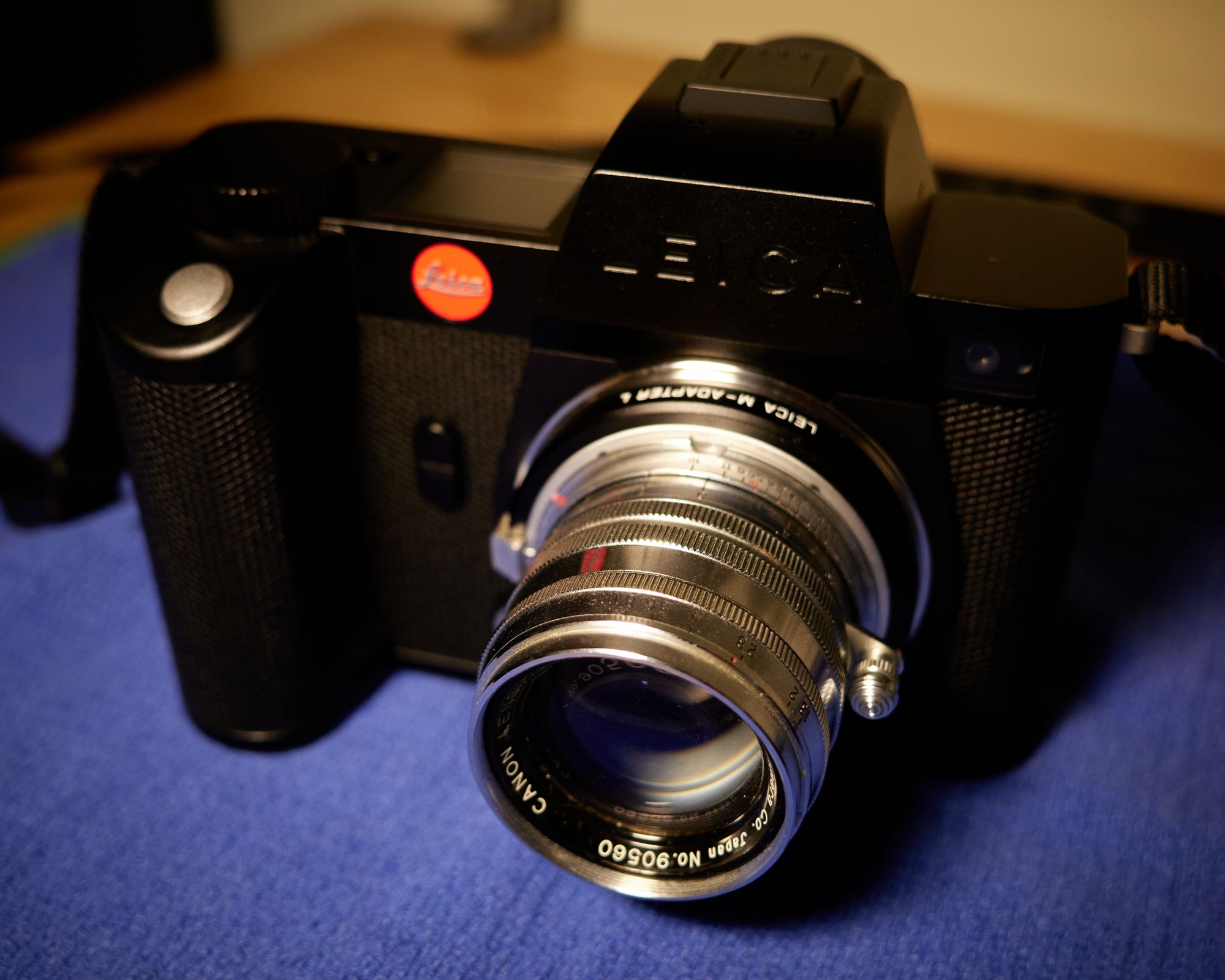
Leica SL2-S with Canon 50mm LTM via M adapter…GASP!
People have all sorts of reasons for using Leica cameras, and yes, the ability to use Leica lenses is one of them. Others may be attracted to the history and reputation of Leica. That’s fine, too. Some, like me, just adore using cameras that are over-engineered and manufactured to such a high degree of quality that you can feel it the minute you pick them up.
I’d enjoy using my Leica M cameras even if the only lenses I could afford were made from the bottom of a Coke bottle. Don’t let some snobby, narrow-minded douche tell you what’s right or wrong for your photography.
Yeesh, that came out a little harsh, but I’m leaving it for now because I’m still pissed.
My last house had a proper darkroom. It was a little janky, but there was a big sink, room for three enlargers, a wet side, a dry side, etc.
When I moved into my new house, I originally planned to turn an extra room in the basement into a shiny new darkroom. That didn’t happen, so I’ve been using the bathroom instead. It works fine.
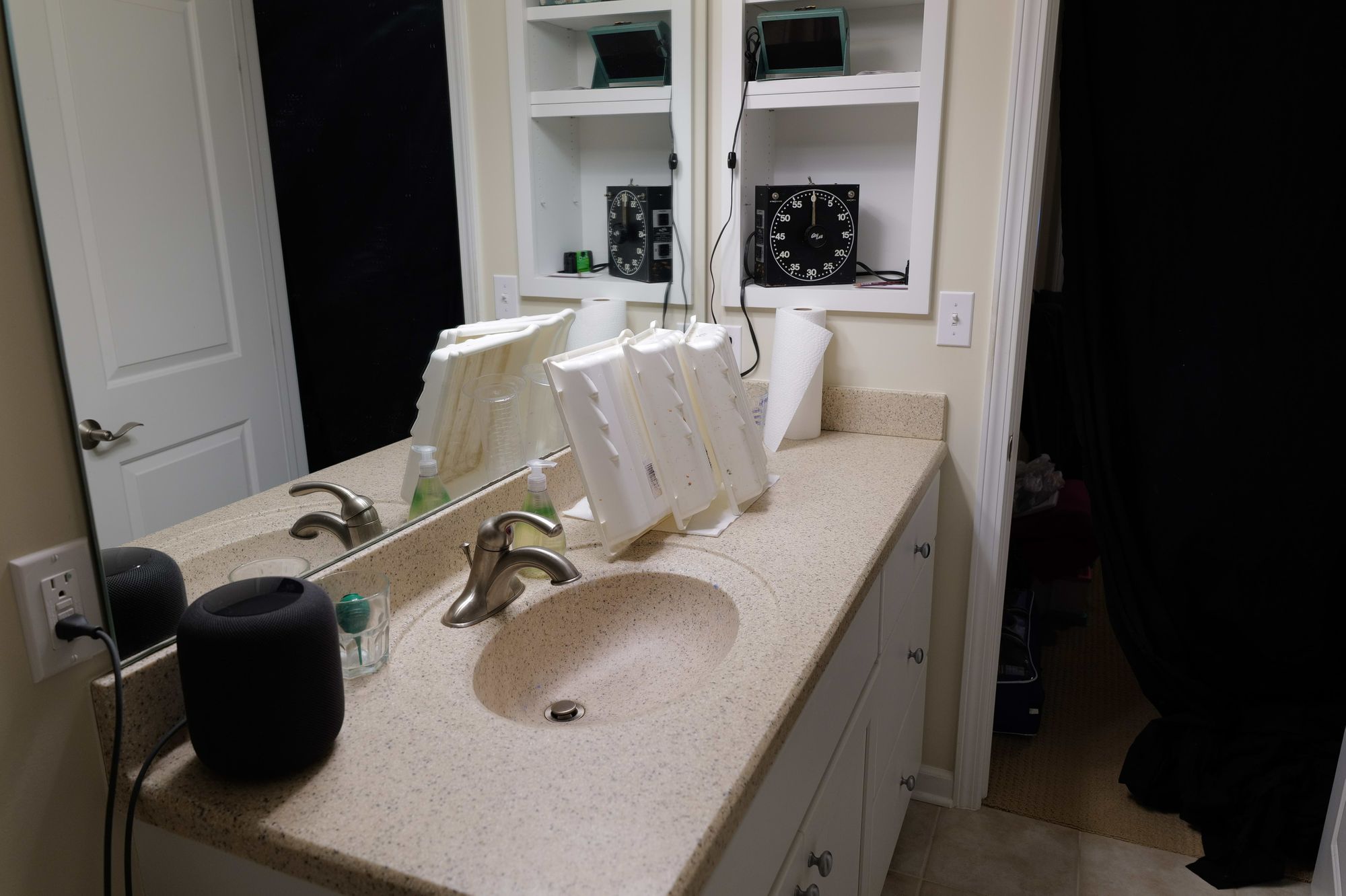
Here’s my fancy darkroom.
The basement bathr…ehem…darkroomFilm and print dryer
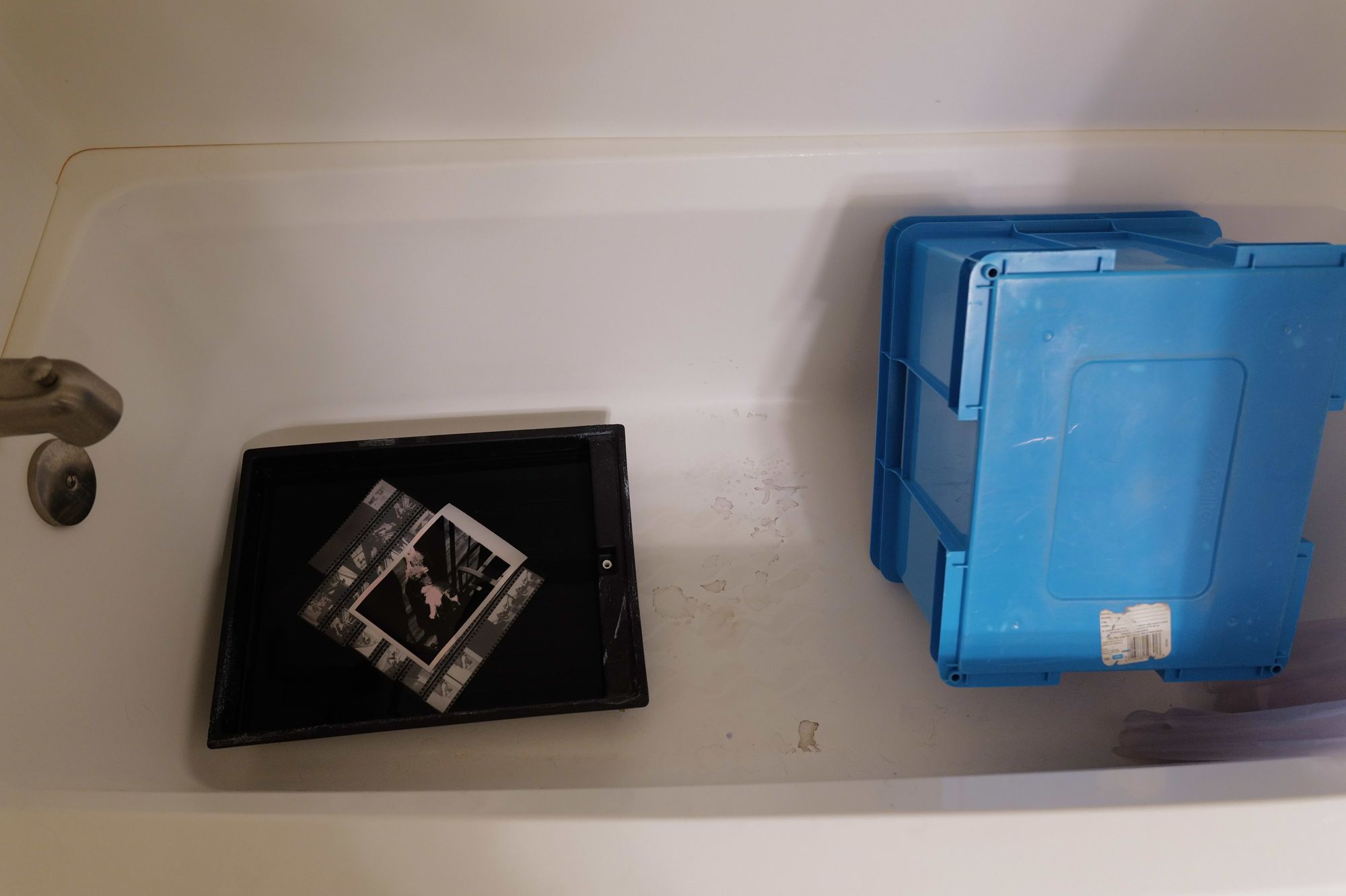
The worst part of the whole thing is that tiny faucet. At minimum I should put in a tall one. As it is now, I need to fill a 1qt measuring cup, and then use that to fill containers. It’s a pain. The HomePod is nice because I can just tell it what to play in the dark.
I don’t have a fitting for the faucet to run a hose into the washing tray, so I just let the faucet pour into it.
Print Washer
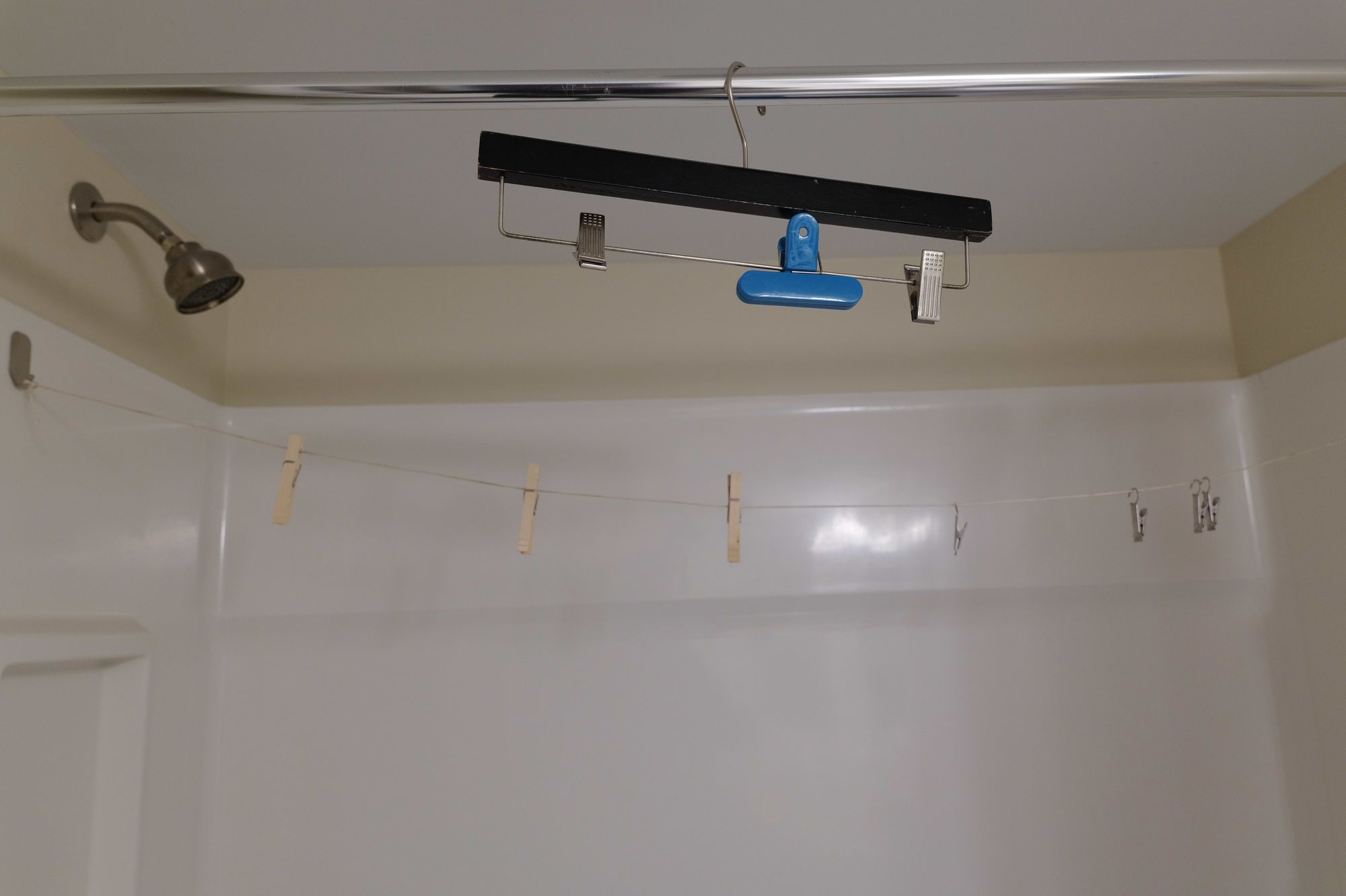
I ran some string across the shower to use as a hanger for drying prints and film. Works great.
Dryer
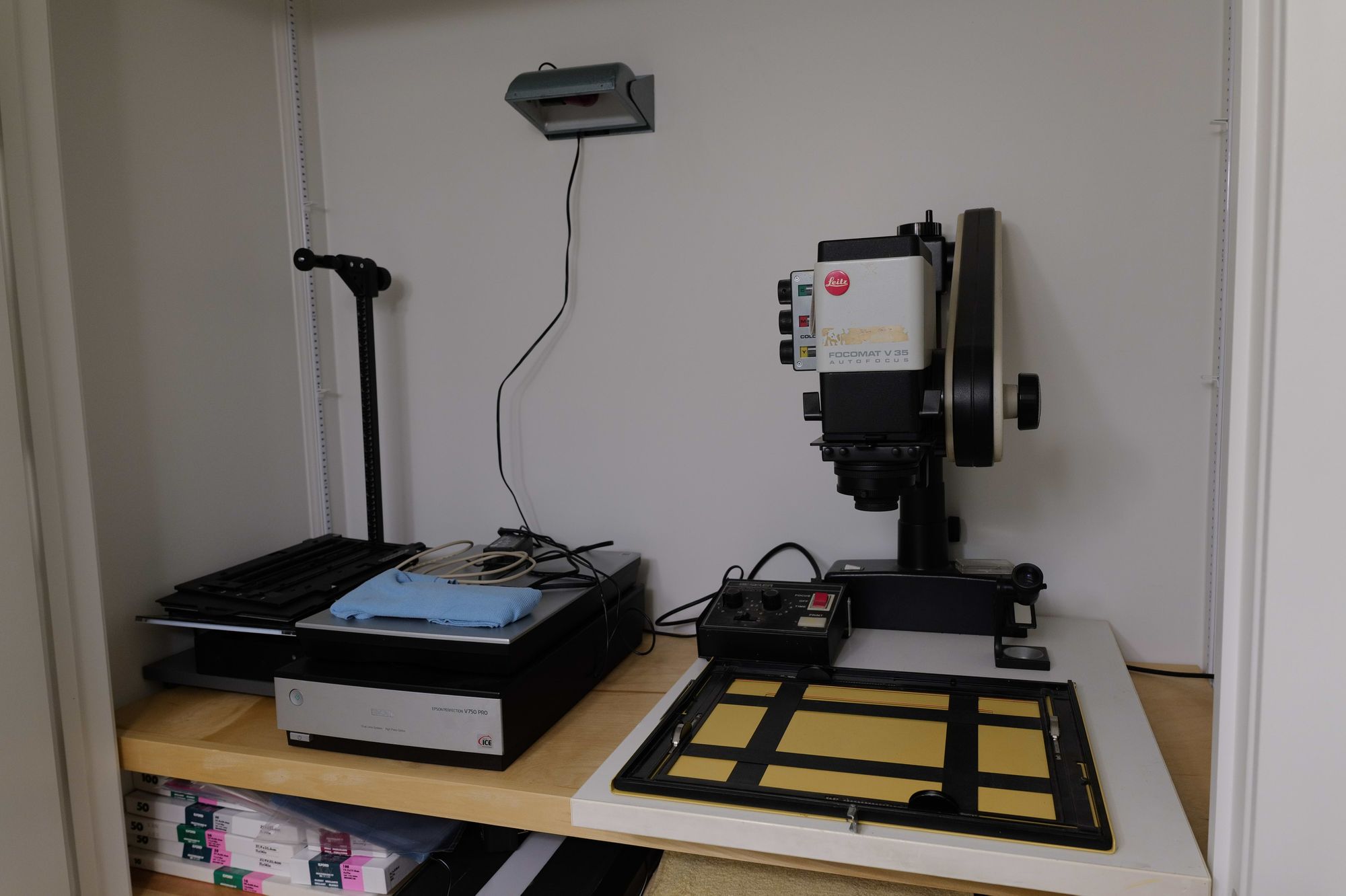
Here’s the meat of the operation. This is the bathroom closet, converted into the “dry side”. There’s room for this Leitz Focomat V35 enlarger. The V35 is a fantastic piece of equipment, but only enlarges 35mm film. I’m considering something that can do medium format as well. I have two 4×5 enlargers in storage but there is no way they’d fit. I can, however, make 4×5″ contact prints on 5×7″ paper. I love making those, so that should do.
Enlarging sidePaper and supplies
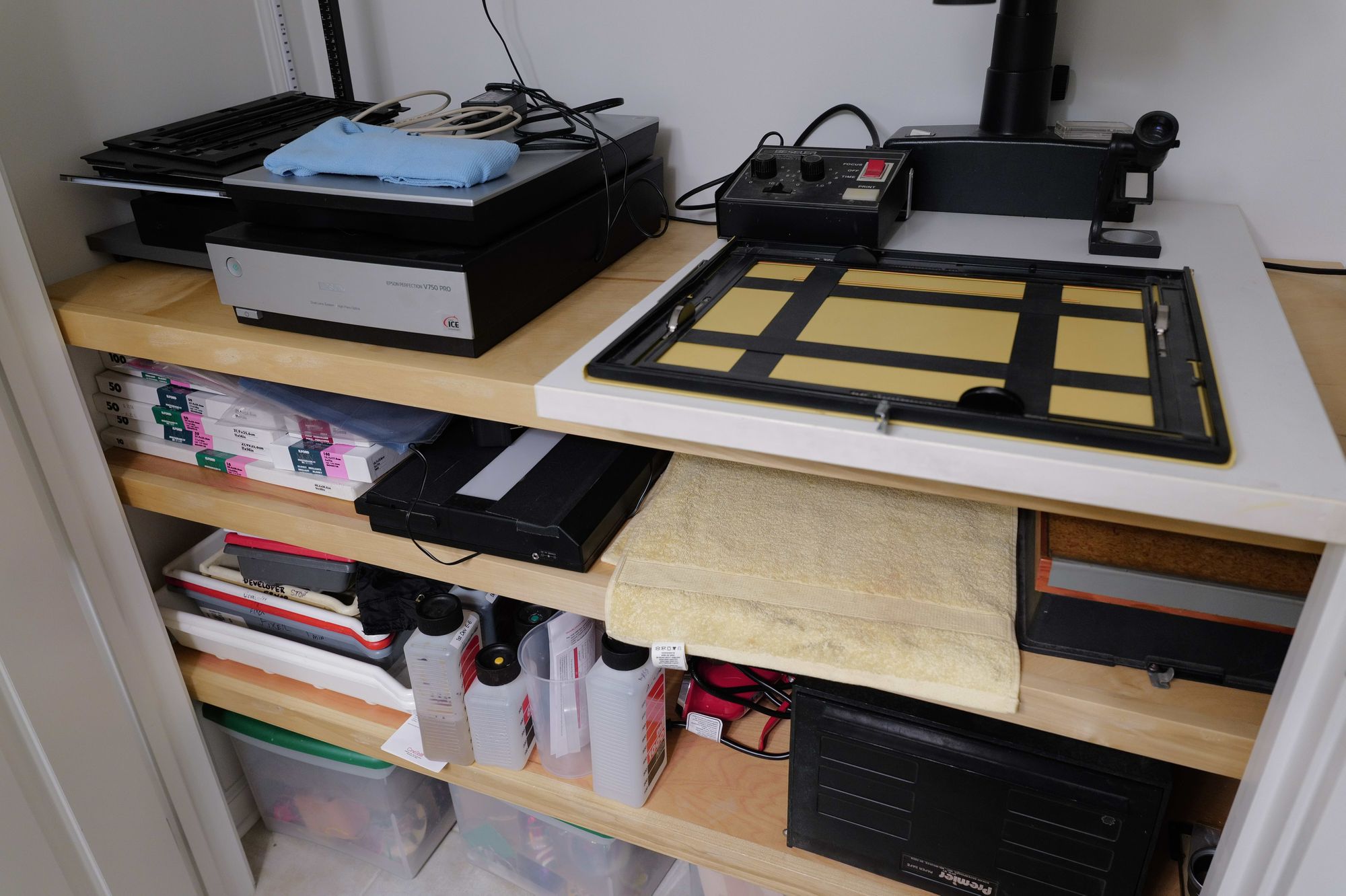
There’s room for all sorts of photo paper and chemicals. I’ve only been making enlargements up to 8×10″ so some of this is no longer needed but I can’t bring myself to get rid of it. I also store my film scanner here.
Anyway, that’s it. That’s my darkroom. I was planning to not shoot any film in 2021 but I don’t think that’ll stick, so I dusted everything off and mixed up a fresh batch of chemicals in preparation for spending more time here.
It’s not that I made a promise or anything, but I had no intention of shooting film in 2021. I put away my scanning rig, stored the chemicals, and placed the cameras on a shelf.
I’ve been so excited by the new Leica SL2-S that I figured I’d just spend my time with that camera for a while. You know how I am, though. I picked up the M6 and saw that it was loaded with film and couldn’t help myself. That camera just begs to be used, once you touch it.
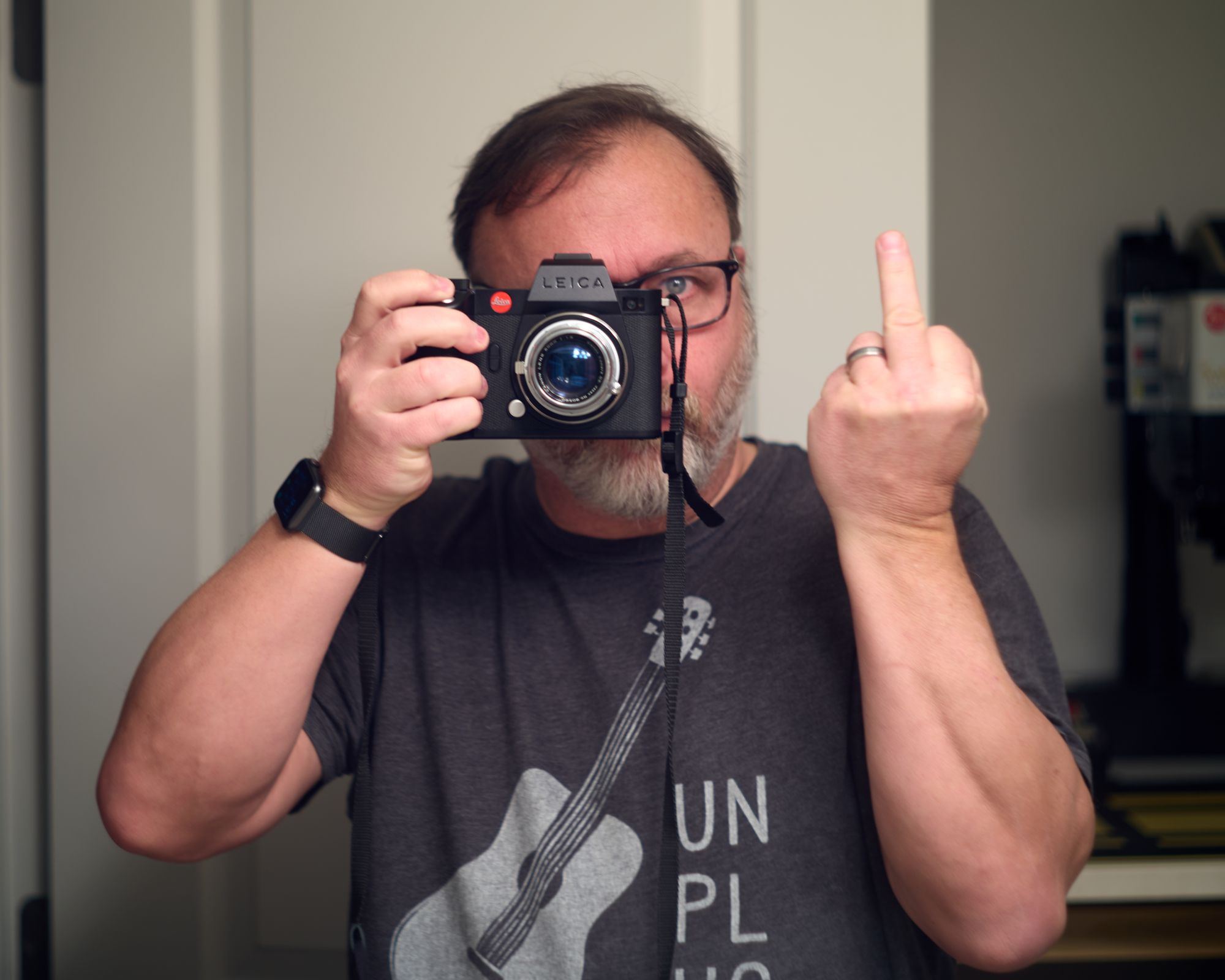
Anyway, I made a few mirror self-portraits, annoyed the dog, and documented the state of my desk. The usual mundane stuff one shoots when bored and holding a camera during a pandemic in winter.
I finished the roll of Tri-X, shot at ISO 800, and processed it in HC-110. I love HC-110 because it lasts forever on the shelf, and is easy to mix and use. I’m no longer experimenting with various developers and processes. They all look basically the same to me, and HC-110 is cheap and easy.
It remains to be seen how much film I shoot, but I’ve dusted off the gear and I’m ready for whenever the mood strikes.
I’ve been asking myself, “Who[sic] should I let manage my photos?” as a way to talk myself into letting Lightroom and the Adobe ecosystem take over the nitty gritty of file and library management. In the end, I couldn’t go through with it, so I remain in charge.
Yes, it can be a pain to deal with files, folders, storage, backups, naming, and so on. But, managing things myself is the way I’ve always done it. One of the most important things I “own” are my photos. Why would I give up any control over them? For now, at least, I’m not going to. I’m back to my process of culling, naming, tagging, and cataloging with Photo Mechanic Plus and editing in Capture One Pro.
I have for many years kept my photos properly named and in a dated folder hierarchy on my hard drive:
/2020/12-December 2020/2020-12-02-Alice.dng
This requires that I import my photos from a card, then add metadata (Title and Caption), then rename them with the capture date and title, then put them into the proper folder, where they live forever. Whew!
Another step later in my process is to “burn” a copy of each edited RAW file to a JPEG that lives right beside the original. I also create a copy of the best photos in my “Digital Print Archive”. The DPA is swept up and uploaded to Google Photos, Flickr, and my Synology, automatically. This gives me ways to share and organize them later. It also provides the content-based search and face recognition that is so handy.
It’s a good system. Solid. Future-proof. Backups are a known quantity.
But I’m tired of doing it. I’m tired of copying, moving, renaming, archiving, burning, etc. Basically I’m tired of managing everything myself. I edit my RAW files in Capture One Pro and deal with culling, naming, and distributing using Photo Mechanic. They’re great apps, but expensive and so flexible that I spend way too much time tweaking my process.
Some days, today for example, I’m tempted to import everything into the new Lightroom and let Adobe take it from there. This battle has been raging for a few years now and I cannot for the life of me settle it.
The truth is, Lightroom can be configured to keep all of the original RAW files on a local drive, in dated folders, automatically. This helps alleviate my fear of going all-in with cloud storage. I can’t rename files from within Lightroom, but at least I know they’re there. I’ve tried importing, culling, renaming in Photo Mechanic and then importing into Lightroom, but if I’m going to bother with all that I should just stick with C1.
Lightroom isn’t even close to Capture One on features, power, or flexibility. But it syncs my photos to all my devices, including my iPhone photos. I don’t have to do anything. That’s a huge benefit. 90% of my images can be processed just fine in Lightroom. If I want, I can always process the other 10% using Capture One (or Photoshop, I suppose).
This post is just me trying to talk myself into yielding to my lazier tendencies and moving everything to Lightroom. I’m still noodling on it, but don’t be surprised if there’s a new post soon about how I switched to Lightroom (again). Maybe then I’ll spend more time photographing and less time playing with my editing workflow.
5-year-old Leica SL. I didn’t buy any new lenses at the time, as I wasn’t sure I’d even like the camera. Turns out I liked the camera very much, so I ordered a Sigma 24-70 f2.8 zoom. I figured the zoom would cover my bases but I also bought the Leica M-to-L adapter so I could use my Leica M lenses.
The M lenses work flawlessly on the SL, and are even easier to focus on it, given the super bright EVF and focus peaking. M lenses are wonderful, but they are manual focus only. I was using the Sigma zoom a lot and falling for the convenience of auto-focus. This got me thinking about prime lenses for the SL. I prefer primes in almost all cases and so the research began in earnest.
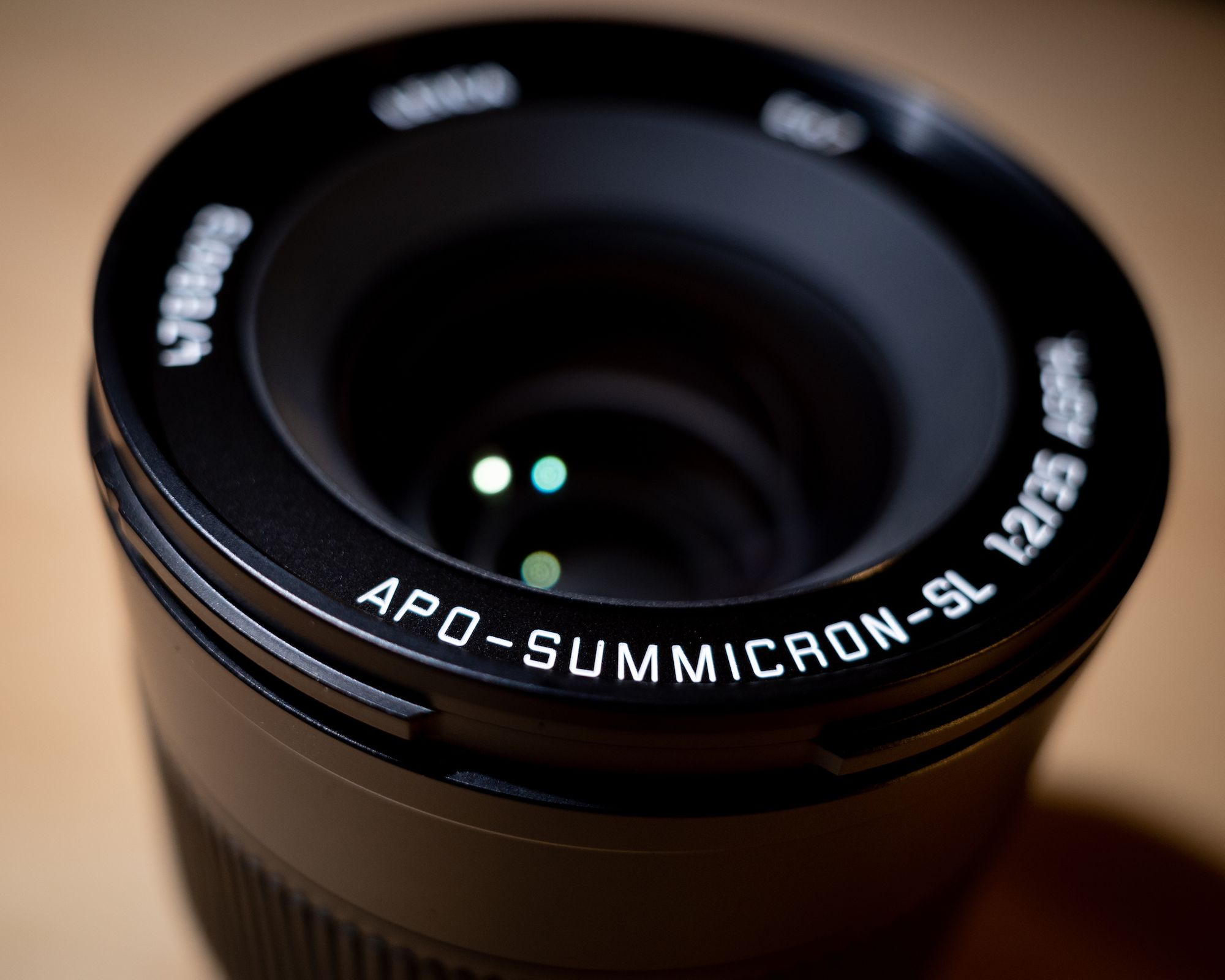
The Sigma zoom is fine, but I really wanted a Leica native SL lens. And I wanted a prime. But what focal length should I get? Since I can only afford one lens (by “afford” I mean sell off most of my other gear to pay for it), I opted for the APO-Summicron-SL 35mm f/2 ASPH. I can never decide which length I prefer, 50mm or 35mm, but I went with the 35 because I feel it’s just a tad more flexible.
I must admit that hearing Peter Karbe, Leica’s designer of the M and SL lens lines, say that the APO-Summicron-SL 35mm is his favorite Leica lens and that it might be the best lens Leica has ever made helped push me over the edge. You can listen to Peter go into glorious technical detail about the SL lenses for like an hour and a half in this video.
The lens arrived a few days ago and so far all I can say is that my first impressions are that it has easily exceeded my high expectations. It’s beautiful, and the construction and feel of it are just wonderful.
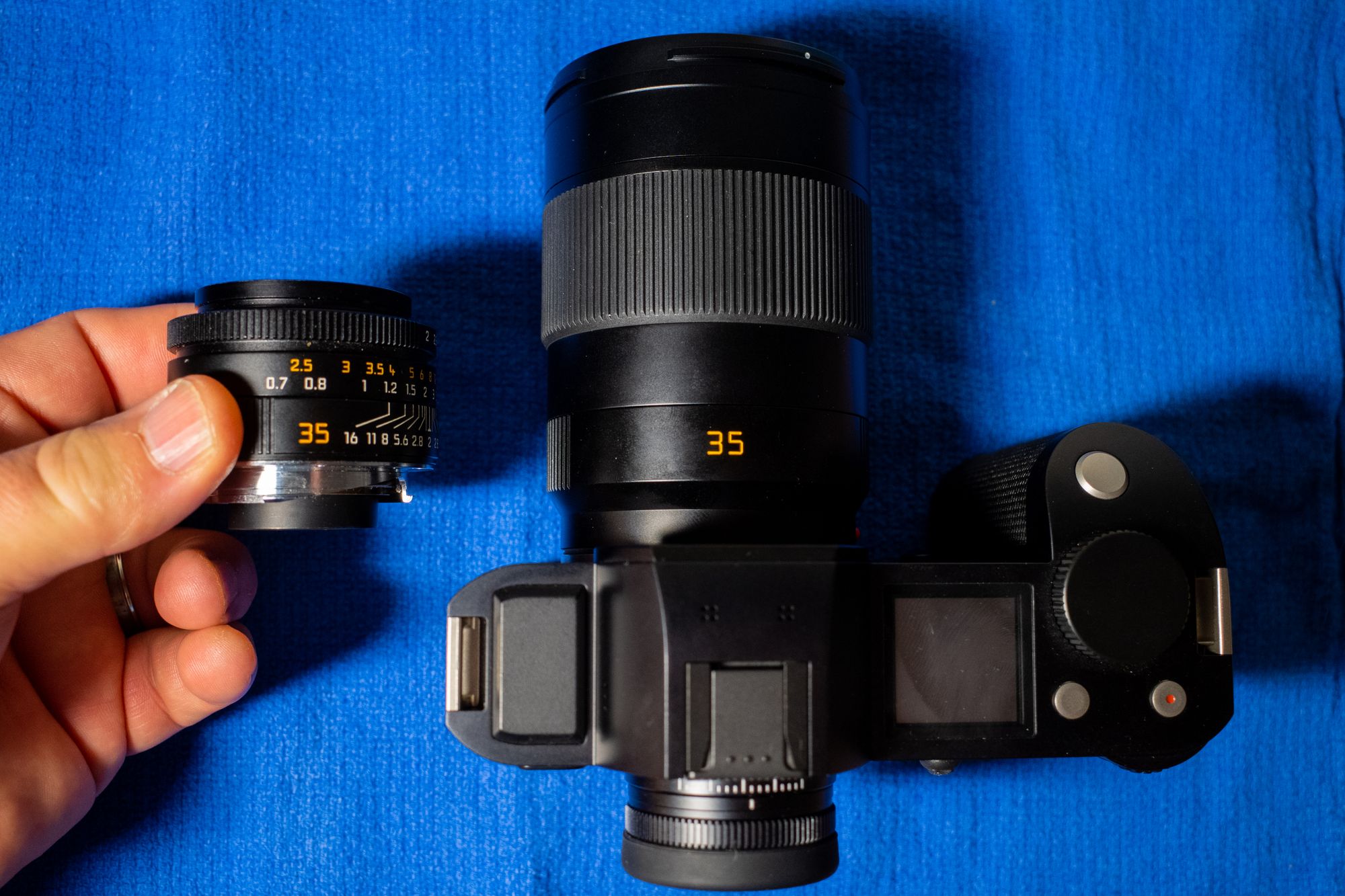
The SL lenses are significantly larger than the M lenses I’m used to. Here is a photo showing the size difference between the tiny, jewel-like Summicron-M 35mm f/2 ASPH and this new 35mm f/2 SL
Summicron-M 35mm f/2 ASPH vs the APO-Summicron-SL 35mm f/2 SL ASPH
A nice feature of the SL lenses is close focusing distance. The SL lenses are more useful close up. For example the SL can focus down to 27 cm while the Summicron-M can only get to within 70 cm. That matters a lot more often than one might think.
Getting closer with the SL
What about image quality? Good question. I don’t know much yet, as I’ve only been plinking around the house. What I do know is that the few images I’ve taken have looked fantastic. Most decent modern lenses make great images, but I have convinced myself that the files coming out of the SL with the APO-Summicron are somehow even better. To my eyes, they are noticably, meaningfully better, and that’s the only criteria I need.
Is the APO-Summicron-SL 35mm ASPH worth $5,000? Of course not. No one needs a lens like this. I certainly don’t. I mostly take photos of my dog or selfies or family snapshots, so there’s no point trying to justify the cost other than to say that it might be the best lens I’ve ever used. It feels fantastic. It looks fantastic, and, combined with the SL, it makes fantastic images and I’m very happy with it.
bought a used Leica SL(601) recently instead of the newer SL2 , it was mostly because I didn’t want to spend $6,000 on a camera that I wasn’t sure I’d love. But it was also partly because I really don’t need a 47-megapixel sensor. Who’s got the time and space to manage 80MB per image photos?
I’ve had the SL for a month and that’s long enough to know that I love it. It’s big but not too big. It’s an absolute tank, build-wise, and it’s fast and fun to use. I’m happy. I can shoot my M-mount Leica lenses on it and am finding it even easier to focus them on the SL than I do on the M10-P. So everything’s good then. I wish it had IBIS, though.
And then, just this morning, Leica announced the SL2-S. The SL2-S is, from my standpoint, an updated SL that adds everything in the SL2 except the giant sensor. The SL2-S has a 24 Megapixel sensor, which is a sweet spot for me. It also improves focusing, low-light capabilities, and of course includes IBIS. In other words, it’s exactly what I wanted in the SL2. And to top it off, it’s more than $1,000 cheaper than the SL2.
Apparently the SL2-S is being marketed as a hybrid still/video powerhouse. I guess the video features are great, but I don’t care as much about that. I care about speed, handling, image quality, and reasonable file sizes. Proper video is a nice bonus, though.
I’ve already sold my beloved M10-P and preordered an SL2-S. I have no idea when it’ll arrive, but I can hardly wait.
 baty.net