I was feeling envious of the Obsidian Web Clipper, which is quite fancy, so I thought I'd try leveraging it for use with Denote.
My first run at this involves a couple of steps:
Tweak the web clipper to save files using Denote's format and front matter
Save the file without adding it to an Obsidian vault
Move the saved file into my Denote folder
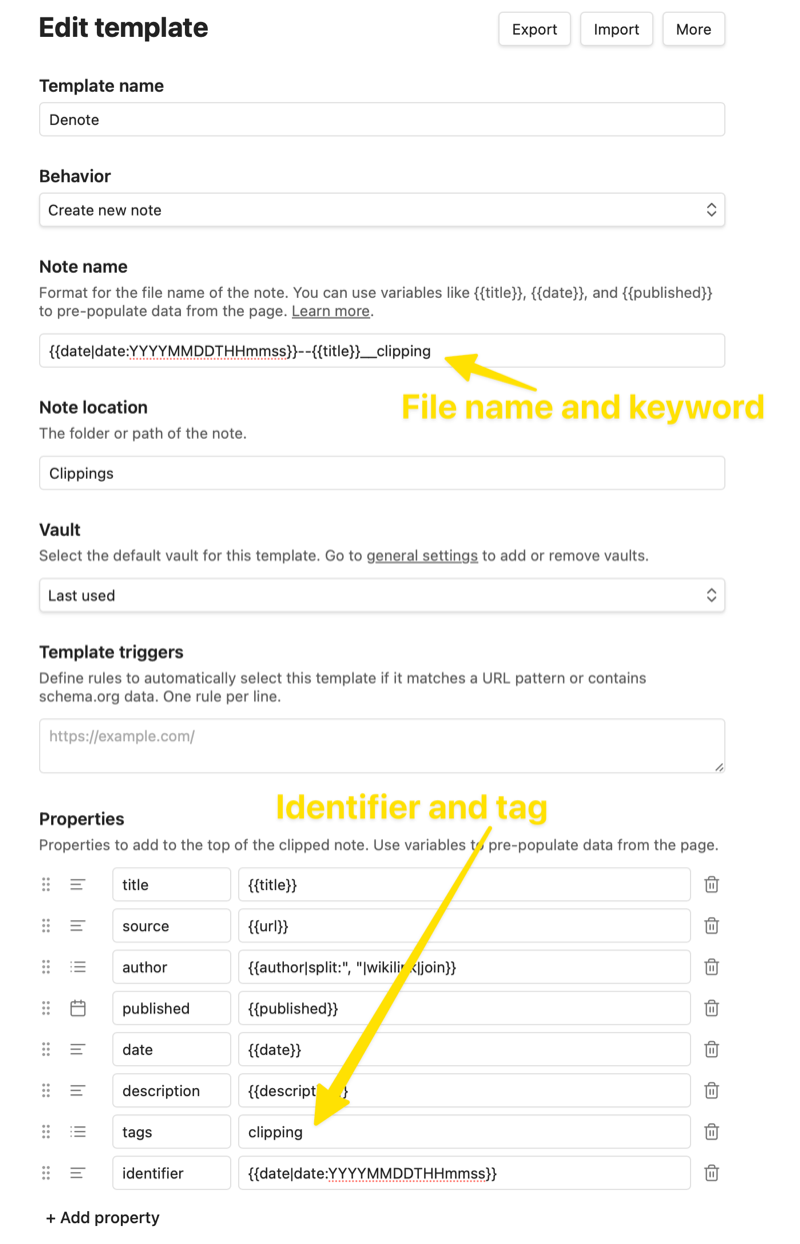
Here's the Web Clipper template configuration I ended up with:
It was important to set the "Tags" property type to "Text" rather than the default "Multitext" so that Denote does the right thing with it when renaming the file later.
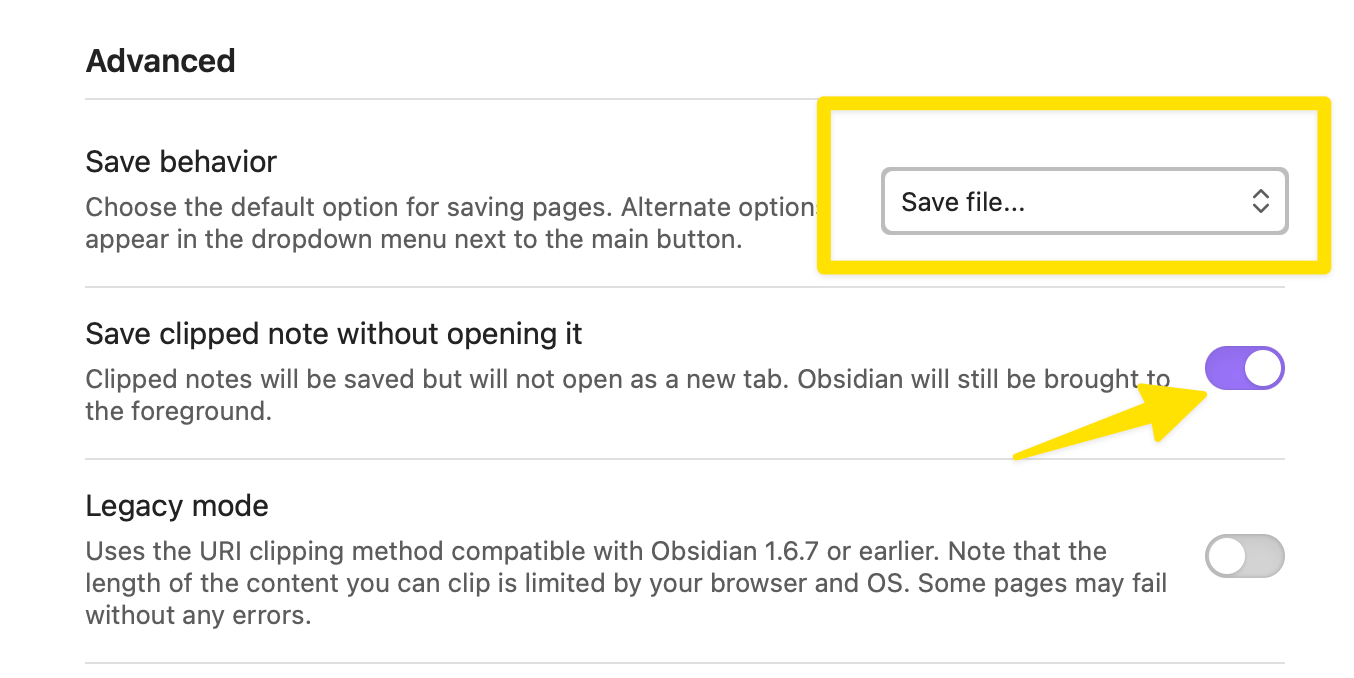
In the Web Clipper's advanced settings, I set the behavior to "Save file..." rather than "Add to Obsidian".
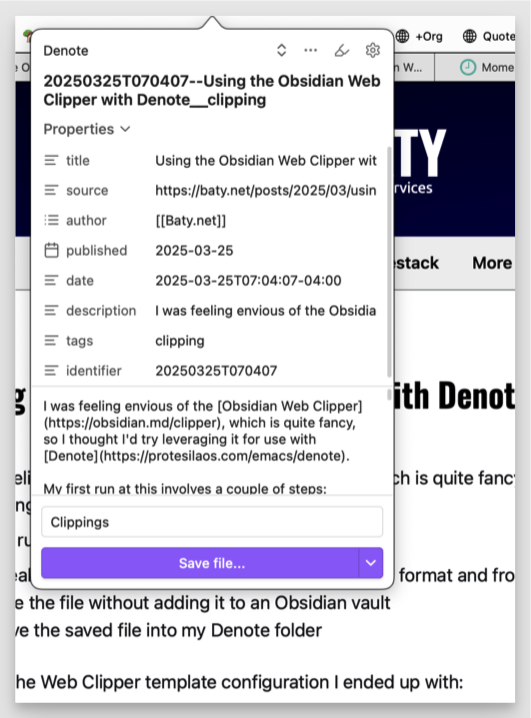
OK, so now after using the Web Clipper, I get a Markdown file[1]with a (mostly) Denote-compatible file name and front matter in my ~/Downloads folder. Here's what clipping this post looks like:
To get the file into my denote-directory, I use a rule in Hazel. Hazel watches my Downloads folder for any new file whose name contains the string "__clipping", and automatically moves it into a "clippings" folder in my Denote folder.
The only manual step remaining is to finish renaming the files using Denote. I don't yet know how to have the Web Clipper "slugify" the file name, so I have Denote do it. This can be done in batch using Dired, so it's not a huge burden.
If there's a simpler way to get a nicely-formatted Org mode file from a web page directly to my Denote folder, I'm all ears, but for now...
Take that, Obsidian! 😄
Denote handles Markdown files natively, so this is fine. ↩︎
I upgraded PHP to v8.3 (from 8.2) today on the server running baty.net. I don't pretend to be an Ubuntu sysadmin, so I'm writing it down, just in case.
    sudo apt update
    sudo apt install php8.3 php8.3-cli php8.3-{bz2,curl,mbstring,intl,gd,xml}
    sudo apt install php8.3-fpm
    sudo a2enconf php8.3-fpm        # enable it
    sudo vi /etc/caddy/Caddyfile    # replace socket path with 8.3
    sudo systemctl reload caddy
    sudo sudo a2disconf php8.2-fpm  # disable 8.2
    sudo apt purge php8.2*          # in fact, just delete 8.2
The site runs on Caddy, so I needed to change the path to the fpm socket. Here's the Kirby section of the Caddyfile...
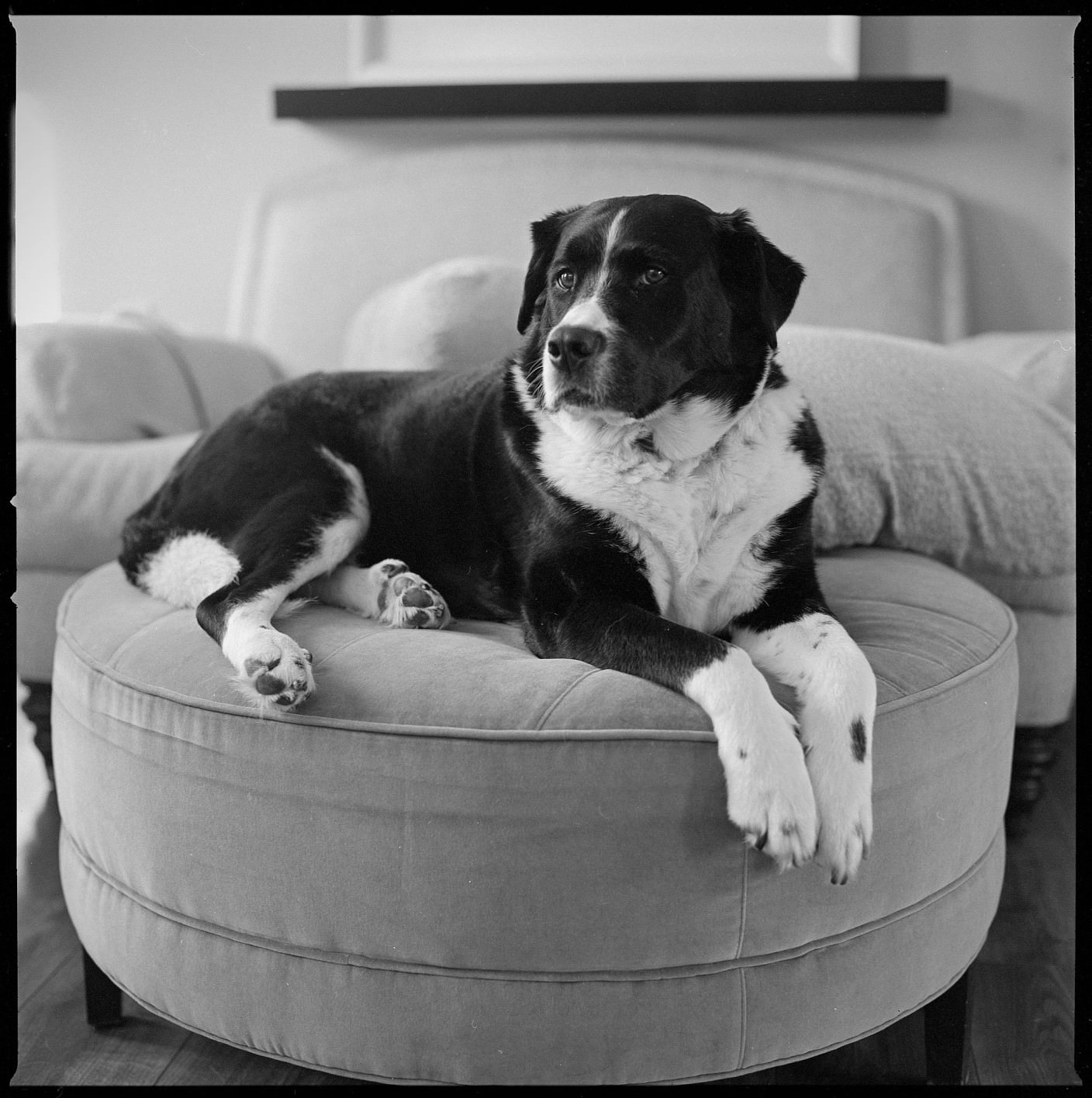
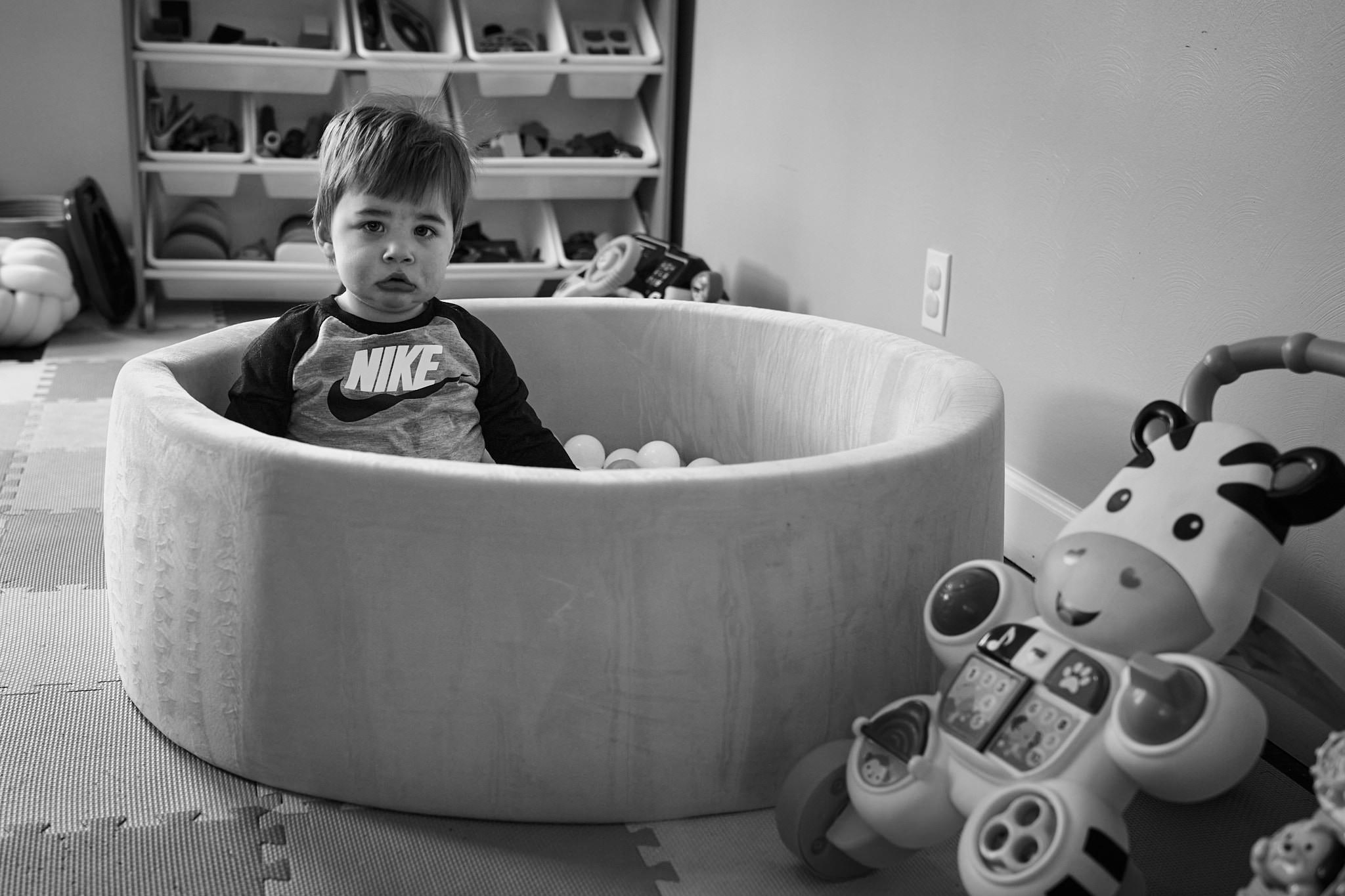
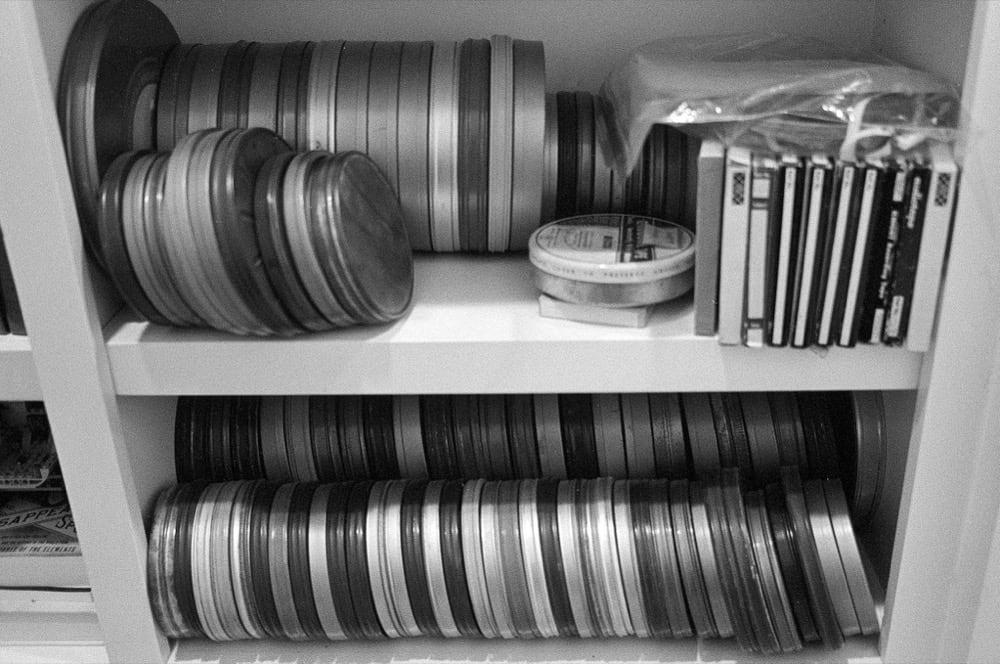
I've not been shooting much film recently. Yesterday, I was bored and in a mood, so I grabbed the Hasselblad and fired off a roll using Alice as my model. Only one frame was good enough to share. I really like it, so it was worth sacrificing the other 11.
For a while, I tried maintaining a combined RSS feed that included posts from all my sundry blogs. I kept it at /everything.rss. It was managed as part of my WordPress blog, and since I've stopped using WordPress, I've been redirecting /everything.rss to the feed for baty.net, which is either /feed or /index.xml, depending on my blog platform of the day.
I think that instead of that, I'll piggyback off my @batybot account on Mastodon.social. I crosspost most stuff from my sites to @batybot via EchoFeed already, and Mastodon offers an rss feed for each account. Mine is https://mastodon.social/@batybot.rss.
Soon, I'll redirect requests from baty.net/everything.rss to https://mastodon.social/@batybot.rss. This doesn't offer full posts, but rather it's more like a firehose of links to everything I post. If you'd like to avoid that kind of noise, delete your subscription to /everything.rss. If you are a glutton for punishment, feel free to subscribe.
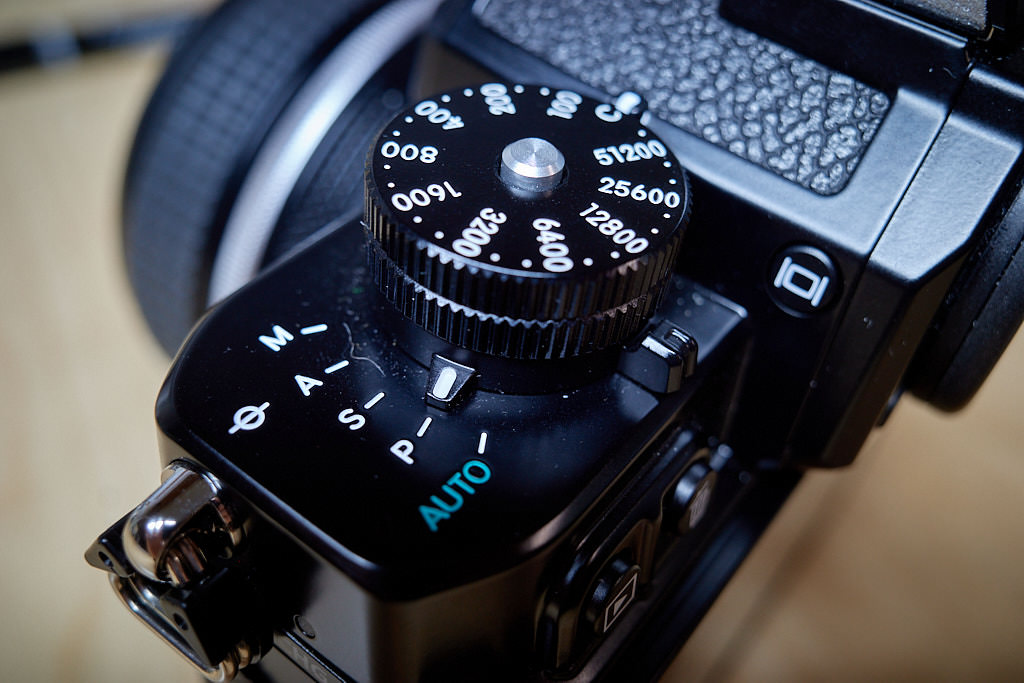
I bought the Nikon Z f thinking it would replace my Leica SL2, since the Nikon is lighter, newer, cheaper, and faster. While it is all of those things, it's still not better.
Here's what I like about the Z f:
The design is just the right amount of retro.
Autofocus is fast and accurate. Even in low light.
High ISOs are very usable.
The dials feel good.
The RAW files look good out of Capture One without much work.
It's nice having a flippy screen, even though it's the wrong style of flippy screen.
It's lighter than the SL2.
Here's what I don't love about it:
While smaller than the SL2, it's not a small camera.
The menus are too complex. I still can't find anything. Use a modern Leica for 10 minutes and you'll see what I mean.
The Auto ISO features confound me at every turn. So much so that I've set them once, and I never touch the nice, big, well-made dial for setting ISO.
There's no aperture dial on the made-for-the-Zf lenses. A huge miss. I find myself just keeping the mode set to "P" (for "Professional" right?).
Auto focus is fast and accurate, but the settings to make them fast and accurate require study. Too much study.
The battery/SD door is flimsy and horrible, and with the (almost mandatory) grip attached, I struggle to pull the card out.
I wish the dials worked like the Fuji system's dials. Yes, I know, these are more flexible, but if they don't make sense to me, I'm not using them.
If I sell the camera now, I'll lose my ass. But if I don't learn to like it more, the money might be better spent elsewhere, even at a loss.
Scrolling with the Logitech MX Master in Safari sucks out of the box. The following from this Reddit thread helped, even though it required installing 2 additional packages.
What a gross bit of software, but it’s necessary here. I’ve read that once this process is done, I can delete the app completely, but I haven’t tried that yet.
Scrolling speed: 0% (as the OP says, this is the most important option to set).
Scroll direction: Standard (I would set it on Mos, but you have to pick one here anyway).
Smooth scrolling: Off (also good to turn off, Mos will take care of it instead).
SmartShift: On (If you want it).
Sensitivity value: 95% (we’ll see, maybe I’ll take it down to 90%).
(Note that launching Mos required xattr -d com.apple.quarantine Mos.app)
General > Smooth scrolling: On.
Advanced > Step: 75.00 (at least in my resolution, anything lower than this is just not enough of a scroll per ratchet movement).
Advanced > Speed: 3.50 (didn’t try too many others, but it seems to work in conjunction with the rest).
Advanced > Duration: 3.90 (default value, haven’t played around with it yet).
Now the ratchet action works as expected from a normal mouse, but when I give it a little nudge it goes into a free-spin and scrolls fast. I don’t know how much accuracy I’m getting with the free-spin yet, but to get to the bottom of a document, it’s great. I’ll update if I keep playing with these settings.
Once I’d done this, scrolling in the MX Master has been like butter.
While tinkering with Obsidian recently, something I liked was having a daily notes template with a Dataview query showing the other files I'd added that same day. I added something similar for Denote. It's a Yasnippet:
I just run that after first creating the daily note and I get a list of links to the other Denote files from that day. There's probably a way to automate that, but this is good enough for who it's for.
I've gone back to using Espanso for text expansion. As powerful as Keyboard Maestro is, every time I reach for it I feel like I've already lost a battle somewhere. Text expansion macros are about all I use KM for these days, so it's not much of a disruption.
I bookmark Espanso's config folder in Emacs so I can jump right in any time. The expansion macros ("matches") are contained in YAML files and can be as simple as:
 - trigger: "j@"
    replace: "jack@baty.net
They can get pretty fancy. I don't take full advantage of all the gizmos, but I use a ton of stuff like this:
you can “study” the data later and rearrange it. But the initial “just remember this” impulse should be as close to simply throwing the data at Emacs as possible.
I've been secretly conducting an experiment called "Use Obsidian Exclusively for 30 Days". It started a week ago. I'm typing this in Emacs, in case you're wondering how it's going.
Most days, I write the same things in both paper and digital journals. Then I print the digitital one. What's wrong with me? 😄[1]
Dante Stella on over-thinking travel photography:
It is difficult for amateur photographers to accept that, on any given
trip, they will not likely take unique photos of staggering social
significance or prize-winning landscapitude. The reality is that the
photos most likely to survive generationally will be the ones with
family members in them. The rest stand a good chance of being binned.
Consistency is the last refuge of the unimaginative.
Oscar Wilde
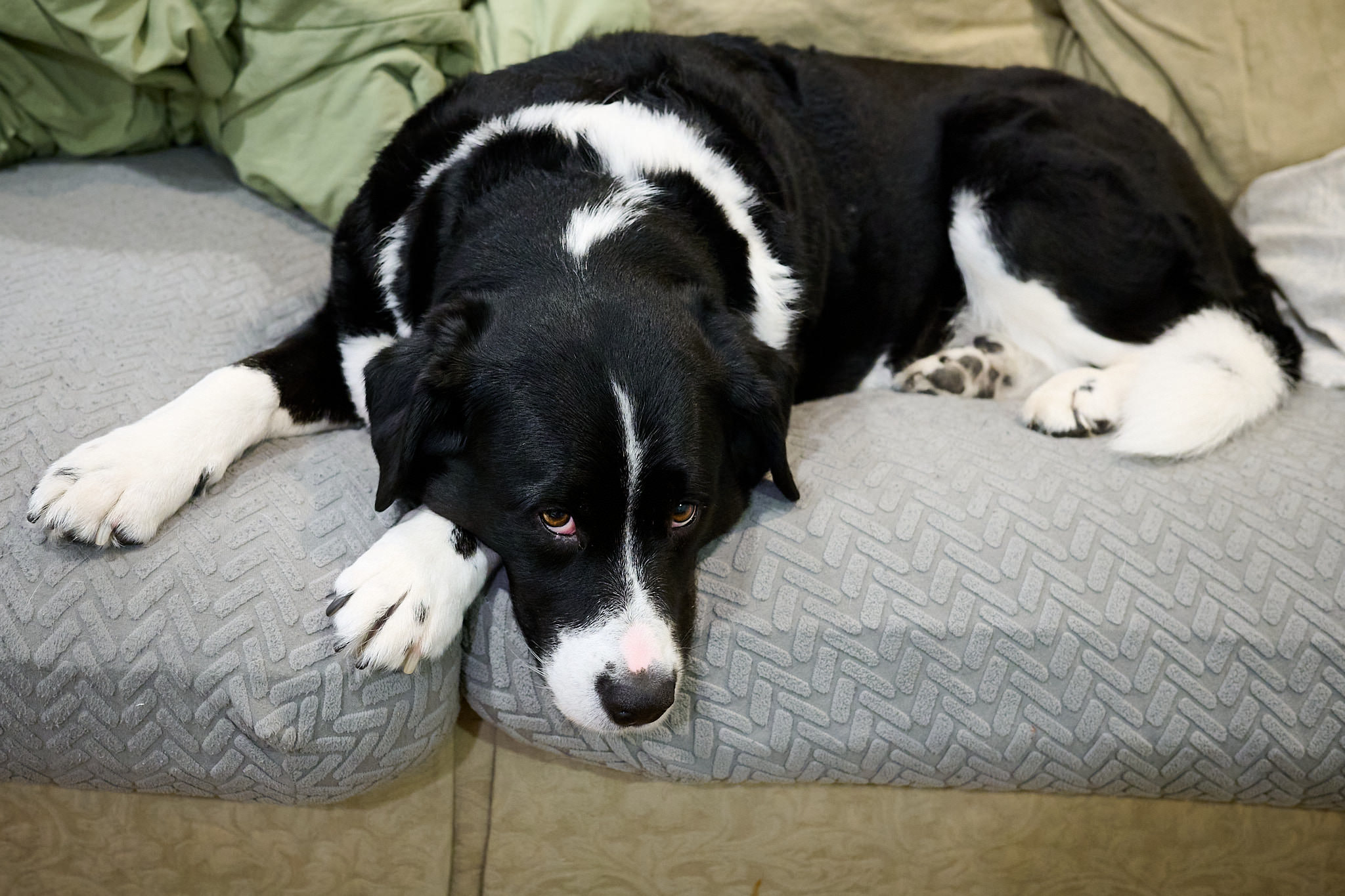
Walking Alice this morning shortly after 3:30 AM, I thought the moon looked weird. There was only the slightest sliver lit and the rest was a deep red. Turns out there was a total lunar eclipse at 3:30 that no one told me about. That explained it.
I spun up a WordPress blog this morning because I was bored and wanted to tinker with something. It's so easy to get started, but the block and site editors still feel like a janky, confusing mess. Just make me a nice theme with a few options and access to CSS and I'm good. I deleted the site 20 minutes later. Guess I'll need to find something else to play with today.
Something weird is that my Emacs setup feels like it's both complete and just started at the same time.
Nothing feels fun right now. Most of the things I typically enjoy have become frustrating exercises. I love paper notebooks, but can't bring myself to write in them for more than a few minutes. I love film photography, but I don't feel like dealing with the constraints and the costs. I've no patience for it. I love movies, but none of them look interesting. My typewriters collect dust. It's probably just another allergic reaction to the terrible shit happening in the world right now, but I'm finding it hard to shake.
I just exported 2700 tiddlers from my TiddlyWiki as one big markdown file, split it into individual files, and renamed them using Denote's format. ¯_(ツ)_/¯. I guess I tired of searching my Denote notes, coming up empty, then having to go to the wiki and search again. I'll write some notes about it at some point.
Using ChatGPT reminds me of when they started letting us use calculators in class. Sure, I forgot how to do long division by hand, but who cares? Everything else was so much easier it was worth the trade.
It seems like this is turning into an Emacs blog.
Not that there's anything wrong with that :).
It's getting harder and harder to discover useful videos on YouTube. Every thumbnail is created using the same "Make a crazy face and point at something!" format. Every title is a despirate grab for attention. The recommendation algorithm is all over the map and usually not helpful. I rely on subscriptions to known quantities and recommendations from other people. I wish it was better.
Dave's still doing fun stuff with Tinderbox.
I decided to try something new and I created a "quote"-type post.
I've been meaning to do something similar, but haven't gotten around to it. I'd probably not be so fancy. I also like the <cite> block in quotes, as seen above. That would be even more involved. Right now I have a bookmarklet that copies a Markdown-formatted version and I tweak it by hand as needed.
I'm thinking about migrating all of the content from the wiki into individual text (.md or .org) files and freezing the wiki. I love the thing, but I would like to focus my attention on Emacs/Org/etc. right now.
The more time I spend in Emacs' Dired mode, the more I want to tweak things. I wrote about a few of these last year.
One other thing I wanted was to hide any hidden (.dot) files in Dired listings. The simplest way to do this would be to set dired-listing-switches from -al to -l instead. But that would always hide them. I wanted to toggle them on and off, like I can in Finder on macOS using CMD-Shift-..
I poked around the Emacs documentation and a handful of Reddit posts and cobbled together something that worked. I figured I might as well share it. I assume there are smarter ways to do this, but here are the relevant bits from my config.
(use-package dired
  :init
   (require 'dired-x) ;; I think this is required for dired-omit-mode

  :bind
  (:map dired-mode-map
	("s->" . dired-omit-mode)) ;; toggle using Command-Shift-.  same as macOS Finder

  :hook
  (dired-mode . (lambda () (dired-omit-mode))) ;; hide .dot files by default

  :config
  (setq dired-omit-files   ;; hide .dot files when in dired-omit-mode
      (concat dired-omit-files "\\|^\\..+$")))
This configuration means that every time I create a dired buffer, the .dot files are hidden. What I haven't figured out is how to toggle it globally. Sometimes I want to show hidden files by default instead, for a while. It's not hard to toggle them, but it would be nice to "turn them on" until I want to "turn them off" again. This works well enough for now, though.
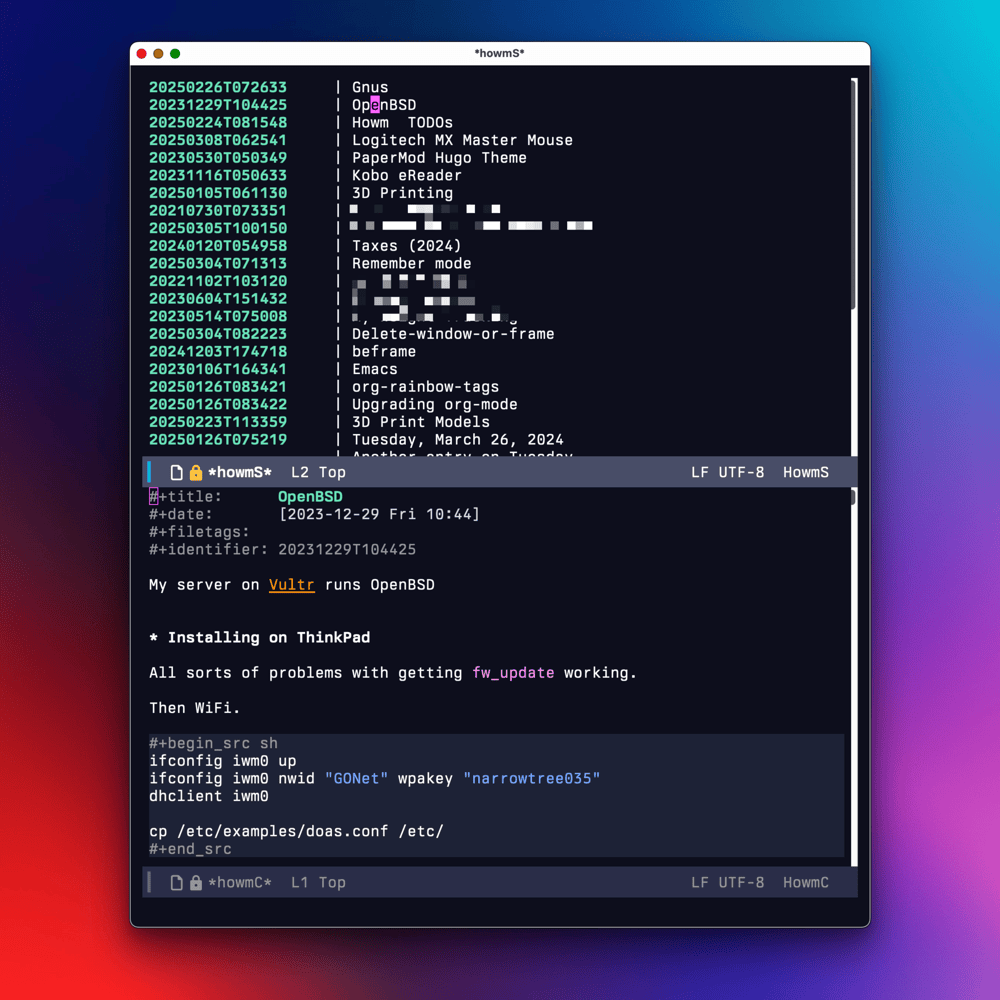
Long story, short: I'm using both Howm and Denote for notes in Emacs. But why? Below are some quick notes about why (with some "how" thrown in).
Denote is such a pleasure to work with. It's simple, powerful, and sensible. There are no dependencies or gotchas.
Howm is clever and interesting and fun. It offers a useful new take on both writing and reading notes. As a long-time fan of the Noguchi filing method, Howm resonated with me immediately.
For a couple of months, I was using both packages independently. My thought was that I'd use Howm for quick, "fleeting" notes and Denote for my personal notes, projects, and "topic journals". This worked well enough, but it meant that every new note required a decision. Plus, looking for notes meant searching 2 places. My dream has always been "Everything in one place" so keeping them separate wasn't ideal.
The trick for me was learning a way to make my Howm notes look just like Denote notes, and then manage them all using Denote. Here's a summary of what that involved.
Both Howm and Denote can be configured to use any kind of note format (e.g. Org mode, Markdown, etc.).
Recent versions of Howm have some built-in configuration for using Org mode files. This sets some basic configuration. Here's how to do that:
That's not exactly Denote's format, but the proper date string means that Denote will at least recognize it as a Denote file.
The next change was to modify the default header format to use a real #+title: because by default it uses a top-level heading ("*"):
(setopt howm-view-title-header "#+title:")
Doing that really messes with the Howm-menu and other howm lists. Buried in the comments in issue #33, I found functions (by @mmarshall540) that work around this nicely.
;; Advise `howm-view-item-basename' so that if its return value
;; includes "--", only the text before is returned.
(defun my/howm-basename-chop (str)
  "Advice for `howm-view-item-basename'.
Takes a file's basename, STR, and returns only the portion before
\"--\"."
  (let ((dashes-pos (string-match "--" str)))
    (cond (dashes-pos (substring str 0 dashes-pos))
          (t str))))

(advice-add 'howm-view-item-basename :filter-return
            'my/howm-basename-chop)


;; Advise `howm-view-item-summary' so that it removes the "#+title: "
;; portion of note titles.
(defvar howm-view-title-regexp)
(defun my/howm-cut-title (str)
  "Remove `howm-view-title-header' plus whitespace from STR."
  (let ((begin (when (string-match howm-view-title-regexp str)
                 (match-beginning 2))))
    (if begin (substring str begin) str)))

(advice-add 'howm-view-item-summary :filter-return 'my/howm-cut-title)
With that, note listings in Howm look perfect. Note that the best fix for all this is to simply always use Denote for creating files, but I'd already configured things before I decided to combine both sets of notes. Besides, now I can create notes using either method. For any files created using Howm, I do need to rename them, but that's easy enough in a Dired buffer using denote-dired-rename-marked-files-using-front-matter once in a while (or from within the buffer while taking the note, if I think of it).
Also in that thread is a function (also from mmarshall540) for converting existing Howm notes to use #+title: instead of "*" or "=". This worked great for me. here's the comment.
The final change was to make howm-directory and denote-directory the same directory.
That seems like a lot, but it's easier than it looks.
Now my Howm Menu and note lists look like they're supposed to, even though they're actually full Denote-style files and have #+title: in the first line.
Howm Recent Files
Why am I doing this again? Well, because I get the best of both worlds this way. I create notes using Denote as normal, but then I can review them easily using Howm. And I also get all the same Howm tricks with >>> and <<< links.
I haven't worked out when or if to use the Howm TODO features. They're cool, but I'm pretty invested in my Org agenda. I'm testing the idea of using Howm TODOs for "someday/maybe" tasks, using the "~" notation in Howm. This surfaces the someday stuff without distracting from my gotta-do stuff.
Still noodlin' on all this. It would be cool if someone better at this stuff than me would create a howm-denote.el package or something that encapsulated all this in an easy, consistent way.
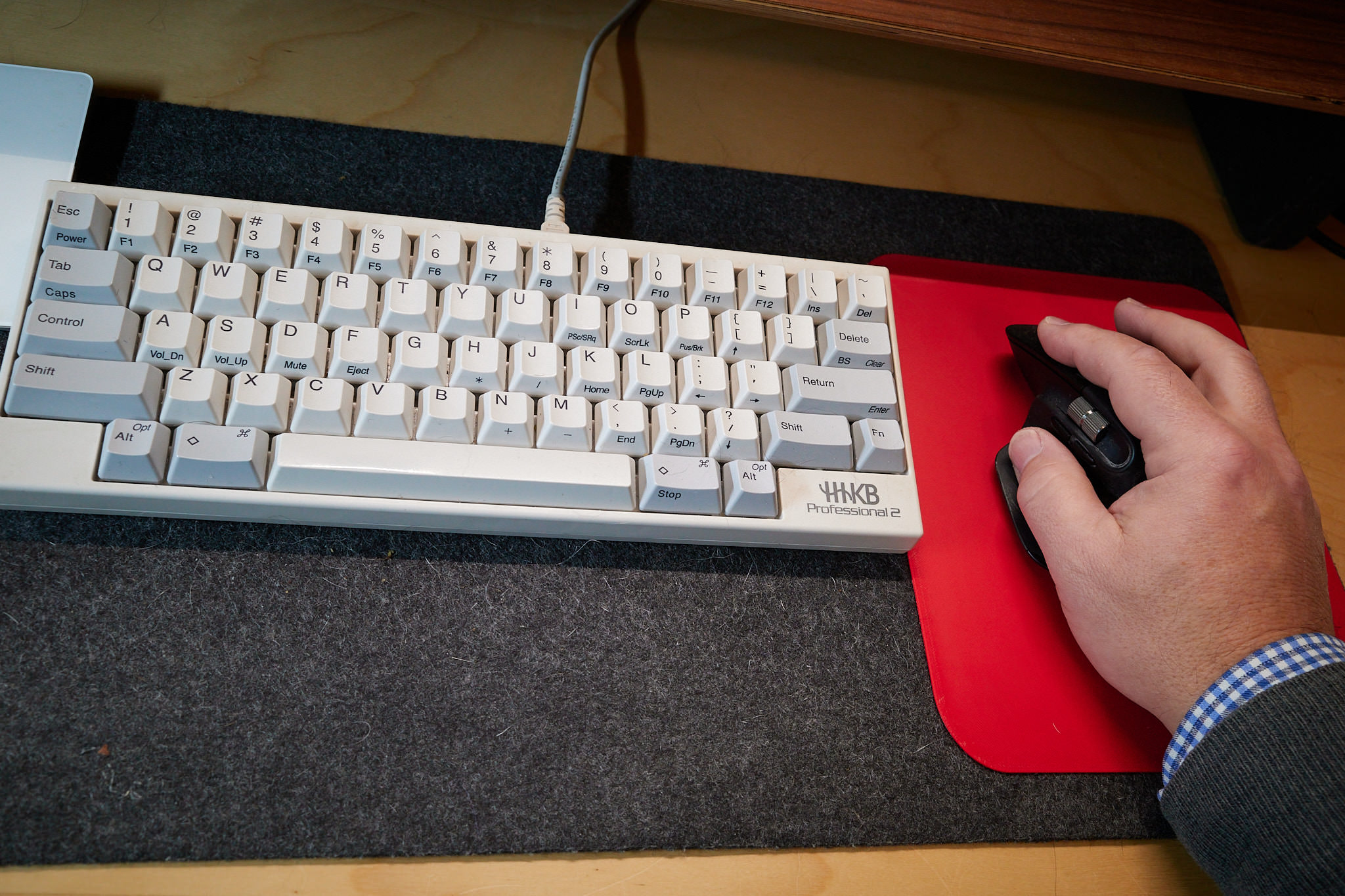
I like having a felt pad on my desk, but I don't like how it sometimes causes mouse movements to become choppy.
My favorite mouse is the Logitech MX Master. Maybe other mouses work better on felt, but I want to use this one, so I decided to buy a mouse pad. Then I remembered I have a 3D printer.
I downloaded this model and an hour later I had a custom-sized simple mouse pad and it works great.
Ladybird is a brand-new browser & web engine. Driven by a web standards first approach, Ladybird aims to render the modern web with good performance, stability and security.
From its humble beginnings as an HTML viewer for the SerenityOS hobby operating system project, Ladybird has since grown into a cross-platform browser supporting Linux, macOS, and other Unix-like systems.
Ladybird is currently in heavy development. We are targeting a first Alpha release for early adopters in 2026.
I'd like to not create these daily journal posts, and instead create several individial posts. The problem is that so much of what I write here in journal posts is not Postworthy. So, I'll keep doing this, I guess.