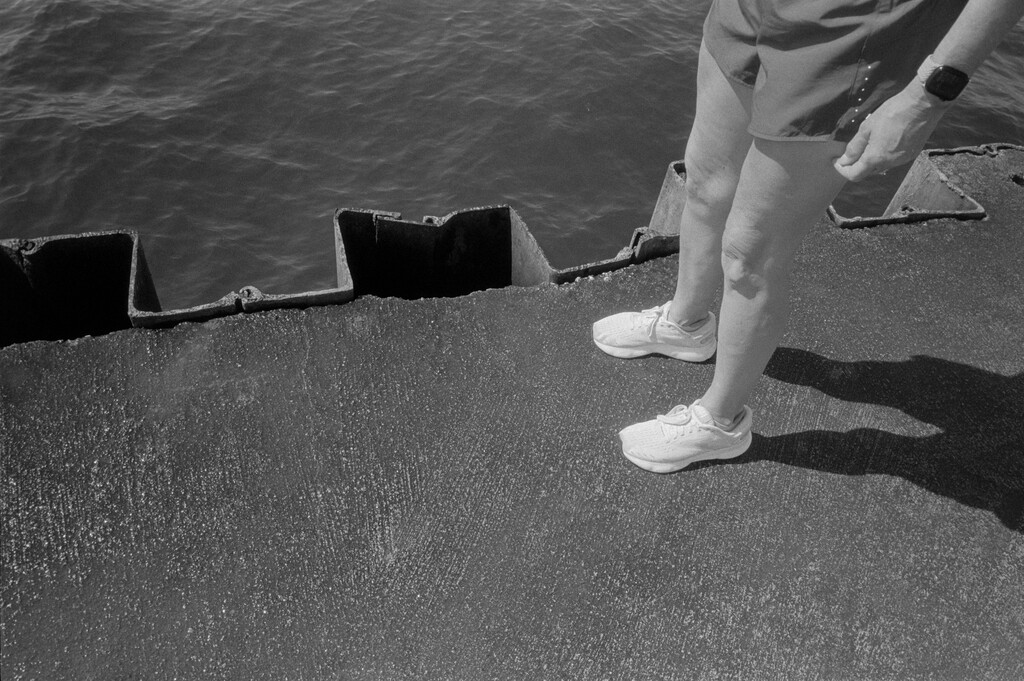
photographing in black and white is not an afterthought.
Andre Wagner
Lofree Flow84 keyboard
I've been using an HHKB since 2018 and it's a great keyboard. Once in a while I tire of not having actual function or arrow keys, so I try something else.
The keyboard-driven nature of Omarchy has, er, forced my hand again.
Keyboards are a rabbit hole I didn't want to go down again, so I grabbed something that I've seen recommended by a few people and ordered one. Also, although DHH is not someone I'd deliberately try to emulate, it's what he uses with Omarchy, so I figured the odds of it working well were pretty good.
I went with a Lofree Flow84
I'll miss the Topre switches on the HHKB, but the Flow's switches feel pretty good. Different, but good. Oddly, I like that it's not very customizable. With any luck, I'll just type on it rather than futzing with custom caps or layouts.
What I don't like is the printing on the keys. Rather than putting the shifted character above the default character, they're laid out side by side. It's weird and I'm not a fan. Also, a few keys have parts printed in a different color. I keep thinking I've dropped crumbs on the keys.
The worst thing is that when rebooting, I can't type in my password when using Bluetooth. I'm using it wired, so it's not a problem for me, but still not ideal.
Otherwise, I'm happily thwocking away over here on my new keyboard. Function and arrow keys are handy, btw. :)
Denon DRS-810 Cassette Deck
The Nakamichi cassette deck I got in trade for my Thorens turntable ended up DOA. They tried twice to fix it, but no luck. It's a combination of motor and some other hard-to-source parts. Rather than wait around for it, I was given a choice of several other decks instead.
I picked this weird-ass 3-head Denon DRS-810 with a drawer for the cassette. It's technically a better deck, and the drawer mechanism is solid and cool, but it might be a little modern for me (90s). Plus, I like when I can see the music, and with this one, the cassette is hidden while playing. I decided that I don't mind that so much, since in day to day use, the deck is on the other side of the room, anyway.
I'll tinker with this one for a while and see how it feels. I was told I can bring it back for a different one any time if it doesn't work out.

I've only listened to a few tapes in it, but it sounds great to me. Cassettes are fun! And they sound much better than I remember.
I don't know where anything is in Linux. Omarchy does a decent job of abstracting things, but once I move outside of that, I'm lost. This is going to be a long road, isn't it?
It's all upside-down (computer-wise)
A week or so ago, I installed Omarchy on my old ThinkPad, and we hit it off immediately. I've tried various Linux distributions before, but nothing stuck. Omarchy is very sticky.
Tiling window managers have always fascinated me. I tried i3 for a while, but using it on the little laptop screen felt limiting, somehow. I never really got on with them. For some reason, Hyprland is different. At least whatever they've done to configure it by default in Omarchy feels different. It made sense right away.
I got along with Omarchy so well that I wanted to try it "for real", meaning on a desktop machine with a big monitor. I have a beautiful and expensive Apple Studio Display, so whatever I use needs to work with that. I'll document the details somewhere, later, but I ended up with a Beelink mini-pc (this one) and a weird DisplayPort -> USB cable. For $500 I got a Mac Mini look-alike with a fast (enough) processor, 32GB of memory, and a 1TB SSD. A similarly-spec'd Mac Mini would run around $1,300. I'm sure the M4 Mini is faster, but that's a lot of extra money. I'm happy to report that it works great with the Studio Display.
So now I'm sitting here at my desk, doing nearly everything[1] on the little Beelink running Omarchy.
But there's a problem. I've been using an M2 Mac Mini as a home server for a while. I've installed nomachine on that and the Beelink so I can remotely control the Mac. This works pretty well, and got me thinking: Since I'm only doing a few things on the Mac now, why not just use the Mini for those things, as well as using it as a server? I could install Lightroom etc. on it and control it remotely when I need it? If it's too laggy, I could figure out how to use a KVM switch instead.
But then, what about that M4 MacBook Air I just bough a couple months ago? What about my external drives (formatted for Mac)? What about backups? I'm using Firefox?
You see how everything has been upended?
I've been using a Mac since the 1980s. My entire computing world view is based on macOS. This is weird, but it's kind of amazing how much fun I'm having.
Photo editing and film scanning/conversions rely on Lightroom Classic, so I'm not off macOS completely. And I miss Facetime and Messages, a lot. ↩︎
To publish this note, I had to:
- Share my ~/sites directory from the Mac via Syncthing
- Install Go
- Install Hugo
- Install just
- Install Node
- Tweak some paths in my init-hugo.el
- Authenticate with Github
It took me about 15 minutes. Linux, and especially Omarchy, continues to impress. If you're reading this, it all worked.
Dusted off the Jack Tries Linux blog
Remember that time I was trying Linux "for real" and even created a blog to write about it? It was more an excuse to play with the clever BSSG blogging engine, but still.
Well, I'm doing it again. This time with Omarchy, so I dusted off the BSSG blog and pushed a quick update. But, but, Omarchy! | Jack Tries Linux.
Don't expect much. This usually lasts about 3 days before fizzling out, but it's always a fun-but-frustrating 3 days.
Sansui AU-6900 Integrated Amplifier
A few weeks ago I swapped an unused turntable and receiver for a nice Nakamichi cassette deck. I paid a little too much in the deal, but I got rid of stuff I wasn't using and gained something I wanted, so it was fair enough.
Playing with the old cassette deck got me charged up about vintage audio. I was suddenly bored by the Rega Brio3 (2007), which I bought new. It paled next to some of the cool vintage stuff on display at the new vintage audio store near me, Bring Back Analog. Plus, the Brio didn't have a headphone jack, which always bothered me. Besides, something from 2007 isn't "vintage", it's just old. So I started shopping.
I traded the Rega and some cash for a shiny new (to me) Sansui AU-6900 from 1976. It's been playing non-stop since I brought it home. I'm no audiophile, but I love it. It sounds great, and looks gorgeous. I'm a sucker for big, shiny knobs and the Sansui has big, shiny knobs.
Something cool about it is that the rear jacks are situated horizontally. This makes them easier to reach and presumably has other positive effects. I wonder why we don't see more of that.

There's something about listening to beautiful devices made half a century ago. They may not objectively sound better, but they definitely feel like they sound better.
It's just that I prefer film
For the past week or so, I've been thinking about shelving the whole film photography thing for a while.
I have many film cameras, but that's the fun part, not the problem. It's the supporting cast that wears me down. There's just too much infrastructure around film photography.
If you'll allow me a bit of a ramble.
First, there's buying the actual film. It's damn expensive, and becoming more so. I have to decide on black and white or color, fast or slow, modern or classic, etc. Best to have a little of each, right? And it's all taking up room in my fridge.
I develop my film at home, so I need all sorts of processing gear and chemicals. Oh, and a darkroom if I want to make prints, which I do. For printing, I have enlargers, lenses, holders, easels, trays, tongs, chemicals, drying racks, paper, a paper safe, safelights, timers, loupes, and on and on. It's a lot.
After the film is processed, there's the scanning. Scanning sucks. Should I use a flatbed, dedicated scanner, or digital camera? I have all three, since I keep trying different approaches. I don't love any of them, but digital scanning is the way forward. That's a whole thing, though. I have a copy stand, but it's terrible, and I hate having to set everything up each time. Is everything level? Don't forget to set the ISO correctly, and focus precisely, and make sure the room lights are off. Which film holder is the best? Digital scanning is the only reason I own a macro lens.
Digitally scanned images need inversion. This means I need to keep a copy of Lightroom Classic around just for running Negative Lab Pro, which I also need because there are no decent alternatives. After scanning, I now have both the original DNG and the NLP-converted positive. Should I keep the original? I shouldn't need to, but I do. Just in case. That's an extra 80MB or so per image, and and they're all just cluttering up the joint.
After everything is scanned, I have to cut and file the negatives. I print a contact sheet and both the sleeve and contact sheet need to go in binders on a shelf. Organized. Forever.
When I review a roll of the scanned images, I find scratches, dust, light leaks, water spots, poor exposure, accidental exposures, etc. Oh, and about a million mirror selfies, for some reason.
When I've had it up to here with all this, I start shooting more digital. All I need is a camera or two, SD cards, my computer, and a printer with supplies. It's so fast and easy! I can load up the photos in Capture One (or whatever) and see them right away. This means I can immediately begin deciding how I want to process every single image. Should I convert it to black and white? Which film simulation would be best here? Maybe I should take it into Photoshop for some frequency separation so I can get it perfectly sharp in all the right places. Does the white balance look right? Maybe just a tad warmer would look better. I should buy more presets!
Best to zoom to 200% to make sure I nailed the focus and that everything is pin sharp... then add some grain in post so they don't look so "clinical". Why'd I spend $4,000 on a lens, again? Sigh. 🙄
As a result of all this, I spent a lot of time looking through my catalog this week. I realized something. I realized that 90% of the time I prefer the film images, as "poor-quality" as they are. I remember that, with film, once a frame is scanned, that's it. Maybe I'll tweak contrast or crop a bit, but basically each frame is what it is. A black and white film photo is always black and white. Converting digital color photos to black and white feels wrong. Fake. And deciding when to convert and when not to is crazy making. I get lost in it.
All this to say...
Even though the process of shooting film can get on my nerves, and the results can be terrible, I prefer film images. I like the fact that they're on film and made by chemistry and light. They're immutable.
Maybe one day I'll feel differently, but right now I'll just have to learn to deal with the infrastructure and get on with it.
The Mylio conundrum
Mylio is an amazing bit of software for managing large, disparate photo libraries. (For some details, check out this review.)
A private library that’s truly cross-platform and cloud-independent. Mylio is a media library built around your life, not around a cloud, device, or platform. Collect media from everywhere, access it on any device, anytime—even in Airplane Mode.
Mylio, in theory, solves my photo management problems:
- I have access to every photo I've ever taken, on every device, even offline.
- It's cloudless. All syncing is done peer-to-peer. Privacy is nice.
- It seamlessly combines photos from everywhere, including my Apple Photos library.
- It automatically keeps copies of every original photo in one or more "Vaults", making backups a hands-off operation.
- Face detection and tagging work very well
- I can easily share web galleries
- It works reasonably well with Capture One (sessions).
The first point above solves so many issues for me. My photos are a mess because I never know how to think about Apple Photos. For a while, I treated my phone as if it were just another camera with an SD card. I'd transfer photos from the phone into Lightroom Classic and then (sometimes) delete them from the phone. Then, a year later I'd switch to thinking about my Photos library as the source of truth and import processed "real" photos into it. Once I start doing that, the "iPhone as SD card" concept is out the window. Like I said, it's a mess.
I installed Mylio a few days ago, and pointed it at my current working /Pictures folder on the laptop, my big /MediaHD/Photos folder with everything, and at my Apple Photos library. I didn't have to move or "import" any of my actual RAW files. It chugged away for a day or so, and now I see everything from everywhere right in Mylio. The iPhone snap from last night is in there. In fact, iPhone photos end up in Mylio on my Mac even before they show up via iCloud. The latest roll of film I scanned is in there. RAW files from my big digital camera are in there. And all of these are copied to both vaults and also visible on my Phone and iPad. I mean, it's great, right?
Mylio automatically tags everything using a local AI model. I just searched for "Dog" and it found more than 10,000 matches :).
So, what's the problem?
First, Mylio is a $240/year subscription. Many of you will shrug and walk away right there. I did too, but when I think about how much time and energy I spend dealing with all this, it feels more reasonable. It should be $10/month but I can't control that.
Second, do I really want more software in the loop? I don't, but Mylio adds a lot of value.
But you know what? Photography is important to me and the thing I enjoy most. Spending a couple hundred bucks a year to have all of it everywhere all the time, with multiple copies, all automatic, seems like a no-brainer, so I scribbled a quick comparison...

... and then paid for a year of Mylio.
UPDATE: I canceled and got a refund the next day. It's all just too much. Mylio is a nice-to-have that costs too much and would have ended up another unused toy.
Where have I been this week?
In case you're wondering, I've been posting over on the wiki and daily.baty.net this week. I was in the mood for a change of venue. Also, I kind of got spooked by a small surge in traffic here. For someone who posts in public every day, I still don't like being watched. So, I write in places that fewer people know or care about. It's weird, I know.
The Grindification of Hobbies (Alistair on YouTube)
“The act of documenting the hobby becomes more important than enjoying the hobby.”
That's kind of how I'm feeling about maintaining a separate blog just for photography. You may have noticed that I posted the last couple of film roll summaries here on baty.net instead. It's fine having everything here. It's preferable.
Friday, August 22, 2025
I'm considering removing the /notes section and just rolling everything into the main feed. Let's try "Everything is just a post" for a while. Sure, it'll be messy and too noisy for some, but it might help prevent the "is this a note or a post?" thing every time I start typing.
I'll be happy to talk to machines once I no longer need to learn their language in order to do so.
I think I need a workflow intervention (aka Stop Leaving Emacs)
As many of you know, I sometimes, inexplicably, try to pry myself away from using Emacs. My fingers become tired of C-c C-x foo or whatever, all the time. I hate typing C-x almost as much as M-x. It hurts my fingers and is too much like C-c. Should I hit the "x" with my middle or index finger? I want integration with macOS services. I want system-level spell checking, not M-x ispell-word. I want to stop thinking about whether I need C-g or q or C-x kill-buffer to close a minibuffer. I hate window/frame management. I want easy, basic mobile access (on my iPhone). You know, I just want to use a normal app that does normal things in a normal way[1].
When the above feels like too much, I fire up Obsidian, because I'm convinced that Obsidian is "The Right Answer" for most people, most of the time.
For a couple of days, using Obsidian is such a relief. Everything's so easy! Linking and backlinking and searching and tagging and visualizing and organizing. Nothing feels like work. I don't get confused about key bindings. I don't lose my place. Markdown feels good and normal and fine. Who needs Org mode, anyway?! Sure, Obsidian is configurable, but why bother? All I need is a folder full of Markdown files, right?
Then it starts. I hate how Obsidian handles attachments and files, so I grab a plugin to make it work more like I want it to (e.g. more like Org mode). I want better file templates so that's another plugin. And of course I need Dataview. Shouldn't I use a nicer theme, while I'm at it? And so on.
Soon, the futzing begins in earnest. What starts out as a clean, simple markdown-based notetaking tool becomes a complex mess in short order. It's basically a shitty version of Emacs at that point. And, admit it, Obsidian feels janky. I left Emacs partly because I didn't want janky. I realize this is happening and resolve to fix it, once and for all.
So I install Bear.
Bear is simple and beautiful and an absolute joy to use. It doesn't have many features, but I don't need features, I just need a nice place to take notes. This is what I tell myself while in the back of my mind I'm wondering how to configure capture templates. And there's no daily notes feature? Really?!
Bear feels so refreshing that I can ignore all the things it doesn't do. Hell, the reason I'm here is because it doesn't do things. Who needs folders when nested tags are so much more flexible? And just look at it!
Of course, while I'm not using Emacs my carefully-curated Org Agenda is not available, so I guess I need a todo app. Normally, I use OmniFocus, but since I'm in simple-and-beautiful mode, I go with Things. Having a system-wide capture key for new tasks is so nice. And, like Bear, just LOOK at it!
Shoot, I almost forgot, I need a journal app now. I launch Day One. Day One is a great journaling app. I love the "On This Day" feature and it's fun printing books from my journals. I like it so much that I'd built a tool to convert my Org Journal entries into Day One entries so I could use both. I write a couple of entries, including some photos, because I can.
Another day goes by and I continue finding other little things that I'd normally do in Emacs. I start to realize how much of my process was working fine in Emacs. Everything I need is already there. Between Denote, Howm, Org Journal, and a handful of Org mode capture templates, I'm covered, workflow-wise. But I've already decided to use other, easier, more convenient tools, right?
Then, it happens. I need something that I'd written in my Denote notes so I fire up Emacs, just for a minute while I grab those notes.
It all comes rushing back: Denote, Magit, Dired, Howm, Elfeed, Mu4e, Org mode, and a dozen other little niceties that make Emacs so great, even though it's "harder" and can seem a little isolated.
I immediately burn down everything I'd cobbled together during "I Should Quit Using Emacs Week". I update my packages, pick a new theme (just so things feel fresh), and go about my business. I mean, I already had a damn good workflow built with and around Emacs for the past 10 years, didn't I?
So what I'm telling you is that I'm back in Emacs. Again.
By "normal" I mean "The way that the rest of macOS works", of course 😁. I'm not really looking for suggestions here. ↩︎
Thursday, August 21, 2025
I don't want to even think about anything, let alone overthink everything.
...the dream became reality when she finally completed her perfect note-taking system comprised of Zettelkasten-styled interlinked markdown files stored in Org-mode format with two-way conversion on the fly with syncronization across devices through a p2p network with E2E-encryption and backups stored in IPFS, with both native and PWA apps for all major platforms as well as command-line interface with a rich set of zsh autocompletions and keyboard shortcuts.
Curio 32
Every year I renew my subscription to Curio, even though I haven't used it much recently. I renew mostly to support development of one of the nicest, most thoughtful apps on macOS, but another reason is that George continues to add truly useful and interesting features year after year. I don't know how he does it.
Check out the Curio 32 Release Notes for details.
Standouts for me are multiple project windows and improvements to Journal sections. I don't need another journaling tool, of course, but I often consider it.
Wednesday, August 20, 2025
I see Zed just received $32 million from Sequoai because "this investment lets us pursue our vision for bringing a new kind of collaboration directly into the IDE." Well, never mind, then. I want nothing to do with "collaborative editing", nor the inevitable decline of anything touched by VC money. Thank goodness there's BBEdit.
I'm running immich on the Mac Mini via Docker and it's been working great. It's fast and simple to use. Hosting has (knock on wood) been a breeze so far, too. I like it.
Roll 046 (2025) / Ricoh GR1
The Ricoh GR1 looked sad in the "broken camera" drawer, so I loaded it up with a roll of HP5 and gave it a shot. It worked just fine. This time. Sometimes the LCD stops working. Sometimes the viewfinder gets blocked by something loose inside the camera. Usually it's both those things, but this time I got through the roll without issue. It's a great camera when it works.


Roll 045 (2025) / Rolleiflex 2.8D
I enjoy using the Rolleiflex so much that I am able to ignore how difficult it can be to focus and how sometimes it flares badly.