I’ve carried one kind of paper notebook or another on my person for years. Moleskine, Field Notes, Travelers, you name it. The idea is to “capture my ideas and thoughts” while on the go.
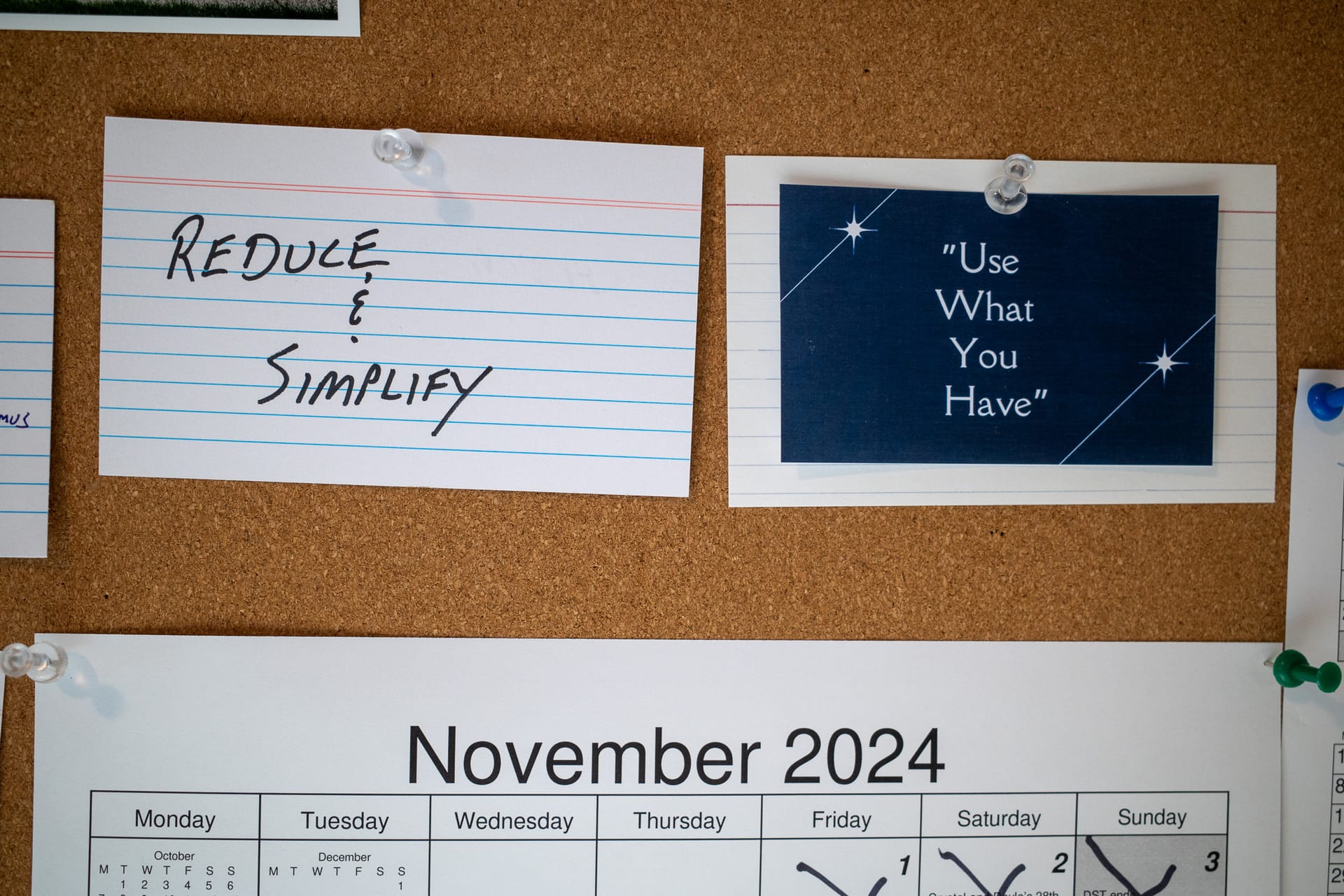
At the beginning of 2024, I had grand plans to Reduce & Simplify. I was also determined to use what I have. I’ve done neither of those things. It’s November.
I may have solved at least some of my problems caused by taking notes too many different apps. I moved all of them into ~/Documents/Notes, with subfolders per app. So…
I’m just coming off a week using Obsidian. Obsidian is really good and powerful and easy to use and extensible and probably the correct answer to the question, “Where should I keep my notes?”.
When creating a new project folder (group) in DEVONthink, I often make use of Templates. Templates are just files in a folder somewhere that get copied into the DEVONthink database. For example, I have a project “starter” Tinderbox document named “Basic Project Template.tbx”. When inserting the template file into my DEVONthink project, it uses the same name as the original, which isn’t helpful. DEVONthink is very scriptable, so I wrote an AppleScript to rename the selected document the same as the enclosing group/folder.
I woke up from my trance and bailed on my disjointed bricolage of Fastmail->Gmail->Mimestream. Cobbling various pieces together just so I can use a single mail client on my Mac seemed…shortsighted. Mimestream is nice, but not that nice, you know?
I don’t get many emails these days. Nor do I send many. And yet, I spend an inordinate amount of time futzing with how I get and sent emails. I’m doing that thing again where I overthink my email process.
For the few of you who’ve been following along, you’ll have noticed that I’ve changed blogging engines several times recently, even more frequently than my usual pace.
I’ve tried so many “read-later” services that I can’t remember half of them. They’re all basically the same: visit a website, click a button, and the article is saved to a list somewhere with all the other articles I’ve saved. Some newer services get fancy with recommendations, UI improvements, social integration, etc. but they all just gather a list of articles that I almost never end up reading. But, you know, just in case, right?
I’m tired of computers. I spent hours today rummaging around my notes and trying to figure out if I should write some new thing in Emacs or Obsidian or Tinderbox or what? It’s confusing and frustrating, and I need a break.
I tried, I really did. The Wise Old Internet guided me into changing my film scanning process from a dedicated flatbed scanner to using a mirrorless digital camera setup. I did everything right. I bought good equipment and the right software.
The last time I rewatched “The West Wing” I was once again impressed by how good people were at their jobs. How productive everyone was. I wondered how I could be that productive.
I’ve gone through many photographic workflows. Each time, I’m certain that I’ve figured out what works best for me. Finally! Then a few months later I switch back or come up with something new. I wish I would stop doing this, but I probably never will.
I put together a workbench in my basement office that was supposed to house all of the cool “maker” projects I was planning. You know, little electronic builds, equipment repair, that sort of thing. I’ve come to realize that these projects are infrequent and the workbench space is mostly wasted.
Take a look at this list from my notes about how I manage my photos: 2019-01-01 I’ve decided I’ll be using Lightroom CC. 2021-05-15 Don’t listen to 2019 me, I’m using Lightroom Classic 2021-06-03 Don’t listen to May 2021 me, I’m using Capture One now. 2021-08-12 Don’t listen to June 2021 me, I’m using Lightroom Classic again. 2021-08-15 Don’t listen to last week’s me, I’m using Capture One. Obviously, I struggle with which tool to use. I was certain I’d “permanently” settled on Lightroom Classic just a week ago. In my comparisons, Lightroom wins nearly every category. But there was this entry:
As an antidote for my usual spiral of sitting at a giant screen full of a dozen windows, staring, clicking, staring, clicking, etc. I thought I’d try living on my iPad for a while. I’m not an iPad person, even though I’ve used one since the day they were released. I just don’t understand how anyone thinks they can be anywhere near as productive on an iPad as on a “real” computer. Stockholm Syndrome or something, I always figured, but smarter people than I are doing it, so who’m I to judge?
Yesterday I was asked something about a project I’d worked on two years ago. At that time I’d used Curio to help manage the project. I opened the Curio project and within thirty seconds of just looking at the workspace I had a handle on the project and easily found an answer to the questions I’d been asked.
I’ve never loved editing photos in Adobe’s Lightroom (Classic). It does the job fine, and it has all the tools one might need, but it’s no fun. I prefer editing with Capture One Pro.
I’m exhausted. I think it’s because I haven’t been working in more than a month and my brain has had too much free time to “figure stuff out.” (Yes, I know how it sounds to complain about exhaustion while not having a job!) As an experiment, I’m going to live the month of May in “Easy Mode”. This means I’m going to solve problems with quick, obvious, easy solutions. I’m going to use the easy-to-use tools. And I’m going to make various processes as easy as possible.
Writers spend way too much time and money seeking out their “grail” pen and paper combo — the tools that will make their work so much “smoother.” It’s a pattern we’ve seen repeated in all creative pursuits.
When I started using Roam, I found the way it handled backlinks to be a revelation. Other software does backlinks, but Roam’s implementation made it feel new. Suddenly, backlinks felt necessary.
Using a single 32-inch monitor with my M1 Mac Mini has caused me to re-think how I manage apps and windows. After a few iterations, I’ve settled on the following layout. This layout includes Finder, iTerm2, Safari, and Emacs. Safari takes up the majority of the center. Finder and iTerm are split equally on the left, and Emacs is on the right, divided into two windows (or “panes” as most other software calls them). All my most-used apps are visible at the same time and I’m not constantly moving windows around.
You’re lookin’ at him. I’ve been asking myself, “Who[sic] should I let manage my photos?” as a way to talk myself into letting Lightroom and the Adobe ecosystem take over the nitty gritty of file and library management. In the end, I couldn’t go through with it, so I remain in charge.