Beyond the Infinite

I collect a lot of “stuff” on my computer. I’m one of those lazy people who just drop most of it onto my Desktop and assume I’ll figure out what to do with it later. The problem is, I rarely actually figure out what to do with most of it.

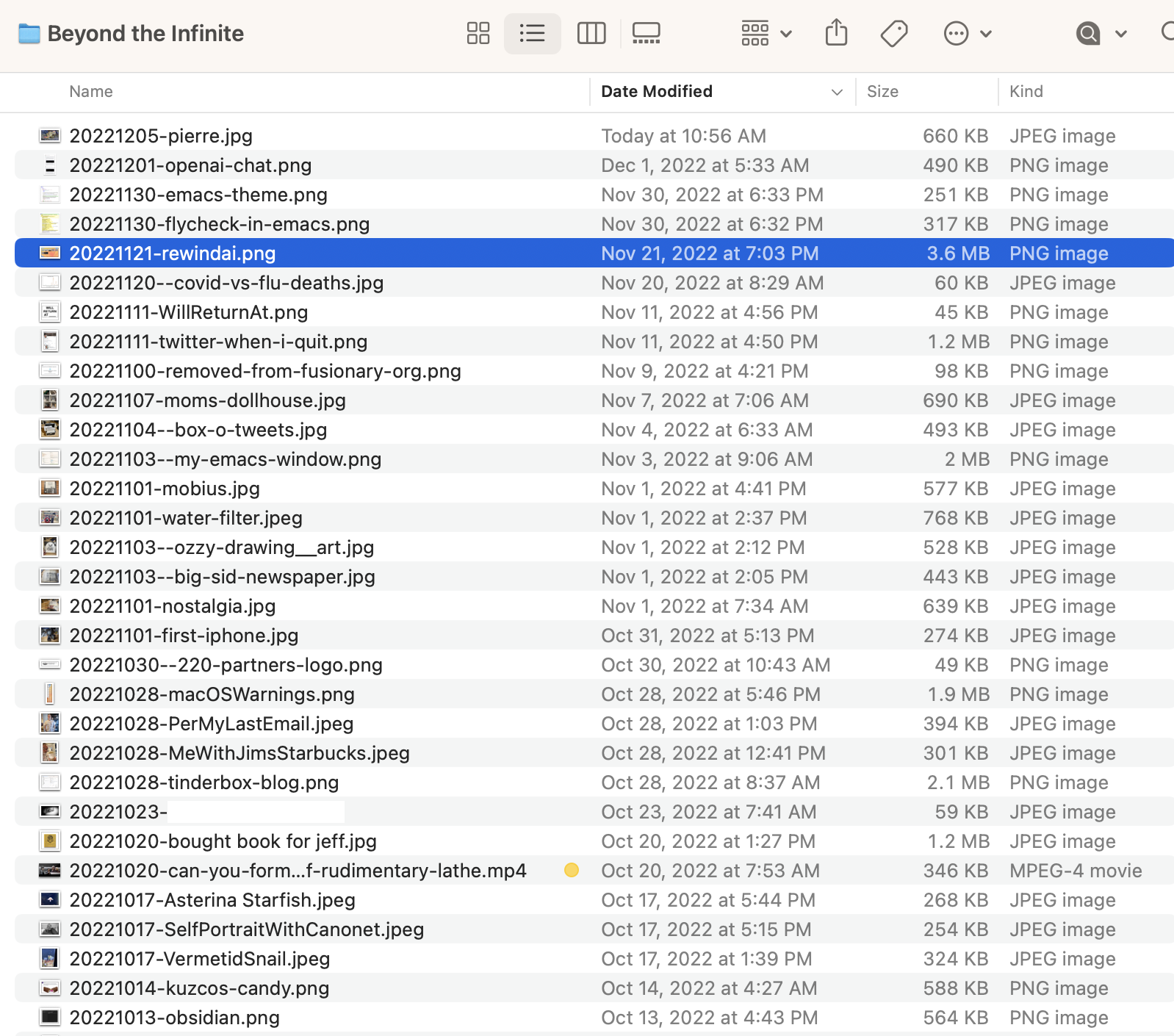
Late last year I created a folder on my Mac’s desktop named “Beyond the Infinite” 1. Anything that ends up on my desktop that isn’t important enough to file away but is something that I’d still like to keep, “just in case,” gets tossed into Beyond the Infinite.

It’s become a minor treasure. It’s like a journal of things that barely matter at the time, but become valuable later. Screenshots, text snippets, URLs, etc. I love it.

Permalink #

Mere Humans

AI continues to enthrall everyone. Here’s DHH on AI creativity vs humans:

Why shouldn’t the same be true of AI generated novels, plays, or movies? What realm of creative production does not benefit from the out-of-the-norm inferences that computers have already proven they can make within the bounds of chess and go to great effect? Is what we call human creativity all that different from a large language model anyway? A distillation of observations, inputs, mimetic tendencies, and a wetware random generator?

DHH, More creative than mere humans

Fair questions. I just wish he wouldn’t keep calling us “mere humans”.

I was playing with the amazing ChatGPT and it felt like something new. Using it felt like the first time I dragged to resize a filled shape in MacPaint on my Macintosh Plus.

I imagine that before too long, just like filled shapes in a drawing program, AI will become just another boring, everyday tool. But not today. Today, to this mere human, it’s magic.

Permalink #

Converting Markdown to Org-mode syntax in current buffer

There are some great tools for bringing web content into Markdown files, but few that offer the same utility for Org-mode (Orgdown) files.

For example, I use Markdownload extension all the time. It works great with nearly every site I use it on, but instead of Markdown, I'd prefer having Org syntax, so I've worked around it by creating a function[1] which converts the current region from Markdown to Org.

(defun jab/md-to-org-region (start end)
  "Convert region from markdown to org, replacing selection"
  (interactive "r")
  (shell-command-on-region start end "pandoc -f markdown -t org" t t))

I copy the Markdown from the Markdownload window, paste it into an Org buffer, and run the function. It's not perfect, but until someone creates an "Orgdownload" extension, it'll do. (Pretty please, will someone create an Orgdownload extension?)


  1. I may have copied this idea from somewhere but I don't have a reference. If it was you, I apologize for not giving credit. Send me a note! ↩︎

Permalink #

My first real AI moment

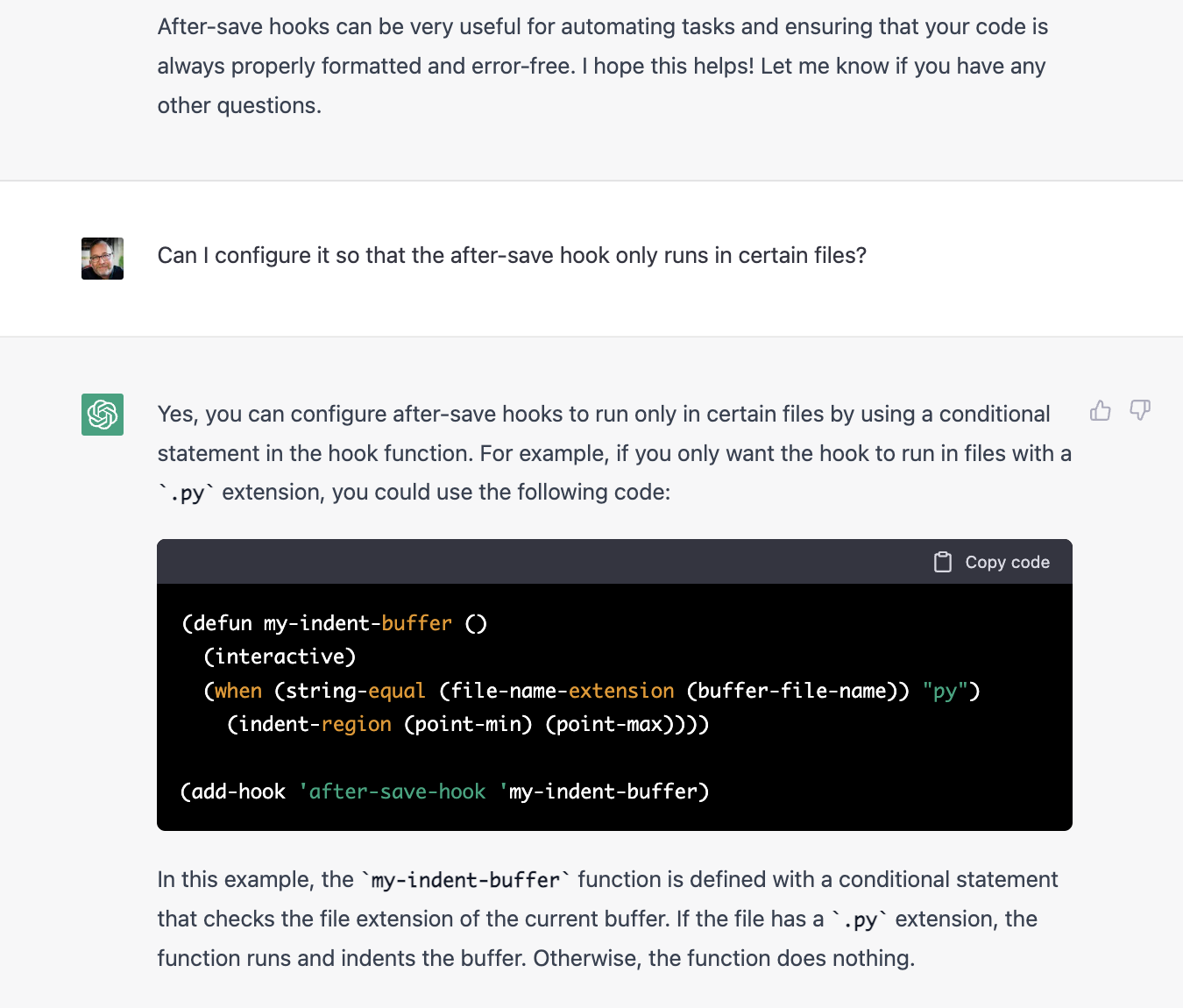
I'm a latecomer to AI, but I just had my first real AI revelation moment while using OpenAI's ChatGPT. I asked it an honest question that I had and got a complete, sensible, and correct answer. It's like if Google had a brain, or if I asked an assistant to look something up for me and report back. Here's part of the thread:

Can you imagine where this leads? I didn't really get it, until having the above conversation. I'd love being in high school right now. It's like being in that brief period where calculators were still rare, so having one was like cheating. AI feels like cheating, in a good way.

This feels like the first time I dragged and resized a filled shape in MacPaint on my Macintosh Plus. Or the first time I pinched-to-zoom on the original iPhone.

Permalink #

Keeping my Org Agenda updated based on Denote keywords

I've recently switched from using Org-roam to using Denote for my notes. Org-roam is powerful and cool, but I prefer the more straightforward approach of Denote.

I keep all my notes in Denote, including notes about current projects. For example, we're planning to remodel our kitchen. This is a project and so I have a Denote file named "20221130T130143–kitchen-remodel-2023__house_project.org". In this file, I keep a list of TODOs. In order to see these TODOs in my Org Agenda, I need to add the file to org-agenda-files. This can be done a few ways, but all are manual. I am forgetful, so I wanted a more automated way to keep my org-agenda-files up to date with Denote projects.

David of System Crafters created a video about hacking Org-roam containing something like what I was looking for in the show notes, but for Org-roam not Denote.

I took the idea and implemented it for Denote instead. All it does is search denote-directory for files with a specific pattern and append the results to my default list of org-agenda-files. It looks like this:

;; Add all Denote files tagged as "project" to org-agenda-files
(defun jab/denote-add-to-agenda-files (keyword)
  "Append list of files containing 'keyword' to org-agenda-files"
  (interactive)
  (jab/init-org-agenda-files) ;; start over
  (setq org-agenda-files (append org-agenda-files (directory-files denote-directory t keyword))))

(jab/denote-add-to-agenda-files "_project")

That's it. Now I can keep my project TODOs in the project Org files and view them in the Agenda. You'll notice that there's nothing in there that actually depends on Denote. It's all just basic Emacs stuff. That's one of the reasons I love Denote so much; even I can riff off it. I haven't found a good way to add newly-created project files to the agenda without reloading Emacs or calling the function manually, but I'll get to that later.

Permalink #

Calm technology

I'm overwhelmed by social media right now. Visiting Twitter just makes me anxious because it's become an even bigger shit-show and all anyone can talk about is how much of a shit-show it is.

And Mastodon is almost worse, since the only topics there right now seem to be the Twitter shit-show (but everyone calls it "birdsite" for whatever stupid reason) or how Mastodon is or isn't confusing or is or isn't racist or else over-explaining what the "fediverse" means to the future of the internet.

Everyone is just so breathy and I'm exhausted by all of it.

So, instead, I've been writing journal entries on my blog, updating my wiki, and sitting at my writing desk with a pen and a notebook. It's the latter of these things that brings me a nice sort of calm. It's not really even technology but it's where I increasingly wish to spend my time.

Permalink #

Printing Web Pages

In 2020 I wrote,

I no longer try to read longer-form articles right away. I instead send them to Instapaper and, after a day or two, review the inbox, delete the ones I no longer care about, and print the ones I do.

Reading Long-Form Web Articles By Printing Them First

I still print web pages for later reading, but I've updated the way it works.

I've replaced Instapaper with Zotero as my read later service. Zotero is overkill for this, but it's free, local, and makes the articles I save usable as references if needed.

When I've found an article that I want to print and read, I visit the page and use the excellent Markdownload web clipper extension. Markdownload grabs the meat of the article, converts the HTML to Markdown, and (optionally) adds front matter and metadata to the document. Here's an example:

---
created: 2022-11-12T08:40:29
source: https://www.wired.com/story/tweet-dying-revolutionary-internet/
author: Paul Ford
documentclass: scrartcl
classoption:
- twocolumn
---

# A Tweet Before Dying | WIRED
source: ([www.wired.com](https://www.wired.com/story/tweet-dying-revolutionary-internet/))

> ## Excerpt
> The revolutionary internet is over, and we don’t have much to show for it. A new start is out there, somewhere.

---
i find it a good philosophical exercise to imagine the last tweet. It could come centuries hence, when a cryptobot offers a wistful adieu to another cryptobot, or in 2025, when Donald Trump, the newly ...

I add the documentclass and classoption front matter manually. These options are used by my pandoc template[1] when converting the Markdown file to PDF using Pandoc. The rest is handled automatically by the extension.

Once I have the Markdown file, I convert it to PDF either via a BBEdit script or pandoc-mode in Emacs.

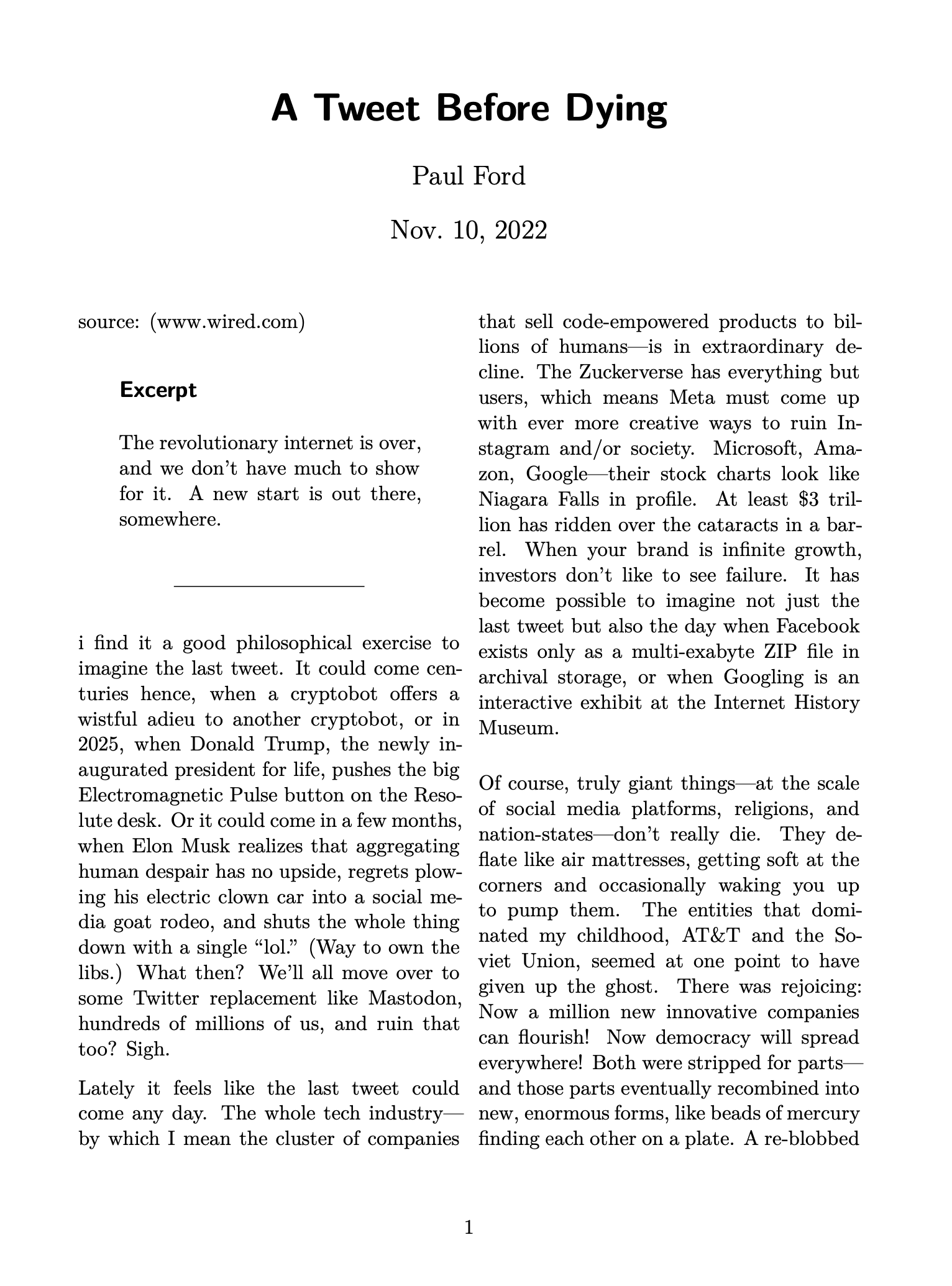
Here's what the PDF looks like:

Screenshot of PDF output

After that, it's off to the printer.

Admittedly, the setup for this took me some time, but now that the hard part is done I can go from web page to a typographically beautiful printed document in about a minute. It's been totally worth it.


  1. My template is just a slightly modified version of the one that comes by default with Pandoc. ↩︎

Permalink #

A Coat of Paint

I have always struggled with Hugo theming. I have some sort of mental block around its templating and content layout. My earlier theme, LoveIt, was nice enough, but I could not make heads or tails of how it worked. There was too much magic for my taste, so I went looking for something simpler.

What I found is Congo. Congo may not be simpler, but it's a different kind of complicated. It's magic that I (mostly) understand.

So, I've installed the theme module and implementing my first round of customizations. The big change is that I show the most recent journal post on the home page. Congo is built with lots of customization options in mind, so I'm feeling pretty good about getting it to a place where I'm not annoyed all the time.

Currently, featured images are broken because (of course) Congo does them differently than earlier themes. I'll work through fixing those soon.

If you see anything you hate or that is otherwise broken, let me know

Permalink #

Where would you like to see daily notes?

It seems I'll never be able to decide where to publish my "Daily Notes" blog entries. I waffle between here on baty.net, the wiki, or my old blog dedicated to daily posts, daily.baty.net.

I'm once again leaning toward writing them on the wiki, since they can be back/linked to/from my other notes about everything. It's also super simple to create posts there. And, for some reason they don't seem to disappear down-river like they do on normal blogs like this one.

On the other hand, I quite like having all the stuff I write–most of it, anyway–in one place; here at baty.net. So there's that.

For the handful of you who read my sites any kind of regularly, where would you like the daily notes to go? And second, if you prefer them on the blog, should they be included in the main RSS feed? I don't like polluting feeds with my usual circular interests, but maybe they're useful to some.

Hit the ol' reply link below and let me know what you prefer. Even if it's "None of the above." 😄

UPDATE: The overwhelming response was to leave the daily journals here at baty.net. OK then!

Permalink #

Personal Knowledge Management is exhausting

I've been testing the hot new Tana app for the past week, and I'm exhausted.

First, I don't need a Zettelkasten. If you're being honest, you probably don't either. And yet, we spend hours or days learning the "proper" way to build one. Then we set up our new system, using paper or digital or both, roll up our sleeves, and waste time putting stuff into it.

The worst part isn't the putting of stuff into my PKM (Personal Knowledge Management) system. The worst part is all of the tinkering around where to put stuff and how to classify/tag/organize it.

I made the mistake of reading "How to Take Smart Notes" by Sönke Ahrens and browsing the forums and that sent me on a spiral of worrying about atomicity, what to do about "fleeting" notes, how big is a Zettel? and so on. In other words, I was more concerned with finding the proper method of managing my notes rather than focusing on what was actually in them and what they were for.

This week's tinkering with Tana hasn't helped. Tana is the next iteration of tools based on things like Roam Research, Notion, etc. I like it. It's a bit like TiddlyWiki and Tinderbox in that it allows for additional attributes to be associated with each node and makes these ontologies easy to search, link, parse, summarize, etc. It makes some complicated workflows pretty easy to implement. I think a lot of people will dig it.

The problem is that this flexibility leads to a lot of hand-wringing over the best way to utilize all this power. The Tana Slack channels are teeming with questions about workflows and structure and attributes and on and on. It makes me tired just reading about it.

I'm not sure I need a system around, for example, the best way to surface the minutiae from interstitial journaling. In fact, just using the phrase "interstitial journaling" is a dead giveaway that I've already been overthinking it. Settle down, Jack!

Anyway, I'll keep playing with Tana for fun, but I'm probably not going to continue using it for my notes. It's not something I will benefit from, especially considering the amount of effort I'll put into setting it up and getting everything "right". I'm exhausted and I think I'll go back to using paper. Or maybe Emacs.

Permalink #

Mastodon move

In mastodon technology Shutdown, Ash Furrow writes:

I have sad news that I have decided to shut down the mastodon.technology instance. In accordance with the Mastodon Server Covenant, the server will be shut down no earlier than December 1, 2022.

Ash Furrow

I've been on the Mastodon.technology instance for nearly 5 years. It's been great, but given the coming shutdown I needed to find a new instance.

I almost gave up on the whole Fediverse. After all, I've been on Twitter for nearly 20 years already. Never had to move or change anything. That's of course no guarantee, but you know. Plus, it's Twitter.

Anyway, I've settled on the Fosstodon.org instance. I'm not a 100% FOSS person, but I find that group to be interesting and "my people" so I'm hoping they forgive the occasional reference or recommendation around proprietary tools.

I'm @jackbaty@fosstodon.org there.

Thanks, and best of luck to Ash.

Permalink #

Everything is in ~/org

The more notes I put into Org-roam, the more I want to put there.

My Org-roam directory has always been in ~/org/roam, meaning that my database was limited to files I put in that directory. The rest of my org files have been in ~/org, so they're out of "reach" of Org-roam. Sometimes, though, I wanted link from, say, my Daybook.org file to one of my Org-roam files, thereby making that daybook entry part of my org-roam database.

I started wondering what would happen if I put everything into Org-roam. Or, at least made everything available to Org-roam. To that end, I changed my org-roam-directory to my top-level ~/org folder. Now anything can be an Org-roam node. All I need to do is add an ID property to a heading or file by running org-id-get-create.

So far I don't see a downside to this approach. I have made Org-roam nodes out of Daybook headlines, Journal entries, even TODO items. All linked up and networked as part of my database. I don't know how well this will scale over time, but I'll cross that bridge when I get to it.

Permalink #

Apple Studio Display

I splurged on a new Apple Studio Display for my home office. It's only been 24 hours but I couldn't be happier. I wish it wasn't so expensive. Even the "base" model is too expensive. And no way I'm paying another $400 just so I can adjust the height. That pisses me off a little, but the display is gorgeous, so all is forgiven.

Here's why I bought one:

  • My 32-inch LG was too big. I know that sounds crazy, but too much screen real estate is a distraction for me.
  • I wanted 5k. Whenever I switched between the (4k) LG and my internal Retina MacBook Pro monitor, the difference when reading text was pronounced. Moving to the internal Retina display felt like putting on glasses.
  • I wanted built-in speakers and camera. I keep the MBP in clamshell mode, so I needed to have extra speakers on my desk and didn't like the clutter.
  • The hardware is beautiful. I stare at my monitor nearly all day, every day. The Studio Display is simply nicer looking than anything else I've seen. This alone doesn't justify the purchase, but it sure helps.

I've taken the LG to my temporary office in our old building, so it's not like it's going to waste. The new Studio Display is a great upgrade, though.

Permalink #

Trying something with TiddlyWiki

I'm trying something with TiddlyWiki. My public wiki has over 3,000 entries. As much as I try keeping notes in my array of Org-mode files, I almost always find what I'm looking for in the wiki instead. I've also kept a local, private "Lab Notebook" wiki in TiddlyWiki. It competes with my Org-mode daybook and journals, though, so I've neglected it.

It occurred to me that I've enjoyed using TiddlyWiki for public notes. However, I can't only keep a public wiki, because not everything belongs "out there". Just most of everything. That's where the Lab Notebook comes in.

For example, I recently sold my Leica M6. Here's the wiki entry. I wanted to record that it was sold, so I did that. But, I also wanted to record who I sold it to and where I shipped it. Those details don't belong on the public wiki, so now what?

I dusted off the Lab Notebook wiki and started making entries there again. This isn't a "Zettelkasten" or anything fancy like that. It's just a stream of entries for recording technical notes throughout the day, with some links between them. And it's all in a single HTML file. But here's the kicker. If I have a private note that I want public, I just drag and drop it from my private wiki to my public one. In TiddlyWiki, that means simply dragging any link to any note (aka "tiddler") between wikis. That's a super handy feature.

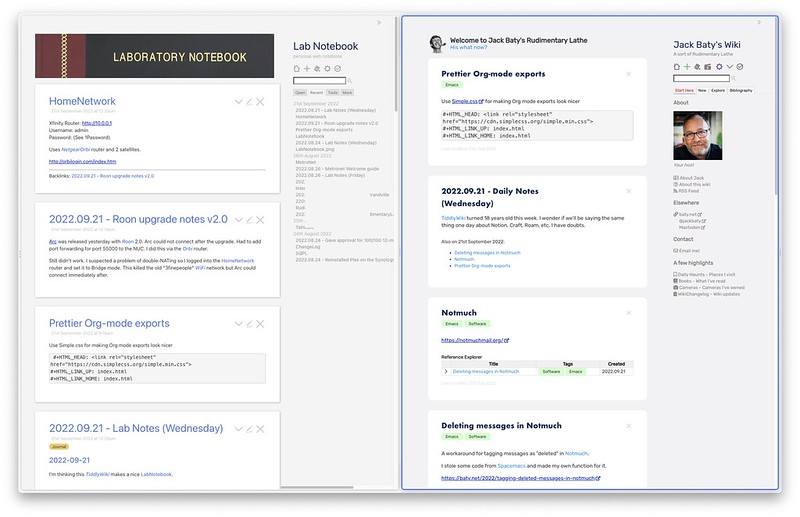
Even better, in the Arc browser I open a split window with both wikis. I can write in either of them, and quickly drag content between them. It looks like this:

TiddlyWikis, side-by-side

That's it. That's the entire UI in Arc.

As always, this is mostly an experiment. It means taking fewer notes in Emacs, and that rarely lasts. On the other hand, this is easier and prettier and I have the magic of TiddlyWiki to keep me interested. I'll let you know how it turns out.

Permalink #

Tagging deleted messages in Notmuch

I use Notmuch in Emacs for managing my email. It's fast, powerful, and (once used to it) easy to use.

There are a few oddities I've learned to work around. The first is with deleting messages. The manual for Notmuch states:

Notmuch does not support, nor ever will, the deleting of messages

Notmuch manual

I'm ok with this, since Notmuch provides a way to essentially bury deleted messages using tags. I don't necessarily need to actually delete the message file. Any message tagged with +deleted is hidden from searches unless explicitly included. Ignored tags are set in ~/.notmuch-config like so:

[search]
exclude_tags=deleted;trash;

This works fine, but the problem is that my new messages are also automatically tagged with +unread and +inbox, so in order to properly flag a message as deleted, I want those two tags removed as well. There seems to be no built-in way to do this. I found this odd, since there is notmuch-archive-tags, which lets me configure which tags are added or removed when archiving a message. Here's my config for that:

(setq notmuch-archive-tags '("-inbox" "-unread" "+archived"))

There is no such configuration for deletion, so I made my own. To do this, I borrowed some code from Spacemacs and integrated into my Doom Emacs config.

(setq notmuch-message-deleted-tags '("+deleted" "-inbox" "-unread"))

(defun jab/notmuch-search-message-delete (go-next)
  "Delete message and select GO-NEXT message."
  (notmuch-search-tag notmuch-message-deleted-tags)
  (if (eq 'up go-next)
      (notmuch-search-previous-thread)
    (notmuch-search-next-thread)))

(defun jab/notmuch-search-message-delete-down ()
  "Delete a message and select the next message."
  (interactive)
  (jab/notmuch-search-message-delete 'down))

;; My own delete key
(map! :map notmuch-search-mode-map
        :n "D" #'jab/notmuch-search-message-delete-down)

Now, pressing "D" in any notmuch search buffer deletes the selected message and moves to the next one. This all seems like it should be built in, but if it is I couldn't find it. If anyone knows a better way to handle this, please let me know.

Permalink #

Roll-085 Leica M3

Here a few from a recent roll using the Leica M3 and the Leica 50mm Summilux-M ASPH.

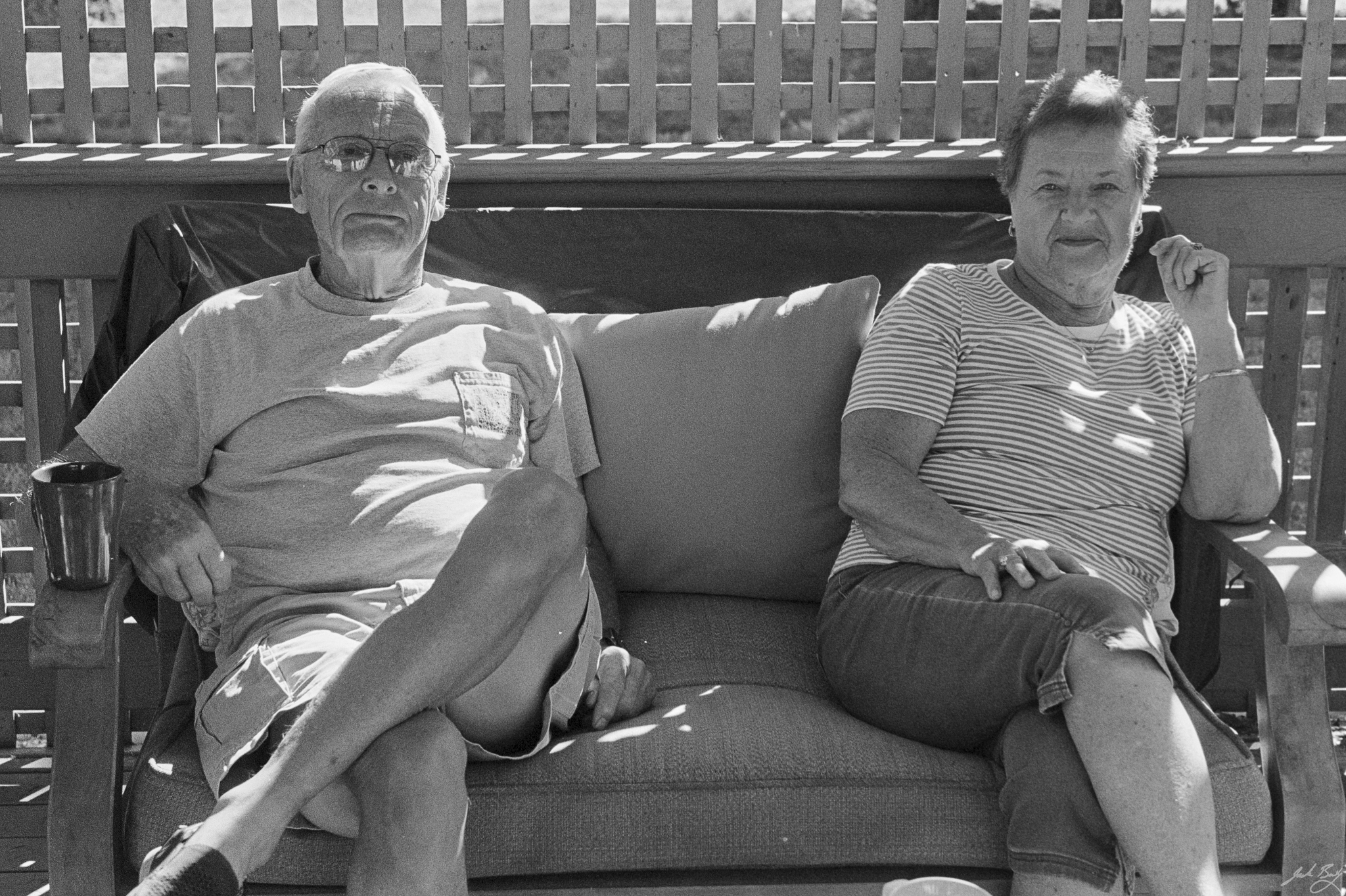
Mom and Dad. Leica M3
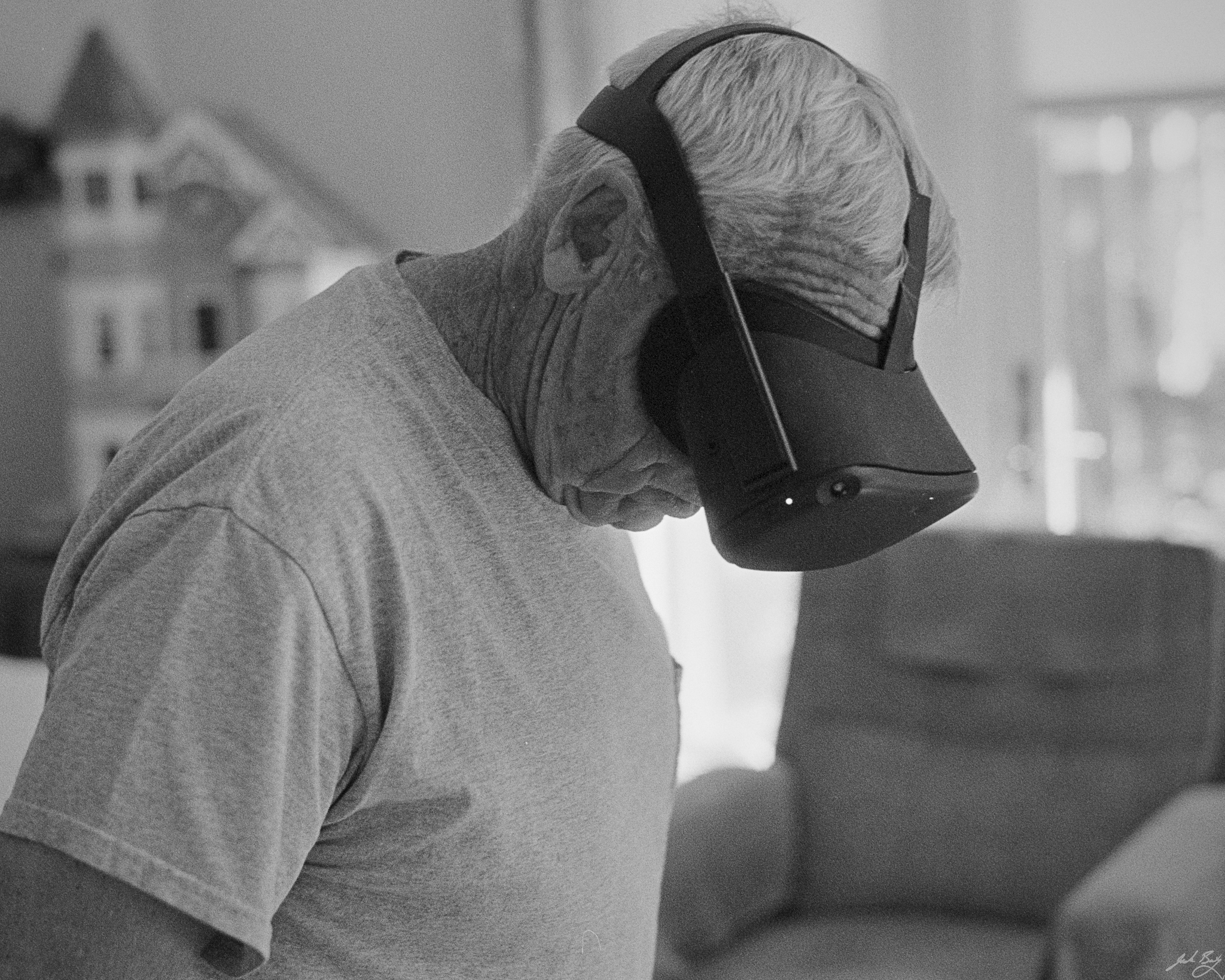
Dad playing mini-golf on the Quest. Leica M3
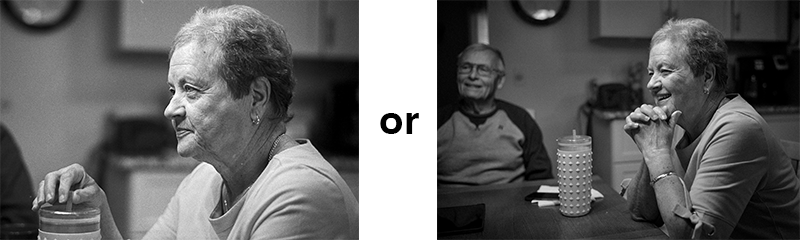
Molly. Leica M3
Michigan Fucking State. Leica M3
Permalink #

iA Writer vs Emacs

Emacs can be ugly, but it doesn't have to be. Above we have the highly-polished and thoughtful iA Writer on the left and Emacs on the right.

I'm using Doom Emacs in "Zen" mode, which is basically a tweaked version of Writeroom-mode. My tweaks include using iA's Quattro font as a variable-pitch font and a little spacing via line-spacing.

(add-hook 'writeroom-mode-hook (lambda () (setq line-spacing 0.5)))

iA Writer is wonderful for editing Markdown files. Might even be "nicer" overall than Emacs for that purpose. It's just so smooth, you know? But, Emacs is Emacs and that's tough to beat. I alternate between them. It helps that I've made them look similar.

I keep removing excuses to quit using Emacs.

Permalink #

What does RudimentaryLathe.org mean for Baty.net?

Last week I decided that I'd like to write with a bit more discipline than what I'd been doing in the journal entries, so I fired up a new Ghost instance at RudimentaryLathe.org.

The original intent was to only use the new blog for publishing my newsletter, "The Lathe", but once everything was running I was reminded how nice it is to write and publish a blog using Ghost. It made me want to write everything over there, which of course creates a dilemma for us here at baty.net.

Just when I'd finally gotten to a point where most of my published writing was in one place, I went and added another place.

For a moment I considered replacing Hugo with Ghost here at baty.net and importing the content. But, I'd promised myself I'd stop changing platforms here and I would love to keep that promise. Every time I move to a new platform I either lose images or introduce layout issues or otherwise simply regret it.

For now, I'm going to keep both, and I'll probably spend more time blogging and publishing the newsletter over at rudimentarylathe.org. Daily journal posts will remain here. If this continues, I may modify the theme so that the home page displays more journal entries. I might also only show recent blog posts as links, since they won't be updated as often.

So, the short answer is that both sites will be updated. I hope that doesn't cause my handful of readers too much trouble.

Permalink #

Roll-80 (Leica MP/HP5 Plus)

I attended our annual family reunion in Newaygo this weekend. It's always great to see everyone. I shot a roll of HP5 with the MP and 35mm Summilux.

Aunt Joan and Uncle Bob
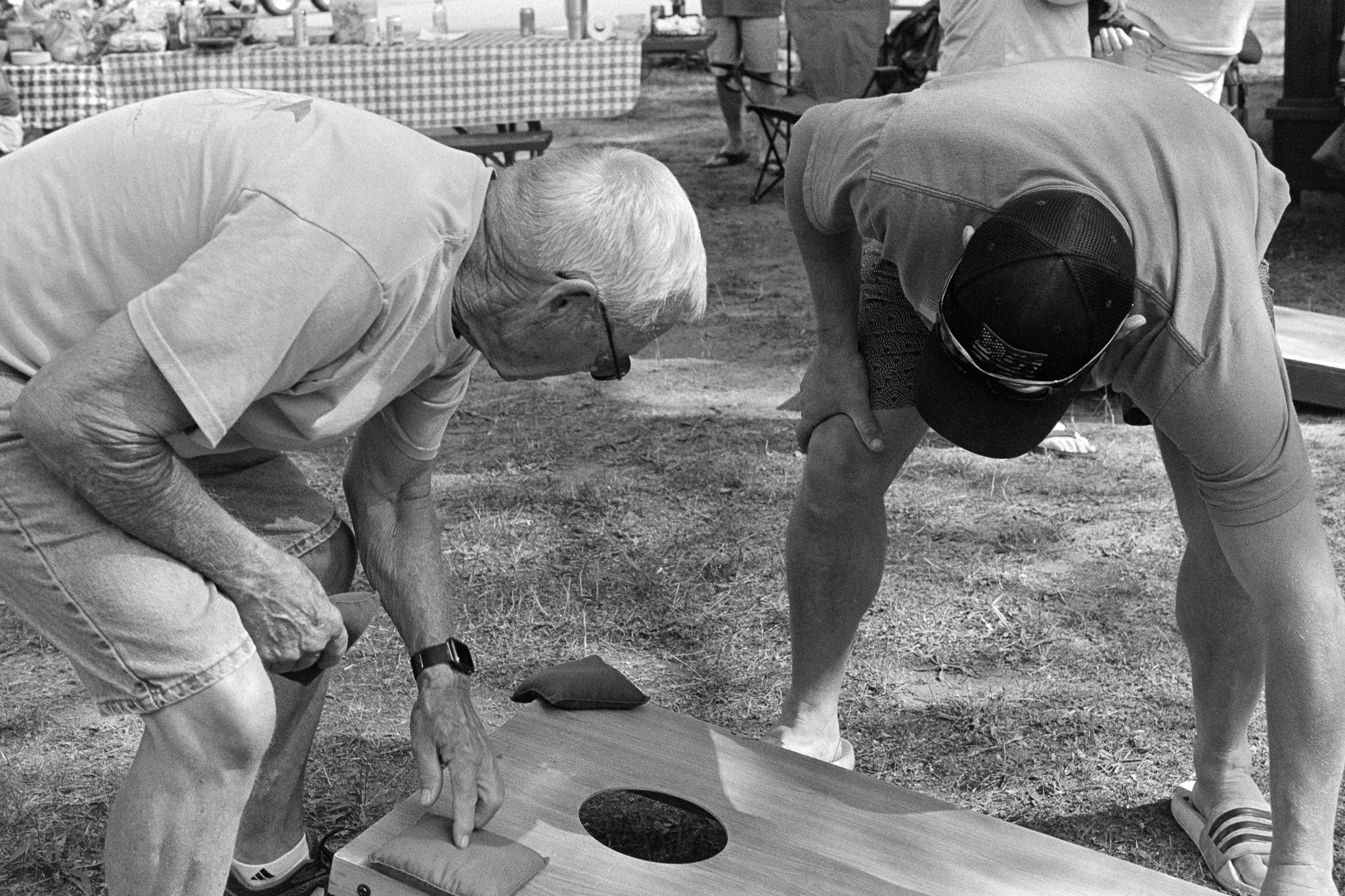
Playing cornhole
Smiles all around
My cousin Aaron
Judy and Norma
Permalink #

Hiding File Permissions in Dired

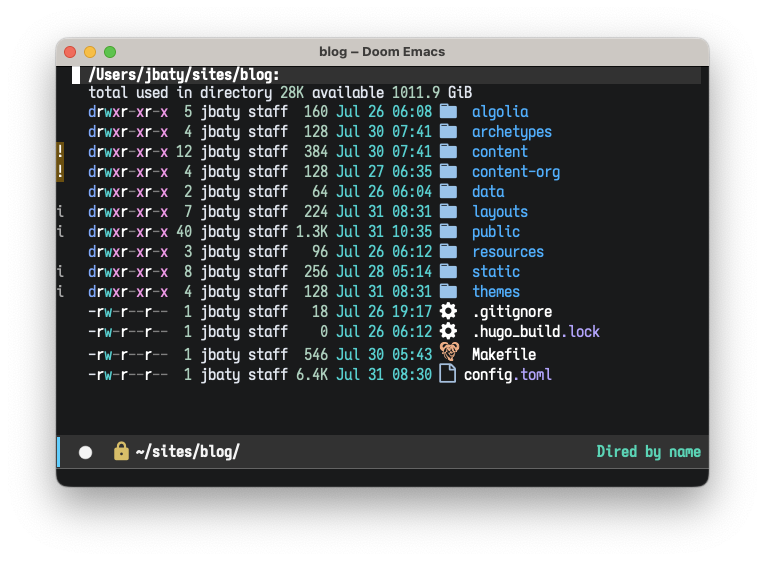
Dired mode in Emacs is fantastic, but one little thing that annoyed me was that the directory listings show file ownership and permissions, taking up space with information I almost never care about.

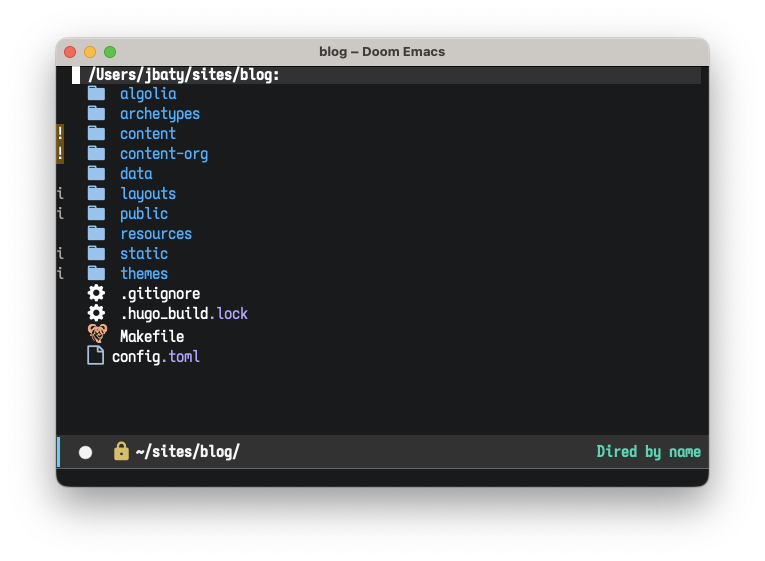
I started down a rabbit hole of figuring out how to hide those columns. I spent wasted an hour on my way to discovering that, of course, there's a built-in way to do it: dired-hide-details-mode.

Well, that was easy.

;; Hide file ownership/permissions by default
(add-hook 'dired-mode-hook 'dired-hide-details-mode)

This makes the listing go from this...

Dired listing before hiding permissions

...to this...

Dired listing after hiding permissions

This is almost always what I'd prefer.

Permalink #