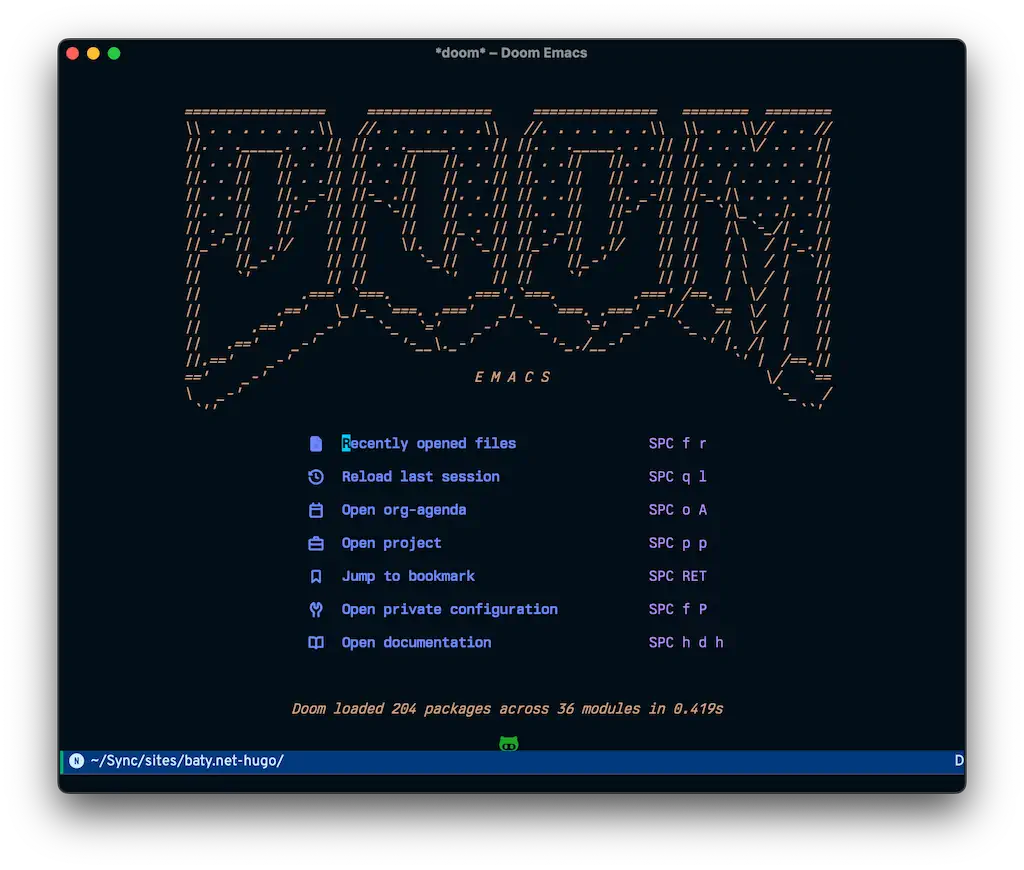
I can hear you all giggling. Ha ha very funny, Jack changed his blog again. I get it. Most normal people don't change blogging engines every month or two.
If I were a different person, Ghost would be the answer. It's fast, looks good, and has everything I might need for publishing a nice blog. But I'm me, and I get twitchy when content is "trapped" in Ghost. I understand that I can always export some unreadable JSON and finagle it from there, but I can't get comfortable with it. It's not just the JSON, but the complex markup Ghost uses for content. Yuck. If only I could ignore it.
As good as Ghost's post editor is, it ain't Emacs. I always end up wishing I was writing in Emacs.
Also, and maybe most importantly, I prefer static websites. The arguments in favor of static websites are enough, but they aren't why I want a static site. It feels better having a static website. The actual publishing part can be a pain in the ass (:::cough::, Hugo) but the results are worth it. A folder full of HTML files and some images, starting on my local drive and synced to a simple web server...mmmmm, yummy.
So, once in a while I get tired of dealing with Hugo or whatever and I spin up a Ghost instance or try something new (e.g. Kirby). That feels refreshing for a while, but I end up being uncomfortable and crawl back to Hugo.
Hugo bugs me. It seems like something breaks with my site after every update. But it's fast, widely-used, and a nice, tidy, single binary. I like my theme, too, for once, so I think I'll do this again, for a while. Just don't touch anything.
I find that I kind of enjoy starting the day with a quick jab/hugo-new-daily in Emacs and here we are. The issue with publishing right away is that for people who use RSS they may think I'm finished for the day, and that's seldom the case. Sometimes I worry about this, but most of the time I remember that the people subscribed via RSS know me, and I think they understand. :)
Our internet was clocking at around 0.4Mbps second for most of the day yesterday. This morning it's reading 475Mbps so that's, what, 1,000 times faster? So much better.
I replaced the OpenGraph image here with something at least a little less unpleasant. One day I'll try to actually "design" something, but this will do for now.
I find there is no more heartening sound than laughter, and in particular, the laughter of my wife. There is a gentle defiance to it, a bell-like music of love that gives grounds for hope
Oh dear. It's OK, though. What happened was that I started to feel twitchy about having my posts and photos locked up in Ghost. "Locked up" is an exaggeration, of course, but you know what I mean. It's better when everything is in a nice, tidy set of folders on my hard drive, in Org or Markdown format. So here we are, back in Hugo.
I've noticed a drop-off in interaction on Mastodon the past week or two. Is it because people are leaving? Maybe they just don't find me interesting anymore.
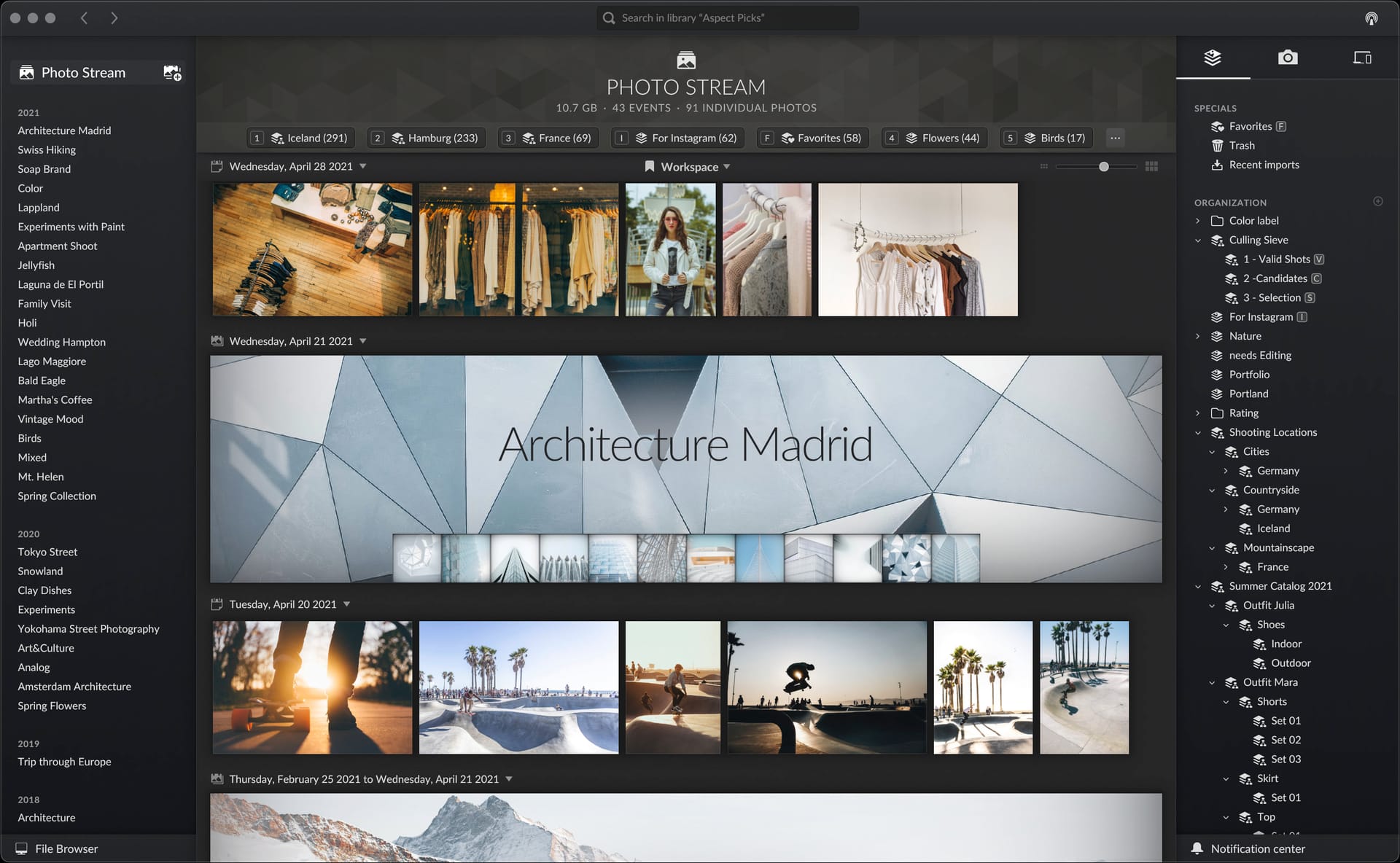
Some former Nik Software people are building a new tool for managing photo libraries. It's called Aspect. I'm a sucker for any photo-related software, so I installed the beta and spent yesterday testing it. I took some notes after using it for a day.
First impressions were good. I like the ideas behind Aspect. It relies on the underlying file system, so it's reasonably transparent. It organizes things for me based on dates and events. I can control the structure. I can even change it later, and Aspect will move things around to match.
There are collections and smart collections. There are metadata filters for labels and ratings. All table stakes so far.
Where I think Aspect becomes interesting is in how it manages photos and can synchronize between devices, without relying on a cloud service.
If I create an "event" in Aspect, it creates a dated folder and moves any photos put into the event into that folder. I'm lazy, so this encourages me to keep things tidy. And I'm not worried about losing the structure, since the events and file system are kept identical. I like this.
I was initially put off by being forced to create the library on the same device as the photos. This turns out to not be a real problem, since I can add other devices (computers or drives) later and sync them. For example, I can keep files on my internal drive, but also add my big external drive or NAS as another device, and configure Aspect to sync everything. This can be based on disk usage, or time period, or manually. The idea is sound, but I haven't tested it yet, myself. I did "join" the Mac Mini library from my MBP, and could see everything. Not sure yet how it handles thumbnails vs originals, etc. Still, neat ideas.
Is it ready? No, not quite yet.
Aspect crashes frequently on my Mac. I haven't lost any work or images, but it feels unstable.
Scrolling needs tweaking. I'm told it's being worked on, but the scroll "momentum" needs dialing way back. I overshoot my target every time and it's quite annoying.
My big problem so far, though, is that Events are based on dates of the files contained in the event. This would normally be fine, but if I edit a copy and save that copy, the date of the event is updated to the current date. This both renames the folder and causes the event in the UI to show up first, even if it's from long ago. That, if it continues, is a deal-breaker for me. I read a forum post saying they're planning to add editable attributes to Events, so perhaps this is only a short-term issue.
Aspect is not a photo editor or RAW processor, so I need to open the files with an external editor. I tried using Capture One for this, but it was awkward. Capture One refuses to write anything to RAW files, so edits are not included as a JPEG preview in the DNG files. This means that unless I export a JPG, I can't see the edits withing Aspect. Instead, I've been using Camera Raw/Photoshop. Camera Raw can be configured to update the preview. I have always avoided Camera Raw, but I don't know why. It's basically Lightroom without the library. I'm finding it easy to work with, and it fits the Aspect flow nicely.
What I like
I can manage files from within Aspect or directly in the file system. This feels liberating.
Event creation and management is very easy, so it actually gets done.
Device sync with no cloud requirements
Handles variants automatically (although it seems inconsistent so far)
"Workflow" vs "All files" modes let me hide photos I don't need to see (DNG camera scans, failed edits, etc). This is manual, which is perfect.
One-time purchase (I think)
The developers say the right things: "Your Photos on all of your Devices", "Access your Library directly from the File System", "No subscription, no cloud"
What I'm waiting for
Fix for scrolling issues and frequent crashes.
Stabilized date handling for Events
Aspect is one of many DAM solutions. I've tried most of them, but there's something about Aspect's attitude that works for me. I'm not ready to go all-in yet, but I'll continue testing and watching for updates.
Every note-taking app handles file attachments differently. Most of them do it poorly. What I've found surprising is that I actually like what Org mode does with attachments. I might be the only one who does.
The way I have Emacs configured, dragging a file into an open buffer window will prompt me with a few options, the one I use being "Attach file". This then copies the file into a subfolder of whatever directory is configured as the org-attach-directory. This subfolder is named based on any ID property set in the Org file. This means I end up with a directory tree that looks like this:
You can see why someone might avoid doing this. Without the source .org file, all bets are off. I don't lose the source .org file, is all. Also, I try to name my files in a reasonable way, so using Spotlight as a fallback is feasible.
Tinderbox, on the other hand, isn't much help out of the box with files. It has lots of file-based tooling, but the idea of managing attachments isn't one of them. So, I'm trying to finagle Tinderbox into working the way Emacs does.
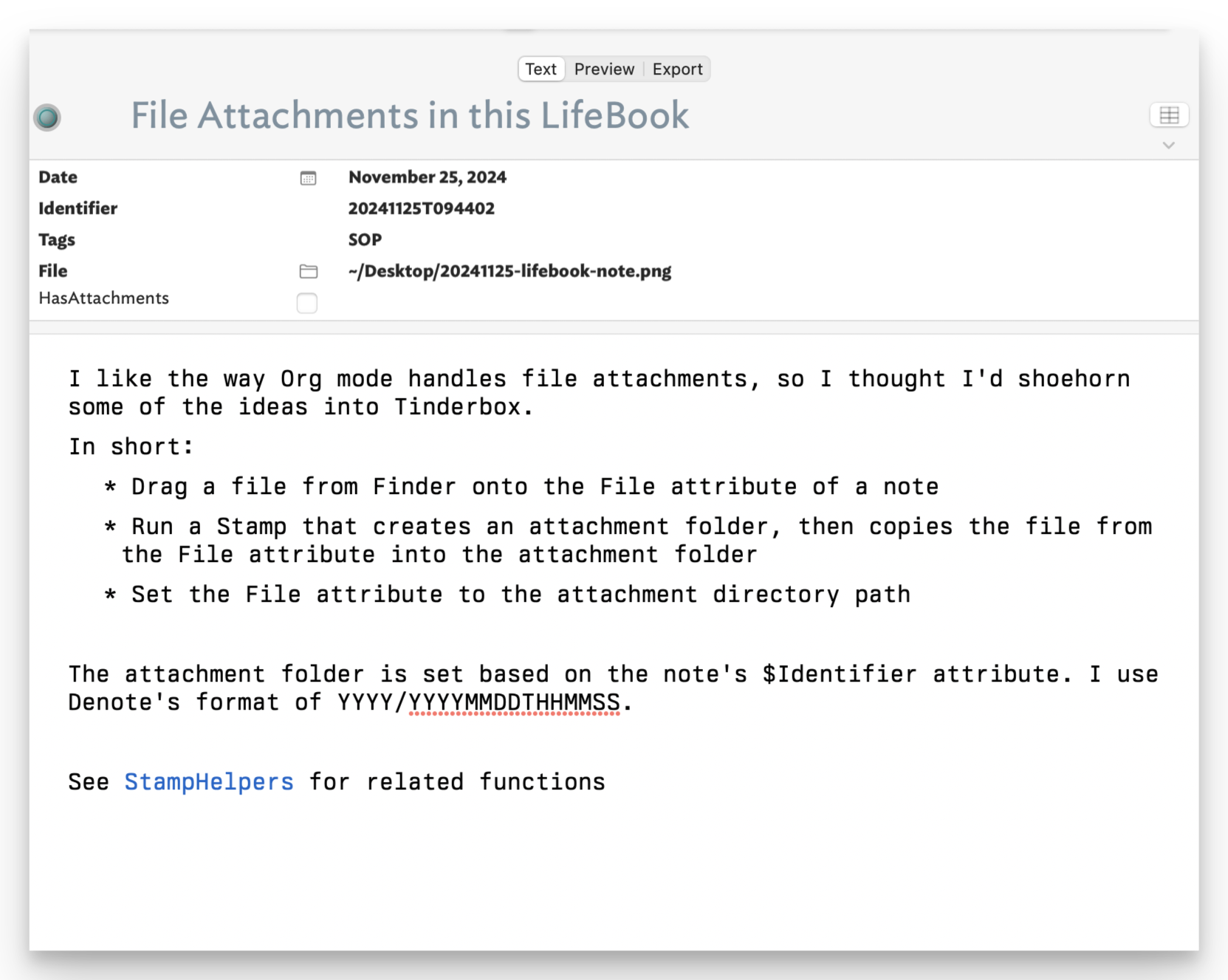
In Tinderbox, if you have a "File" attribute showing, you can drag a file from the finder into that attribute and it will set its value to the Path (e.g. "~/Desktop/funny-meme.jpg"). What I've done is create a Stamp that copies that file to my version of Org mode's "org-attach" tree (see above).
It's hard to describe, but here's a quick rundown of how it works.
Instead of a uuid, I use a date string derived from the current time (e.g. "20241125T143431"). This is stored as a string in an "Identifier" attribute as soon as I create a new note in my LifeBook.tbx file. Here's the parts that do it...
// Set some basic attributes in the new note, including the $Identifier
$Date|=date("today");$Prototype="pJournalEntry";
$Identifier|=fNoteIdentifier($Date);
function fNoteIdentifier(vDate:date){
var:string id = vDate.format("yM0DThmms");
return id;
};
Here's what that part of the note looks like after dragging a file onto the File attribute.
Once the File attribute has a value, I run a Stamp named "Attach".
function fNoteAttachDir() {
var:string vAttachmentDir=$Text("/Config/AttachmentDir");
var:string vDestDir=vAttachmentDir+"/"+$Date.format(y)+"/"+$Identifier;
return vDestDir;
}
Without going too far into the weeds, this stamp runs a shell command that creates the appropriate target directory and copies the $File into it. It then sets $HasAttachments to true and finally, sets the original $File attribute to the attachment directory. This last bit means I can click on that little folder icon and it will open the folder in Finder.
I'm using a simpler file tree using subfolders based on the year in the Identifier:
.
└── 2024
├── 20241125T121015
│ └── USPS-OM-2n.pdf
└── 20241125T143431
└── Donation Receipt — Thank you from the Internet Archive.eml
It probably seems more complicated than it is. The whole process is
Drag file onto the document
Select "Attach file" from the Stamps menu.
If this all seems terribly overwrought, that's because it is. I just wanted to see if I could do it. It's not exactly the same as Org mode, but it's close enough for who it's for.
All I want is Letterboxd for books. LibraryThing is the Craigslist of book trackers. Goodreads is icky. TheStoryGraph has a layout I don't get along with. Bookwrym is decent, but doesn't feel that great. Plus, I don't care if my reading list is "federated".
I asked about this on Mastodon, and @johnke responded, suggesting Hardcover, which I'd never heard of. It was a good suggestion.
I imported all of my books from TheStoryGraph, which I'd previously imported from Goodreads, and I was off and running. Here's what it looks like:
What I like about it is that I can get to the books and lists that I want without too much fuss. StoryGraph was bad at this. Mostly, Hardcover shows me the things I want to see, where I expect to see them, so that's good.
What I don't like is that the website is slow. It's faster than TheStoryGraph, but still too slow. I also find the screened image in the header to be distracting.
Some improvements I'd like to see: I think the Reading Goals section could be much smaller. I might even choose to hide it on my profile, if possible. The "Books by Status" section would benefit from putting the tabs/navigation at the top of the list of books. That would give more room for the actual books.
I'll run with this for a bit and see if it continues to feel right.
Exporting from Tinderbox is ridiculously flexible, and I do it all the time. When exporting to HTML, images which are embedded in the note's text are exported as separate images and linked to in the generated HTML. This works fine in most cases. Sometimes, though, I'd prefer to have a self-contained HTML file for sharing or backing up, without having to deal with the external images.
For regular websites, I use the terrific SingleFile extension for Safari to render fully self-contained HTML versions. However, it's trickier to use with local HTML files.
Here's my current approach for getting self-contained HTML documents out of Tinderbox notes containing inline images. Although, I believe that this will work with any method of including images in HTML exports.
This is probably not for the faint of heart, and I might be the only person who wants this, but I couldn’t leave it alone.
Here's the short version:
Export HTML normally via Tinderbox
Use a local web server to serve the exported file(s)
I’m using the following (as a Stamp) in Tinderbox:
# Save as HTML via SingleFile
var vURL = "http://" + $Text(/Config/WebServerHostname) + $HTMLExportPath;
var vCmd = "export PATH=/opt/homebrew/bin/:\$PATH && ";
vCmd += "single-file " + vURL;
vCmd += " ~/Desktop/" + $HTMLExportPath.split("/").at(-1) ;
$Text(/Debug)=runCommand(vCmd);
💡 I had to add the homebrew folder to $PATH before calling single-file, otherwise it would throw a “env: node: No such file or directory” error.
Requirements were non-trivial, but if you’re already a Node and/or Homebrew user on macOS it was straightforward.
A local web server. I use either Caddy in a terminal, or the simple WorldWideWeb app from IconFactory.
Node.js, Deno, and Chromium (installed via Homebrew).
The single-file-cli installed via npm.
After all that, I realized I could skip all the single-file-cli bits and simply open the exported HTML file in a browser and use the SingleFile extension normally. SingleFile won’t handle local file:///path/to/file.html paths, so the web server is still necessary.
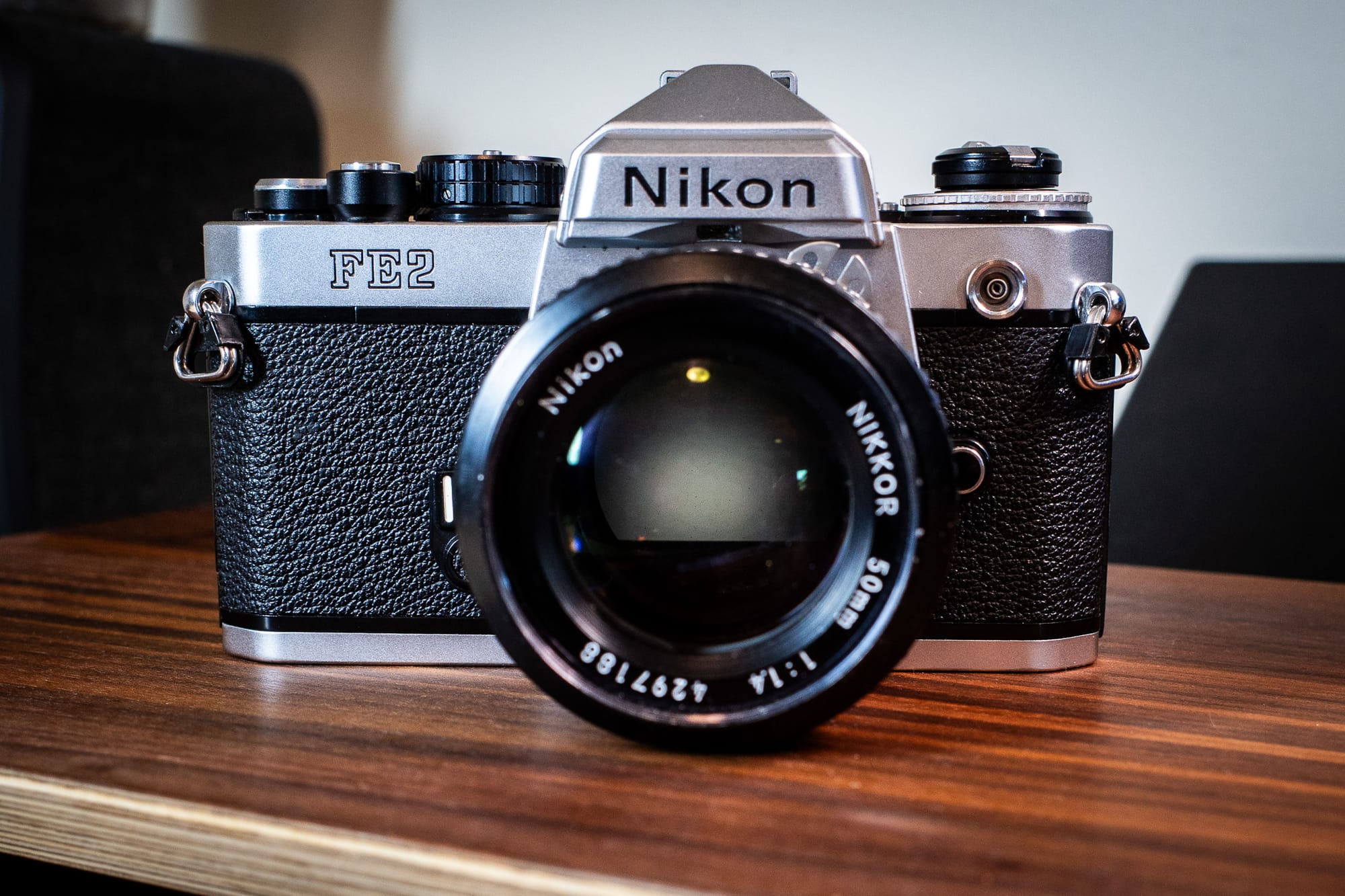
I recently purchased a nice Nikon FE2 from KEH.com. It wasn't expensive, and after using the FM2n for a bit, I wanted to try something like it, but with automatic exposure. The camera is lovely.
Nikon FE2
I've put one roll of film through it. As expected, the match-needle metering in the viewfinder is much more to my liking than the LED version in the FM2n. It's how I like a meter to work, given a choice.
The first roll's results were meh. This wasn't the camera's fault, but there was nothing there that jumped out at me, image quality-wise.
Then this happened:
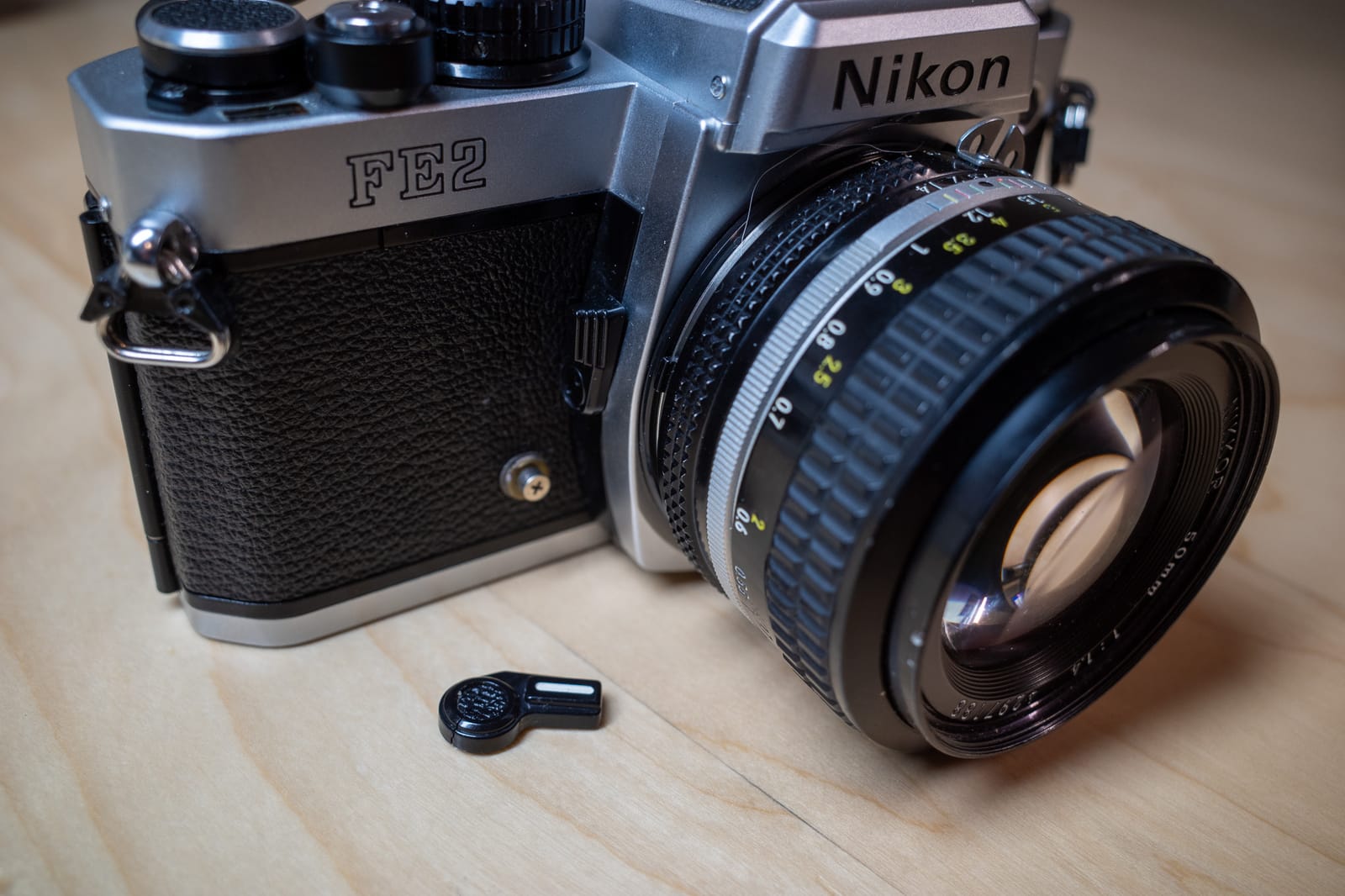
Nikon FE2 with broken self-timer lever
The self-timer lever fell right off when I tried using it. This should be easy to fix, but I'm not going to bother.
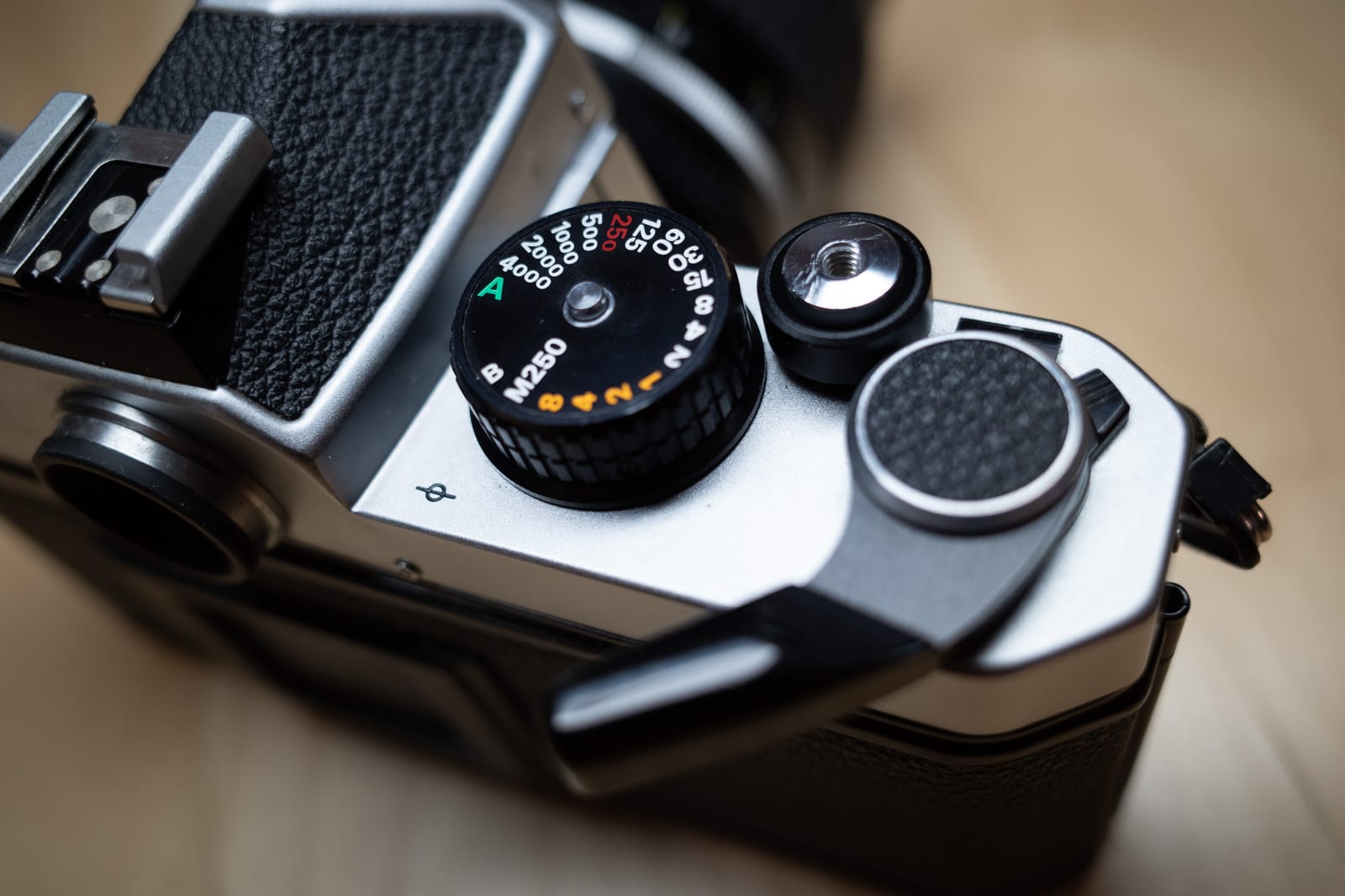
I could exchange the camera for one without a broken self-timer. Or I could fix the one I have. Except this wouldn't solve the biggest problem with the FE2, and that is the need to pull out the shutter advance in order to turn the camera on.
The FE2 needs the shutter advance lever pulled out like this to operate
I thought I could get used to it, but I consider it a design flaw and I hate it. I miss shots. I'm left-eyed, so it pokes me in the eye and generally annoys me.
I've also noticed that to continue using the camera, I'd need a diopter.
So, the camera is going back and I won't be replacing it. I'm happy I got to try it, but it's just not for me.
It's not as if I haven't been reminded of this every time I look up.
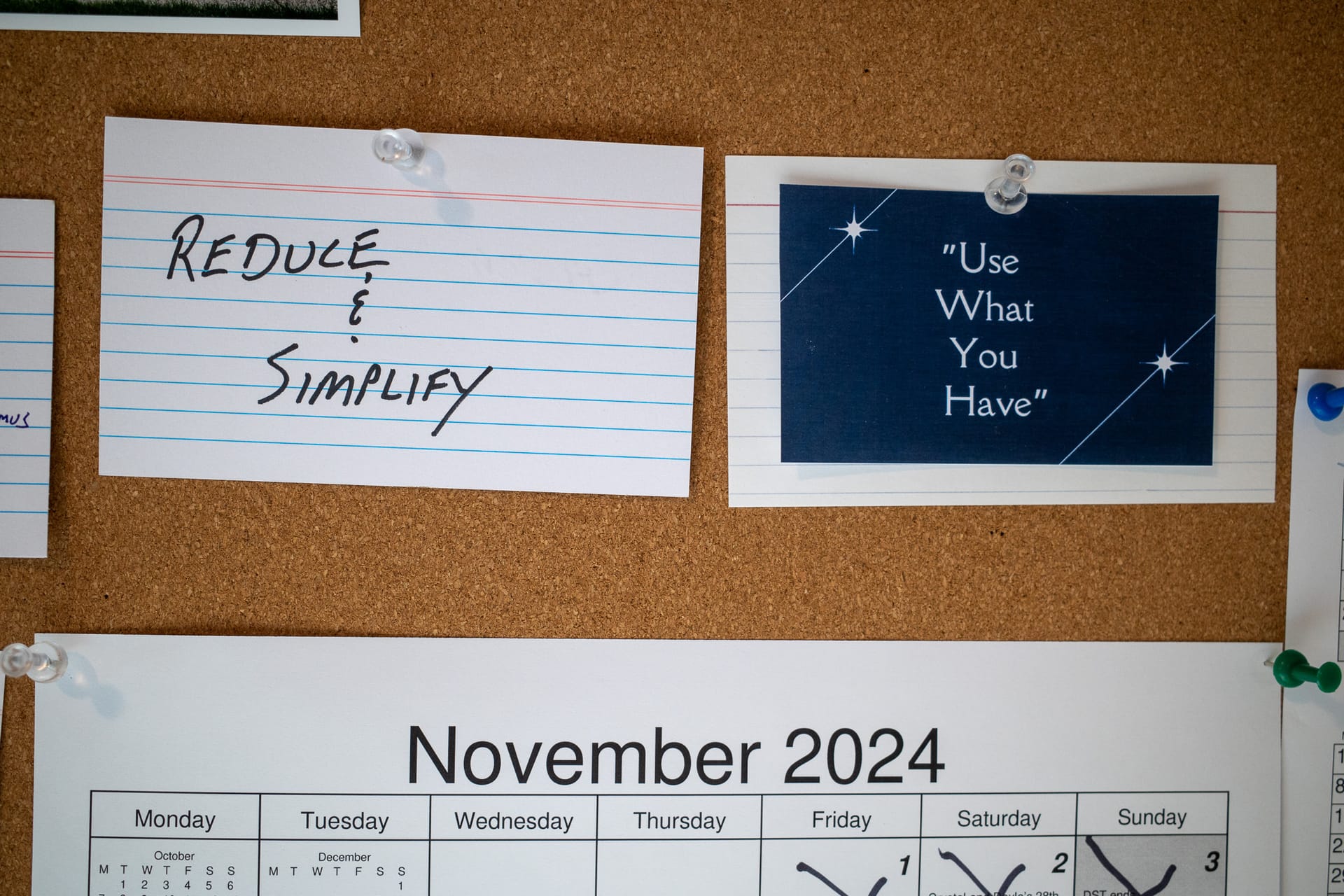
At the beginning of 2024, I had grand plans to Reduce & Simplify. I was also determined to use what I have. I've done neither of those things. It's November.
I tried for a while. Or rather, I tried a bunch of different times, which had the effect of making everything less simple. Instead of limiting the number of tools I use, I switched from one to another (in an honest but misguided effort to make things simpler). The result has not been the nice, clean, simple set of tools I had hoped for. Instead of having few dependencies and requiring little maintenance, my stuff is spread everywhere and littered with neediness.
As for using what I have, yeah, well.
I bought a new computer for my desktop, so now I have two machines to configure and maintain. I bought more cameras, because the 20-odd cameras I already had weren't enough, apparently. Two notebooks going at once was missing something, I guess, so I bought a third. And so on.
Maybe I'll panic before the end of the year and actually end up somewhere near where I intended, but I've already "simplified" things so many times that I've actually made things worse. The best way to make things simpler for me would be to stop changing things. It's had the opposite effect. I should probably just use what I have. Oh wait.
Nirvana adheres closely to the Getting Things Done workflow, which I appreciate. It looks nice and has been around for a long time. People do complain about a lack of updates, but since I just started I don't really feel that yet. Nirvana seems a bit light on keyboard shortcuts, which is a shame. Overall, it feels similar enough to OmniFocus that I could adapt quickly.
TickTick is more like Things. It lets me organize tasks using lists and tags. Once things are scheduled, I can view everything upcoming. It goes way beyond Things, though. There are Kanban and Timeline views, a calendar, habit tracking, Pomodoro timers, etc. I feel like I've barely scratched the surface.
RSS Feed Reader
I have used NetNewsWire for years, but if I want to live in a browser, I need something else. There are tons of options. I decided to look at Feedbin, Feedly, and Inoreader.
Feedly was out immediately. At first glance, it looks nice, but it felt all wrong after that. I can't explain it, but we didn't click.
Feedbin is what most people I know recommended. I used Feedbin for a while years ago. It's good. It took too long to figure out how to tidy up the column showing the list of articles. By default it's filled with giant images, which means only a handful of articles fit on the screen. Once I fixed that, it was better.
Inoreader comes up a lot, but had never looked at it. Once I did, we clicked immediately. It just felt right, if that makes sense. It has a zillion features that I don't need, and I'm hoping I can filter out any "trending" or "recommended" nonsense. I signed up for a year.
Notes
This is funny. I pinned a Roam tab. It's unlikely this will last more than a hot minute, but man Roam was great. Still is, honestly. It's hard to justify using Roam these days, even though I still have 6 months remaining on my 5-year subscription. I have to admit that hammering notes into a Roam outline with super easy linking/backlinks/transclusion/etc. is still pretty cool.
Next?
This was only meant to a fun, very temporary experiment to kill a few hours this morning. It still is, but it's been so fun that I'll probably continue doing it tomorrow.
This is a bit esoteric, but I'm writing it down here anyway.
I have switched between using Denote and Org-roam for my Org-mode notes several times. They are mostly compatible, so this hasn't been too troublesome.
One thing I needed to do was make sure that all the .org files included an :ID: property at the top so that Org-roam includes them in its database. The ID property looks like this:
Many of my Denote files already include this because I like to drag and drop files and images into the notes, and the ID property makes this work correctly. But there were maybe 300 files without an ID, and I had no desire to add the property manually to every one of them.
I started to write a shell script to do this, but got hung up on some bit of syntax, so I searched for the error and found the fix. Then I had trouble with the sed command, etc.
Sometimes I forget that ChatGPT exists. Sometimes I ignore it because I want to learn stuff on my own. But sometimes I just want the answer, and, problematic as LLMs can be, there's no denying their usefulness.
A couple of prompts, a few iterations, and I had what I needed in about 10 minutes.
#!/bin/bash

# Directory containing the Org-mode files
ORG_DIR="${1:-.}" # Defaults to current directory if not provided

# Loop through all .org files in the specified directory
for file in "$ORG_DIR"/*.org; do
	# Skip if no Org-mode files are found
	[ -e "$file" ] || continue

	# Check if the :ID: property exists in the first 5 lines
	if ! head -n 5 "$file" | grep -q "^:ID:"; then
		# Generate a unique ID (UUID)
		id=$(uuidgen)

		# Create the :PROPERTIES: block with the :ID:
		properties_block=":PROPERTIES:\n:ID: $id\n:END:"

		# Insert the :PROPERTIES: block at the very top of the file
		gsed -i "1i $properties_block" "$file"

		echo "Added :ID: $id inside a :PROPERTIES: block to $file"
	else
		echo ":ID: already exists in the first 5 lines of $file"
	fi
done
The only change I needed to make was to substitute gsed for sedbecause the macOS version of sed was missing a switch and throwing an error.
While I was in there, I asked ChatGPT for a version of the script in Emacs lisp, just in case. I had it write the function for use in a Dired buffer, since that's where I'm most likely to want it. Here's the function...
(defun add-id-to-org-files-in-dired ()
  "Add :ID: property inside a :PROPERTIES: block at the top of all Org files in the current Dired buffer."
  (interactive)
  ;;(require 'uuidgen) ;; Ensure `uuidgen` is available
  (dired-map-dired-file-lines
   (lambda (file)
	 (when (and (string-suffix-p ".org" file t) (file-exists-p file))
	   (with-temp-buffer
		 (insert-file-contents file)
		 ;; Check the first 5 lines for an existing :ID: property
		 (unless (save-excursion
				   (goto-char (point-min))
				   (search-forward ":ID:" (line-end-position 5) t))
		   ;; Insert the :PROPERTIES: block at the top of the file
		   (goto-char (point-min))
		   (insert ":PROPERTIES:\n:ID: " (org-id-uuid) "\n:END:\n\n")
		   (write-region (point-min) (point-max) file))
		 (message "Added :ID: to %s" file))))))
Done and done. There may be better, cleaner ways to do this, but my problem is solved, which is all I wanted.
When reading one of my posts in Ghost, it would be nice if there was a quick way to get to the control panel to make edits. I always make typos, but don't always catch them until later. Or I might be reading, say, the /now page and decide to update it. By default, this involves going into the control panel and browsing or searching for the post/page in order to make the edits.
I found a solution to this on Jonas Liljegren's blog. Here's my slightly modified version of their solution.
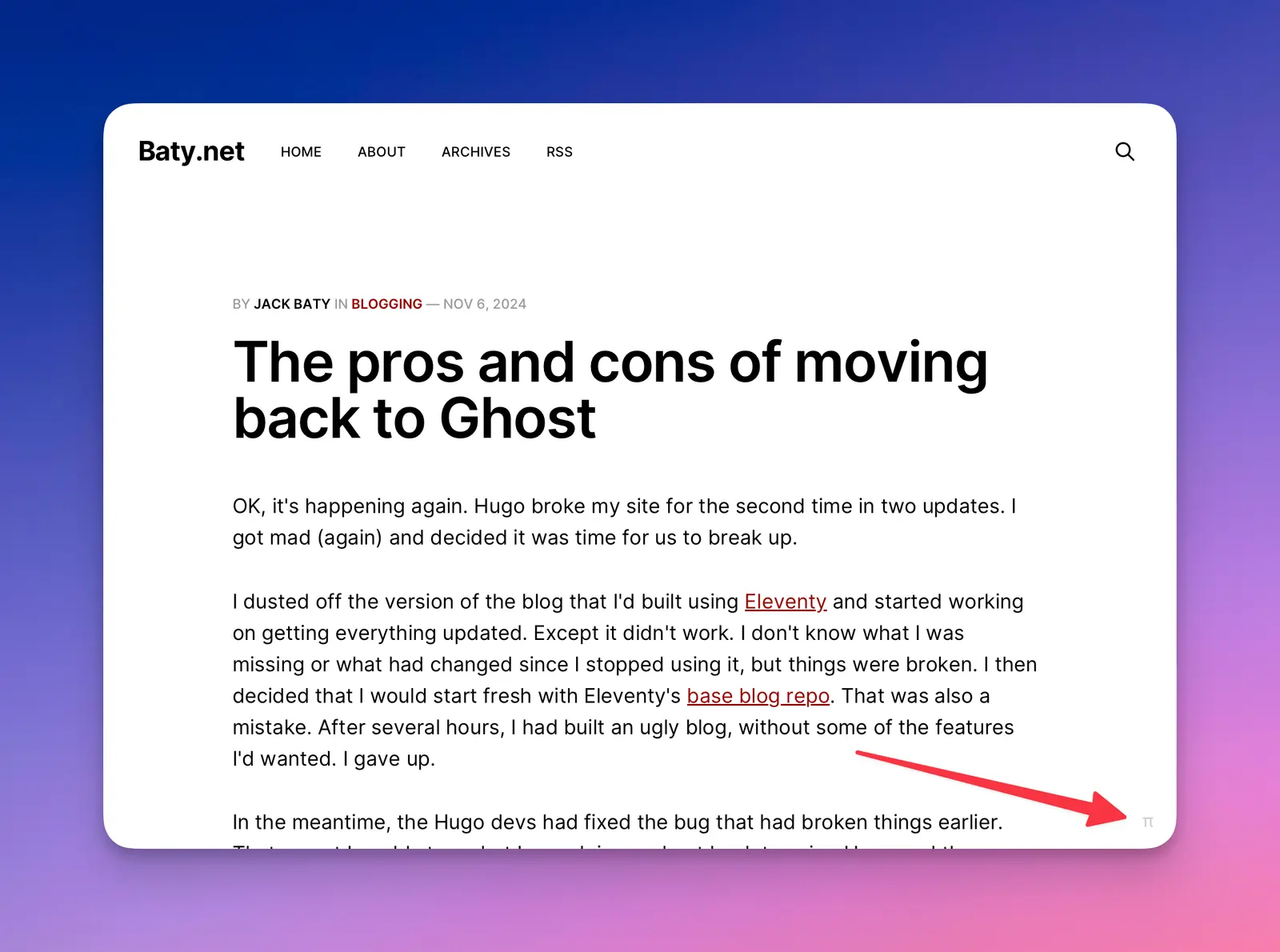
Now, at the bottom right of every post and page, there's a subtle π link that takes me directly to that content in Ghost's control panel. I've already used it several times this morning.
There is no built-in method in Ghost for floating an image and having text flow around it. It's a significant omission, and one which they say is "too hard" and have no plans to change. OK fine, I'll do it myself.
I found a reasonable solution in this post on the forums. Here's how I'm using it.
Add the following to the header in the code injection area:
/* small images to float but not look stupid on mobile */
@media (min-width: 40rem) {

.float-left-half figure,
.float-left-two-thirds figure {
    float: left;
    margin: 8px 20px 6px 0;
}
.float-right-half figure,
.float-right-two-thirds figure {
    float: right;
    margin: 8px 0 6px 20px;
}
.float-left-half figure,
.float-right-half figure {
    max-width: 50%;
}
@media (min-width: 64em) {
	.float-left-two-thirds figure,
	.float-right-two-thirds figure {
    	max-width: 67%;
    }
}

}
Then, in a post or page, I add an HTML block before the image card I want to float (e.g to the right).
The Canon AE-1 Program was my first real camera. Unfortunately, I no longer own that original from 1982, so I bought another one in 2013. It's not a great camera, but it works. I like to put a roll through it now and then.
OK, it's happening again. Hugo broke my site for the second time in two updates. I got mad (again) and decided it was time for us to break up.
I dusted off the version of the blog that I'd built using Eleventy and started working on getting everything updated. Except it didn't work. I don't know what I was missing or what had changed since I stopped using it, but things were broken. I then decided that I would start fresh with Eleventy's base blog repo. That was also a mistake. After several hours, I had built an ugly blog, without some of the features I'd wanted. I gave up.
In the meantime, the Hugo devs had fixed the bug that had broken things earlier. That meant I could stop what I was doing and get back to using Hugo and the template that I quite like. The problem was that I'd already decided I no longer wanted to use Hugo, even though it was working again.
So, I did something I told myself I would never do again; I spun up a Ghost instance. I have a complicated relationship with Ghost. It's fast, simple, and clean. Its editor is as good or better than everyone else's, and I can run an instance for under $5/month using PikaPods.
I was, as usual, immediately smitten with Ghost's editor. I made the usual tweaks to permalinks and other settings. I killed everything related to subscribing. Within an hour I had a nice, clean, easy blog that was ready to go. Except there was no content. I had an old backup from earlier this year, so I was able to import about 80 posts from that.
There are dozens of blog posts around that claim to have a solution for importing Hugo's Markdown files to Ghost's JSON format. None of them worked for me. I even asked ChatGPT for a script, and it was surprisingly good, but it imported pages and no posts.
Unless I can find a way to automate the import, I'm left with the task of manually moving about 250 posts. It's almost enough to put me off the whole affair, but I'm typing this in a browser on my laptop in bed, and I'm not worried about Hugo versions or sync status or SSH keys or any of that. It's pretty compelling, so I'm planning to move ahead with the migration.
Oh, I almost forgot the pros and cons.
Pros
Great editor: Images, callouts, linking, fancy blockquotes. It's very nice.
Can post from anywhere with a working browser
Fast
Reasonably cheap to run
Decent selection of themes and it's simple to switch between them
I can send emails out for new posts if I choose
They are working on ActivityPub integration
It doesn't break every 5 minutes
Cons
It's not a static website
While I could edit posts and somehow post them using Emacs, it's not really worth it.
Themes are expensive
I lose some nerd cred
They're focused on "monetizing your audience". Gross.
In 2016 I was shocked and disappointed. This time, I feel anguish and hoplessness. I have to believe this will pass, just as it did the last time. An old man getting older always ends the same way. And time does that thing that time does, but JFC how did this happen? My mental model of the world and the actual world no longer align.
I thought maybe I'd give up on blogging for a while, but this is one of the few things that helps.
Some quick notes on my move back to Doom Emacs after a few days.
After once again hitching my wagon to Doom Emacs, I have been both elated and frustrated. I'm elated because Doom adds so many nice little quality-of-life improvements that make using Emacs downright pleasant right out of the gate. On the other hand, it ruins a few things and sometimes breaks for no reason that I can understand. It's nice having someone maintain the basics of my config, but it's also frustrating when those someones do it "wrong". And sometimes running ./bin/doom upgrade breaks things. I can usually recover, but don't love that I have to think about it. This is a side effect of having others do things for me, and it's a fair trade.
So far, I've resolved most of the little issues. One of those was with Elfeed. Elfeed is unusable for me when using Doom's default configuration. Doom includes the elfeed-extras package, and I don't like it. The split window is annoying. What's worse is that there's no date column in the list of articles and there's no simple way to include it. That's just dumb, imo. So I disable that package and modify a few little things and it's much better.
The remaining problem is that I sync my entire .config/emacs and .config/doom directories, and this somehow breaks because Doom adds $TMPDIR to the .config/emacs/.local/env file. Apparently, my tmp directory is not the same on both the Mini and the MBP, so I get permissions errors every time I switch machines. The workaround is to run ./bin/doom env before starting emacs when switching machines. That's not sustainable. I'll figure it out, but it's one thing that still bugs me.
And oh, the key bindings! Around six months ago, I moved back to my vanilla config and decided to stop using Evil mode. It was a painful transition, but I got used to it and now the stock key bindings feel normal. The problem was that I also use several tools that only offer Vim bindings. Switching between Emacs and Vim bindings has been chaotic, to say the least. I keep tripping over myself and there's been a lot of swearing. Going back to Doom and Evil mode has been tricky, but the muscle memory is returning, and I like the consistency in the apps I use most.
Something I dislike is using Doom's abstractions like after! and map!. It just makes things even less "normal". Handy, but it will make moving out of Doom harder. Not that I'd ever do that, though, right? 😆.
Right now, I'm happy with the setup. I love when Doom does something and it makes me say, "ooh, nice!". As long as that happens more often than me saying, "WTF?! That's dumb.", I should be fine in Doom.
I hope you're voting for Harris today. Other than that, I'm shutting my political brain down for the rest of the day. My heart can't withstand this level of sustained anxiety.
I have a lot of anxiety around flying, so before and during a flight, my brain and body sort of shut down and go into internal, primary-systems-only mode.
That's how I'm reacting to the election.
This is mostly because of two things:
Things will probably be OK, but they could end in catastrophe.
Once we take off, the results are completely out of my control.
Do you ever feel like your life's wake is littered with missed opportunities?
I spend so much time looking backwards that I don't pay attention to what's ahead.
I don't understand people who post overconfident, often controversial posts on social media, and then say things like "This is NOT an invitation to debate!...". I mean, where do you think you are? I'll tell you where, you're in a place where everything is an invitation to debate, whether you like it or not.
 baty.net
 I can hear you all giggling. Ha ha very funny, Jack changed his blog again. I get it. Most normal people don't change blogging engines every month or two.