 baty.net
I wish I could quit social media. This seems like a good cause:
The definitive guide for escaping social media (and joining the indie web.)
I wish I could quit social media. This seems like a good cause:
The definitive guide for escaping social media (and joining the indie web.)
The evidence of the past decade and a half argues strongly that platform corporations are structurally incapable of good governance, primarily because most of their central aims (continuous growth, market dominance, profit via extraction) conflict with many basic human and societal needs.
source: Bad shape
The time to snoop around for “waste” is when everything else is going so great you’re getting sort of bored.
I came this close to moving my blog at baty.net back to Hugo. Even worse, I considered archiving all the content and starting fresh. I mean, completely fresh. No more dragging around years of images and posts that have been converted to and from several Markdown formats for various blogging engines. I still may, but I've given myself a reprieve this morning. Sort of.
Instead of doing that, I've fired up a brand new Hugo blog here. I'm calling it "Coping Mechanism". Mostly because I still own the domain and it was right there.
I've chosen a new theme, arubis2, which is the just the right amount of boring. We'll see if it sticks. It doesn't support featured images, which I'm counting as a positive, since every Hugo theme handles them differently, and most don't do it well. If I want a featured image, I'll put it at the top. Cover images for decoration are a blight, anyway.
So here we go, I guess. A new playground. For now.
Remember my recent email fiasco, during which I ended up with tens of thousands of duplicate emails? I remember it. After storming off and ignoring the problem for a week, I decided I should do something about it.
Today, I fixed it!
Actually, a post from Edd Salkield fixed it: Removing duplicate emails from an mbsync maildir.
Basically, the duplicate email files aren't exact duplicates. Each has a unique X-TUID header line. So we remove that line on every file in a copy of the mail store so we can use rmlint to find the duplicates. rmlint generates a script for removing the duplicate files. We run the script on the original mail store, which still has the X-TUID headers intact.
My Steps:
cp -r ~/Mail ~/Mail_backup # Make a full backup, just in casecp -r ~/Mail ~/Mail-workingcopy # Make another copy to work withcd ~/Mail-workingcopyfind ./ -type f -exec gsed -i -e '/X-TUID/d' {} \; # Strip the X-TUID header, which is the only differing line in otherwise duplicate files (Needed gsed on my Mac)rmlint -g --types="defaults -ed -dd" # Run rmlint on working copygsed -i -e 's/-workingcopy//g' rmlint.sh # Find and remove working copy suffix, making it the "real" pathmv rmlint.sh ../Mail/ # move the script into the real mail storecd ~/Mail # get ready to de-dupe./rmlint.sh -x -n # Do a dry run of the script./rmlint.sh -x # Go!mbsync -a # Sync with server (be sure that --expunge-far is set)It worked for me. I may give it a second before trying the whole muchsync thing again, but it's good to know that if I foul things up, there's a way out of it.
I have a soft spot for Pass: The Standard Unix Password Manager, but Apple's new Passwords app has been working fine. I use Safari, so the whole thing is very convenient.
Sometimes I get twitchy about having things in only one place, so today I decided I'd like to import my Apple Password passwords into Pass. It took me a minute, so I'm jotting down some notes here, for next time.
First, install pass-import. Pass-import is "A pass extension for importing data from most existing password managers". There's a lot of Python going on, which always seems to trip me up, but thankfully there's a Homebrew recipe, so...brew install pass-import.
pass-import supports many password apps out of the box. It doesn't yet support Apple Passwords, apparently. It handles Keychain exports, but that's not what I needed. I used the generic CSV option.
I exported the passwords to a CSV file (pass.csv) from Passwords.app.
I ran a test pass import foo.csv command but got an error. The pass command didn't recognize the import option. After some digging, I learned that the Homebrew recipe installs a script named pimport. Confusing, but OK fine.
After much trial and error, this is finally the command that worked.
pimport  -o .password-store/ \   # where to import to
             pass \                  # destination format
             csv \                   # Source format
             pass.csv \              # Source csv file
             --cols=title,url,login,password,comments,otpauth \  # Map columns
             -p apple-import/        # put in subfolder .password-store/apple-import
Now I have a backup. I don't know of a way to do this incrementally, so I suppose I'll just delete the apple-import/ folder and redo the export/import once in a while to catch up.
All I wanted was to use notmuch on my MBP to manage email, just like I do on my Mac Mini. The only viable solution I found was muchsync. There's no macOS installer for it[1], so I figured I'd compile it myself.
A few years ago I promised myself that if something required ./configure && make && make install I would skip it. Well, I really wanted to try it, so off I went. The make command failed immediately because it couldn't find notmuch.h. Great, path problems. After an hour of throwing things at the wall, adding some environment variables worked:
    export CPPFLAGS="-I/opt/homebrew/include"
    export LDFLAGS="-L/opt/homebrew/lib"
Cool. I built it on both Macs.
muchsync requires SSH access to the "server" machine, which was to be the Mini, so I figured I'd use the Tailscale IP. Not so fast. One needs to enable Tailscale SSH first by running tailscale set --ssh, so I did. Except that returned this:
"The Tailscale SSH server does not run in sandboxed Tailscale GUI builds."
Crap. I'd installed Tailscale from the App Store. I uninstalled it completely (not easy), and installed the standalone version. I confirmed it was the standalone version, but I still got the sandbox error. For the hell of it, I enabled "normal" SSH access on the Mini and for some reason was able to connect via SSH over the Tailscale IP. I've no idea why it worked, but after an hour of tripping over everything, I didn't argue.
I read the muchsync docs and still didn't quite understand how everything fit together, but the instructions said to do something like, where SERVER is the IP of my Mini:
    # First run
    muchsync --init ~/Mail SERVER

    # Subsequent runs
    muchsync SERVER
That took a while, but seemed to work. I had what looked like a copy of all my mail and notmuch DB in ~/Mail on my MBP.
The second run of muchsync SERVER took way longer than I expected, so I logged into the web UI of Fastmail and watched as duplicate emails poured in. What's worse, most of the emails in my account looked to have arrived at the same time, 9:15 AM, which was "now".
I obviously did something wrong. I re-read the docs, but couldn't figure out why it was happening. I changed a setting or two and re-ran muchsync several times. I also ran the usual mbsync -a on the Mini.
After all that, I ended up with four copies of most of my messages, and most of them were marked as unread. I used the unread status as an opportunity to delete the duplicates, since those were the only things unread.
I don't know why it happened, and I don't know how to fix it, but I wasted the better part of my day fighting with an email fiasco brought on simply because I wanted to read my email in a specific way on two machines.
This is why they invented IMAP. I should probably just use that.
There is actually a MacPorts port, but I didn't want both that and Homebrew on the same system. Besides, there were over 200 dependencies, so nope. ↩︎
Reading Jeremy's post about keeping his personal journal helped clarify some of the thoughts I've been having about mine.
Some Entries from My Personal Journal:
On Tuesday the 12th of November, 2024, I started what I hoped to be a new habit. That is writing a personal daily journal. Over the weeks, I expanded my aspirations to include a daily check list of activities I wanted to do.
I've been consistently keeping a personal journal for years. I write primarily using Org-journal, a Daybook.org file, and a paper notebook. My problem isn't that I don't journal enough, but rather that I can't decide where to journal.
I'll never give up paper notebooks, so let's not even consider that. I like how my brain feels when writing on paper. I love the resulting artifacts, too. Flipping through old paper notebooks is an experience that can't be replicated using digital tools.
However, I don't love writing by hand for too long. My hand cramps and I become impatient. I'm faster using a keyboard and it's easier. Also, it's much easier to read things I've typed :). Combined with the other benefits of digital, I doubt I'll ever give up my digital journals, either.
As for digital, my Daybook.org and my Org-journal files compete for attention. Sometimes I write an entry in my Daybook, then add a bunch of notes below it. Org-journal also gets longer notes, sometimes with very similar content. It's confusing.
I'm thinking I'll limit using the Daybook.org file to only include simple date-based headings that show up in my org-agenda as short, log-type entries. e.g. "Shoveled the driveway" or "Canceled my subscription to SomeApp". Org-journal will include more day-to-day narration, like "Went to grocery store for pop and coffee. I'm trying the local 'Rowsers' coffee for the first time." So, log-adjacent, but with more :). I'll think of it like this: Daybook is what happened, and Org-journal is about what happened and what I thought about it.
This means that my Org-journal will include a lot more mundane things from my day than it has been, but I think that's fine.
I'd been happily using Doom Emacs until just over a month ago, when I decided to start from scratch again.
It didn't take long before I started missing some of the niceties of Doom. I'm faster when using Doom/Evil, and sometimes it's good having things taken care of for me.
So, at the beginning of January, I switched back to Doom.
After a week using Doom, I was feeling pretty comfy. Too comfy, in fact. I couldn't shake the feeling that every Doom keybinding I internalized brought me closer to depending on Doom. It made me twitchy. Every time I typed something like SPC m a a or put a Doom macro like after! or map! in my configuration, I felt like I was spending time learning someone else's tool.
So, this morning I switched back to my vanilla config.
Now I feel better. I'm a little clumsier, and sometimes I wish I didn't have to do everything, but dammit it's MINE! 😄.
Sometimes I just need to blow through a roll when I'm bored. This is from the Hasselblad 500C/M and 80mm Planar on HP5 developed with HC-110(b). Thankfully, Alice was handy. These were all handheld at 1/30th, which is a terrible idea. The one of me is underexposed and full of dust. ¯\(ツ)/¯




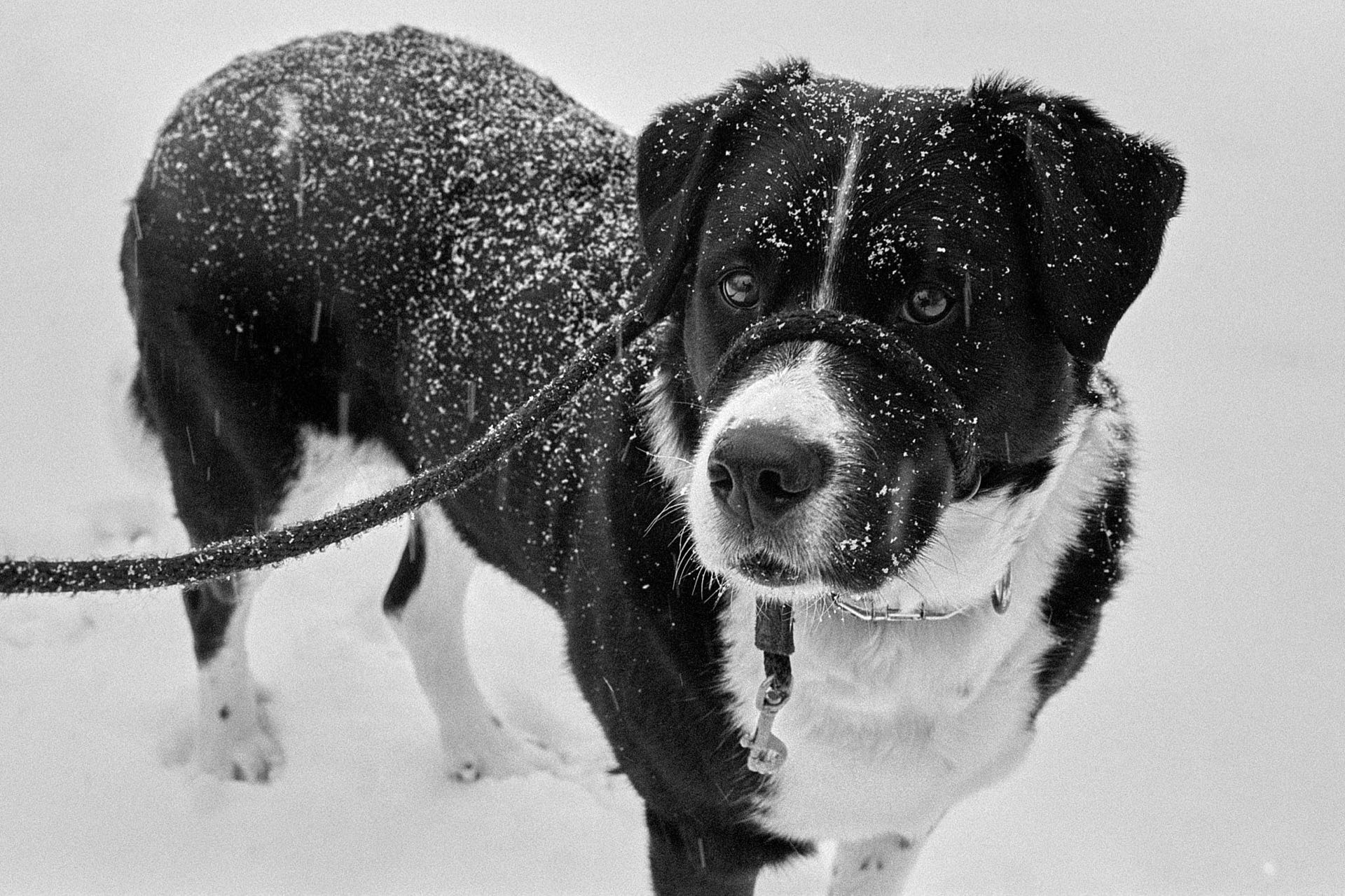
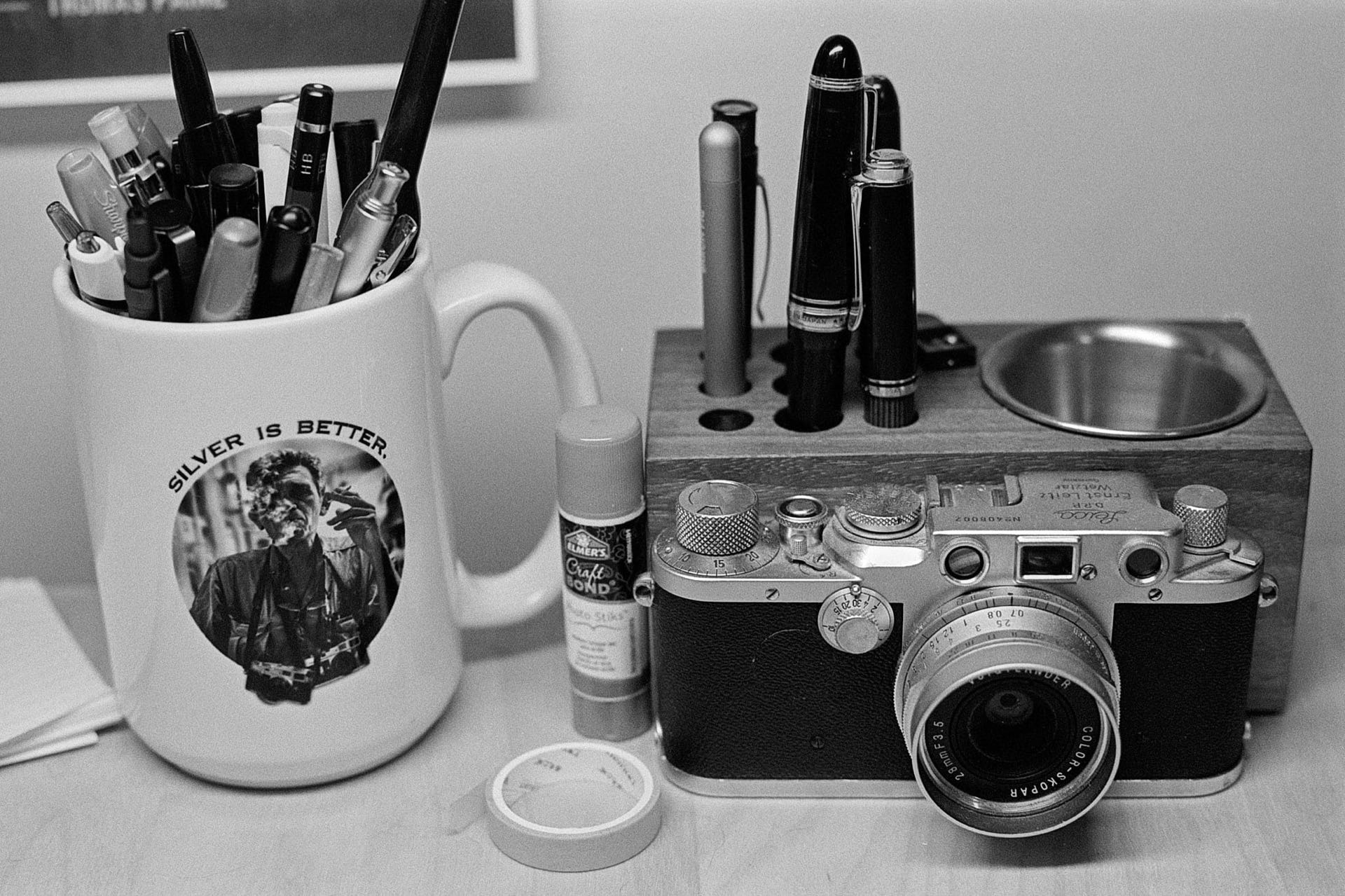
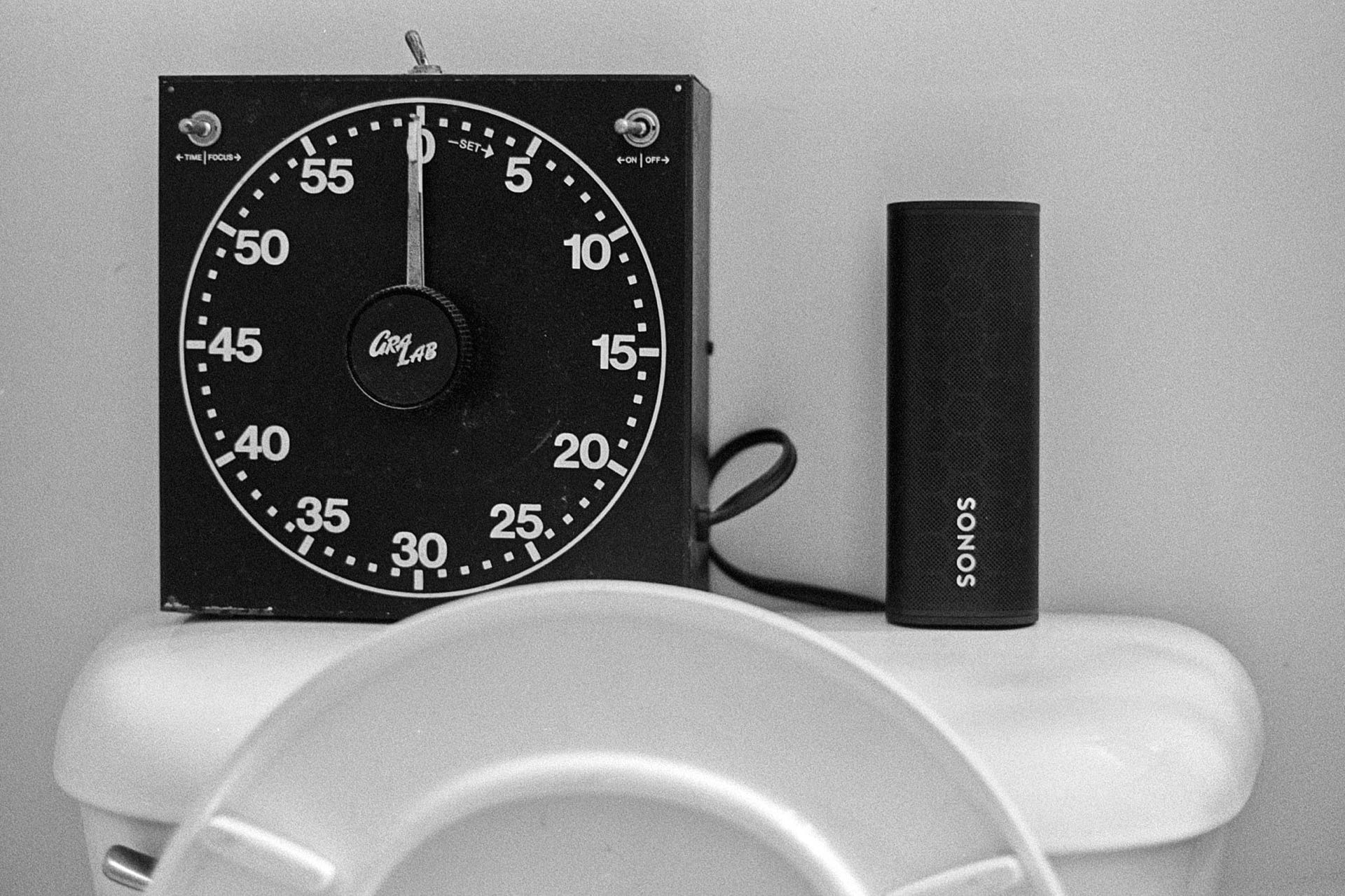
Here are a few images from the first roll I ran through the Olympus OM-2n after having it overhauled by John Hermanson. The camera feels very good.



For some reason, I always want to know the weather conditions. I barely go outdoors, but I still like to know what's happening. I have a few shell scripts that kick out some version of the weather. Here's the one I use most:
    #!/bin/sh
    # Jack Baty, 2023 (https://baty.net)
    # Grab and parse weather info using WeatherAPI.com

    jq=/opt/homebrew/bin/jq

    # Save the response to temporary file
    # TODO: shouldn't this just be a variable or something instead?
    weatherfile=`mktemp`
    curl -s "https://api.weatherapi.com/v1/forecast.json?key=[SNIP]&q=49301&days=1&aqi=no&alerts=no" > $weatherfile

    now=`${jq} -r .current.condition.text ${weatherfile}`
    temp=`${jq} -r .current.temp_f ${weatherfile}`
    condition=`${jq} -r .forecast.forecastday[0].day.condition.text ${weatherfile}`
    high=`${jq} -r .forecast.forecastday[0].day.maxtemp_f ${weatherfile}`
    low=`${jq} -r .forecast.forecastday[0].day.mintemp_f ${weatherfile}`

    echo "${now} ${temp} | Low ${low}, High ${high}"
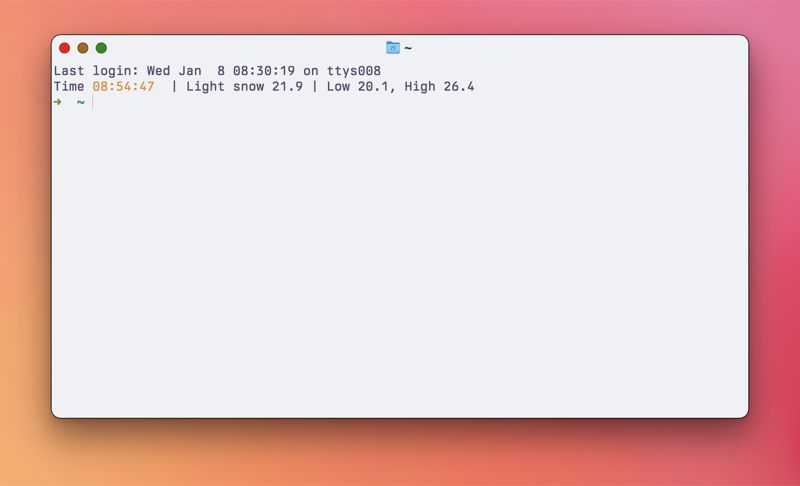
Right now, this returns: Light snow 21.9 | Low 20.1, High 26.4
I recently went back to using Fish shell. Fish has a function called fish_greeting that returns a generic welcome message with each new shell. I changed it so that it shows the time and weather. My ~/.config/fish/functions/fish_greeting.fish looks like this:
    function fish_greeting
        echo -n Time (set_color yellow; date +%T; set_color normal)
        echo " | " (~/bin/getweather)
    end
Neat, huh? Normally the weatherapi.com API is fairly responsive, but I can see this being a problem when it's laggy. I don't open that many new terminal windows, so it's fine for now.
Using GoAccess to process my web server logs is going fine. It's nice not paying for an analytics service, but it's definitely a messier process.
I wrote a little about Filtering server logs for use with GoAccess recently, but have since tweaked things a little.
One thing I found annoying was that GoAccess reports requests separated by HTTP protocol. So HTTP2 and HTTP1.1 requests are counted separately. Not what I wanted, so I discovered --http-protocol no and --http-method no. I'm always going to want this, so I added the following to /etc/goaccess/goaccess.config
    http-protocol false
    http-method   false
Now the requests are combined, making the reports more useful to me.
I was tagged by Kev Quirk to complete a "Blog Questions Challenge", so here we go.
The questions are:
I started my first blog in 1999, so I honestly don't remember why I started doing it. It was probably part fascination with the still-new magic of the internet and part having fun playing with software. I lost that first year of posts, but the archives starting in 2000 are filled with links to internet-ey stuff. I liked sharing things I was thinking about or found interesting. This still applies today.
As of today, January 7, 2025, I'm using Kirby CMS. I had been using static blogging engines for years (with occasional forays into the big CMS options like Ghost or WordPress), but with Kirby I was (easily) able to build my blog to work the way I wanted. I love that Kirby lets me easily build the admin panel to work exactly how I like. It's fast, simple, and pleasant to use. Kirby is written in PHP and uses plain text files for content (so no database). This makes it easy to host, move, backup, etc. Not quite as easily as with a fully static site, but close enough.
Hahahaha...ehem... I mean yes, I have. There are very few viable platforms I havent used. I've written a number of custom versions using ColdFusion, PHP, and Ruby on Rails. I used Blosxom for quite a while. I even wrote a little PHP CMS for generating Blosxom sites. It was called PHPetal because I'm clever that way. After Blosxom I moved to Movable Type. After that it's a blur of TextPattern, WordPress, Jekyll, Blot, Fargo, Tumblr, Tinderbox, Ghost, Eleventy, Hugo, and probably others I don't remember.
Trying new blogging platforms is a hobby for me. Other people golf, I guess.
This depends on the platform I'm using, but with Kirby I write 90% of posts in the Kirby panel, on the server. Occasionally I'll mix things up and edit in Emacs or iA Writer or BBEdit.
Usually, right after I learn or do something interesting. I like sharing things as they happen. I don't have a ritual or plan or anything.
Immediately, if not sooner. I often hit "Publish" even before I'm finished writing. Having something half-assed out there motivates me to finish it. Nothing ever simmers. This lends itself to incomplete thoughts and weak writing, but it's how I've always done things.
I'm sure I don't have one. There are thousands of posts. Most of them are short and messy and none really stand out enough where one would say, "Now that's a good bit of writing!" I wouldn't, anyway.
Yes, all of that, and probably sooner than I should. During 2024, I switched platforms every 30 to 60 days. That's nuts, but I can't seem to stop doing it. I would very much like to keep my writing in one place and to use the same Kirby-based tooling and workflow for _at least_the rest of 2025.
I can hear you all snickering at that.
Onward!
Back when I regularly maintained a "Spark file[1]", I wrote the following on Aug. 26, 2012:
Do something with a 3D Printer
Me, in 2012
Today, I can finally cross that one off the list.
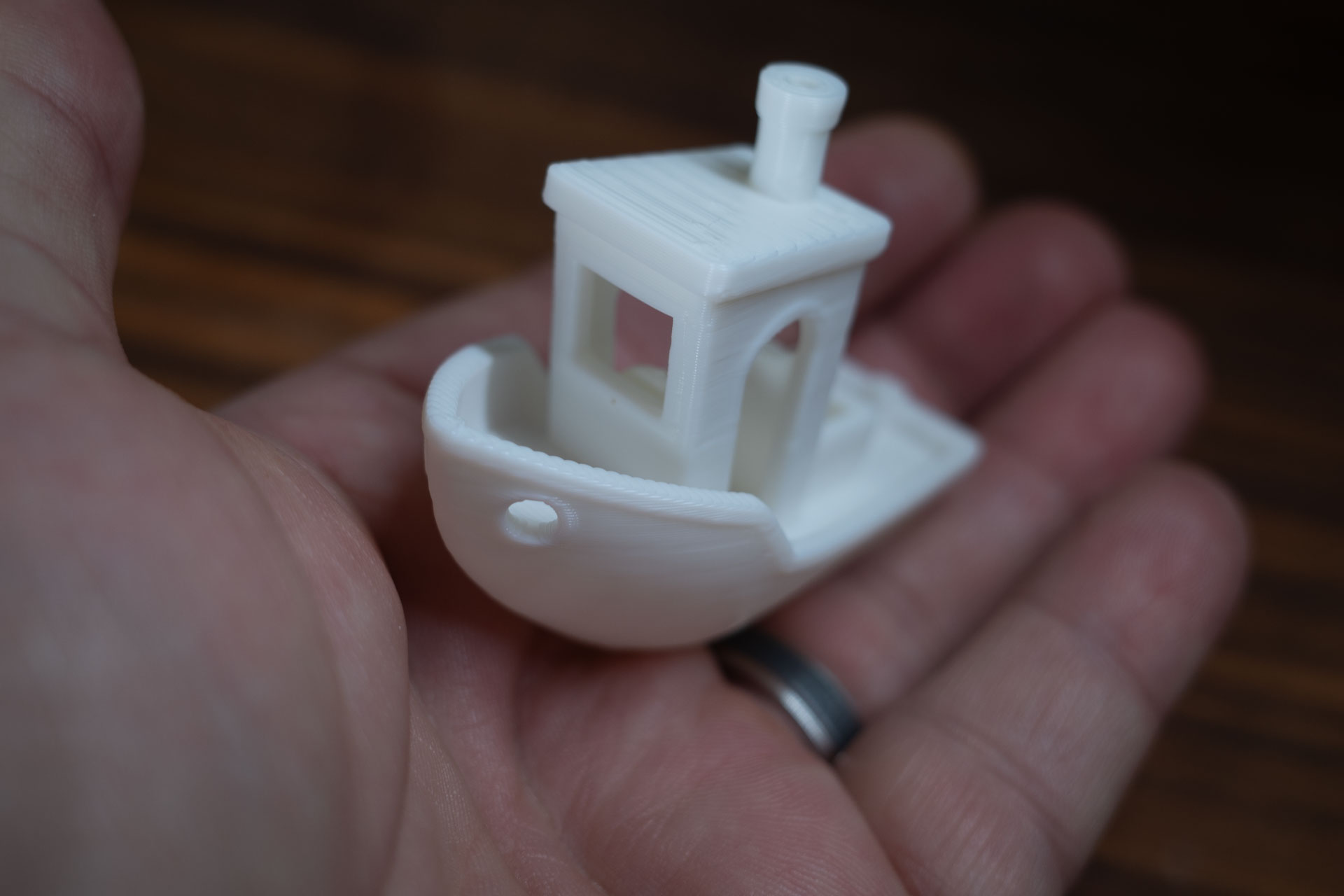
The Bambu Lab A1 arrived yesterday, so I did what everyone does and printed the little "Benchy" tugboat. The A1 only came with 20g of filament, and of course I forgot to order more with the printer, so the starter filament is all I had to work with. It's so cute, though!l. k
3D printers have always seemed really cool, but also more trouble than they're worth. I'm as much a nerdy gadget-guy as anyone, but I never felt like being an expert in calibrating and maintaining 3D printers. In the past couple of years, printers seem to have reached a tipping point in ease-of-use, with the Bambu models seemingly leading the way.
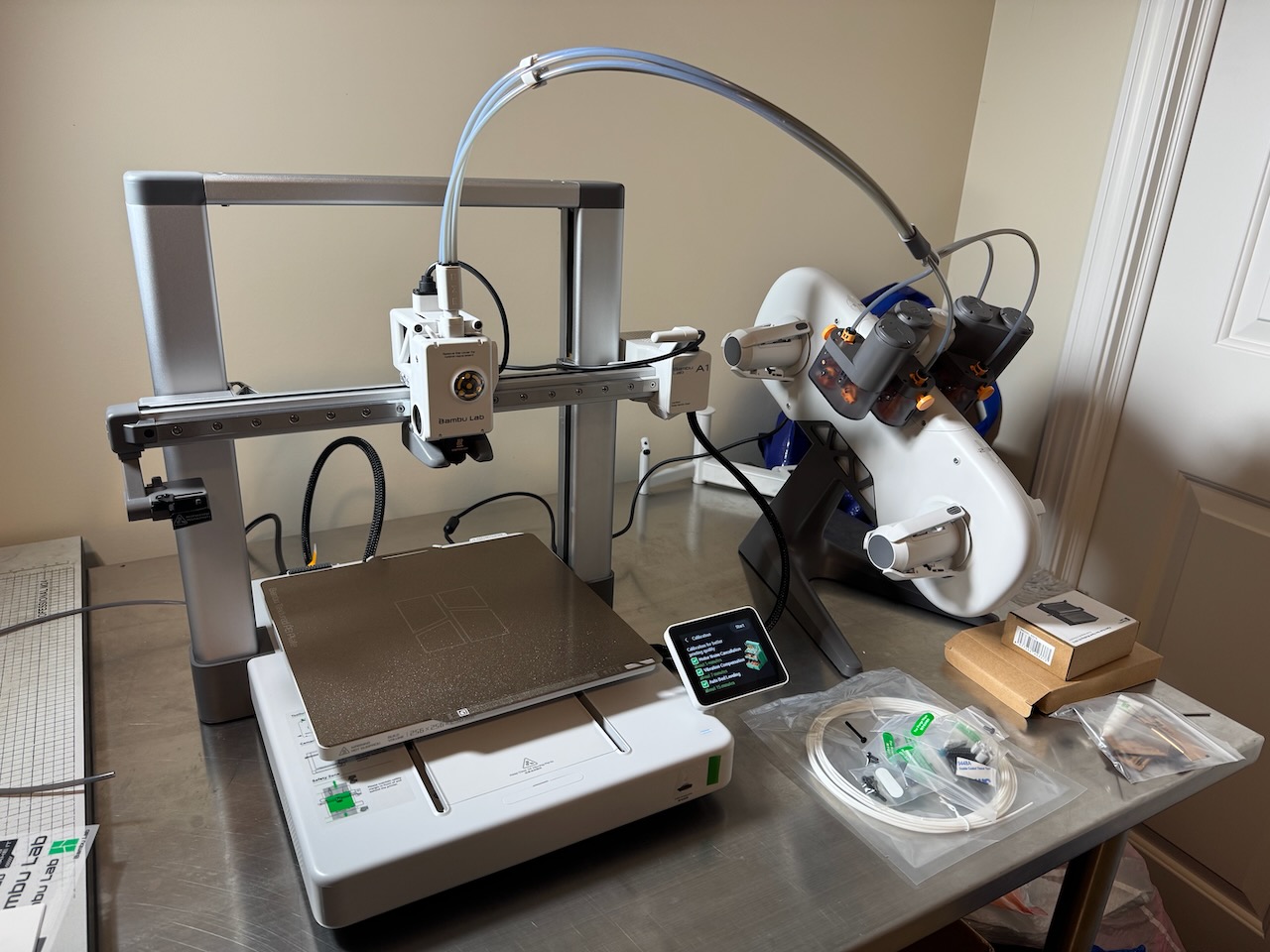
I bought the lower-end A1 model because it seems like more than enough for what I need. Besides, I don't even know what I plan to print, to be honest. Here's the printer, set up and ready:
I have a roll of PLA filament arriving later today, so I'll probably spend the afternoon looking for ideas on what to print. I have no interest in printing toys or anime or Marvel characters. No Harry Potter props, etc. I'd like to make some useful things like tool holders or organizational gadgets. Eventually I'd like to make accessories for my film photography hobby, but I don't know what that might be yet. Seems like there ought to be something I could make, though. Anyway, I'm happy to be able to try this new hobby. It's been a long time coming. I hope Benchy is just the beginning.
See The Spark File, by Steven Johnson ↩︎

Ghostty is a new, platform-native terminal app from Mitchell Hashimoto. I've been alternating between Ghostty and Apple's Terminal for about a week.
I like Ghostty. It feels nice right out of the box. Configuration is done via a simple text file, but almost no configuration is necessary. Sensible defaults always make a good first impression, and Ghostty makes a really good first impression.
Most of the early reviews I've read begin with raves about how fast Ghostty is. Is it that fast, though? It's pretty fast, actually, but it's not noticeably faster on my Mac than Apple's Terminal. I keep comparing the two, and I find no meaningful difference in speed for anything I do with a terminal. It's not slower than Terminal, certainly, but I suspect that all this talk about speed is partially because we like new things and because everyone else says it's fast. We're an impressionable lot 😀.
Either way, give me a nice, free, native-but-cross-platform terminal app with lots of nice features, while at the same time being at least as fast as anything else, and I'm in.
I recommend trying Ghostty. It's a damn fine terminal app.
One of the things that frustrated me about Kirby last year was handling code/template changes vs content changes. I complained about it here.
Ideally, since Kirby is a PHP CMS, I would do everything directly on the server. What I've done more often instead, is to run a full copy locally and rsync the final product (code, blueprints, content, images, etc.) to the production instance. Content is kept in plain text files, so both code and content changes need to be kept in sync.
Except I don't want to run Herd or whatever locally all day and I don't want to rsync everything every time for a site that's not completely static.
There are probably a dozen ways to handle this, but here's how I'm doing it:
I edit content directly on the server via the Kirby panel, as I think is intended. I make code/layout changes locally, running a local copy via Herd. But now what? I still use rsync via a Makefile. So when I want to pull down the most recent content, I run make pull. When I want to update code, I run make deploy.
The "pull" recipe rsyncs everything from the /content/ directory on the server to my local site. The "deploy" recipe rsyncs everything from /assets/ and /site/ directories up to the server.
I like this because managing which files should and shouldn't be shared is a hassle. Things like the cache, media, logs, etc need to be ignored. I've goofed in the past and caused myself all sorts of grief. This way, the code is one thing and the content is another.
Here are the relevant parts of the Makefile:
SERVER_HOST=my.server.host SERVER_DIR=/srv/baty.net-kirby/public_html PUBLIC_DIR=/Users/jbaty/Sync/sites/kirby-blog/ TARGET=Hetzner
checkpoint: git add . git diff-index --quiet HEAD || git commit -m "Publish checkpoint"
pull:
rsync -avz $(SERVER_HOST):$(SERVER_DIR)/content/ $(PUBLIC_DIR)content
--delete
deploy: checkpoint
@echo "\033[0;32mDeploying updates to $(TARGET)...\033[0m"
rsync -v -rz
--checksum
--delete
--no-perms
--exclude /logs/
--exclude /cache/
--exclude /config/.license
--exclude /sessions/
$(PUBLIC_DIR)site/ $(SERVER_HOST):$(SERVER_DIR)/site
rsync -v -rz
--checksum
--delete
--no-perms
$(PUBLIC_DIR)assets/ $(SERVER_HOST):$(SERVER_DIR)/assets
# Just in case, this sends everything
deployall: checkpoint
@echo "\033[0;32mDeploying updates to $(TARGET)...\033[0m"
rsync -v -rz
--checksum
--delete
--no-perms
--exclude media/
--exclude Caddyfile
--exclude /site/logs/
--exclude .git/
--exclude .htaccess
--exclude Makefile
--filter=':- .gitignore'
--exclude .gitignore.swp
$(PUBLIC_DIR) $(SERVER_HOST):$(SERVER_DIR)
open raycast://confetti
It's messy, but seems to work without causing too much trouble. I commit everything each time I deploy, so even content changes are covered (assuming I've make pull-ed recently. I should investigate some of the Git plugins for Kirby and see if there's some simpler way to do this. If you know of any, please let me know.
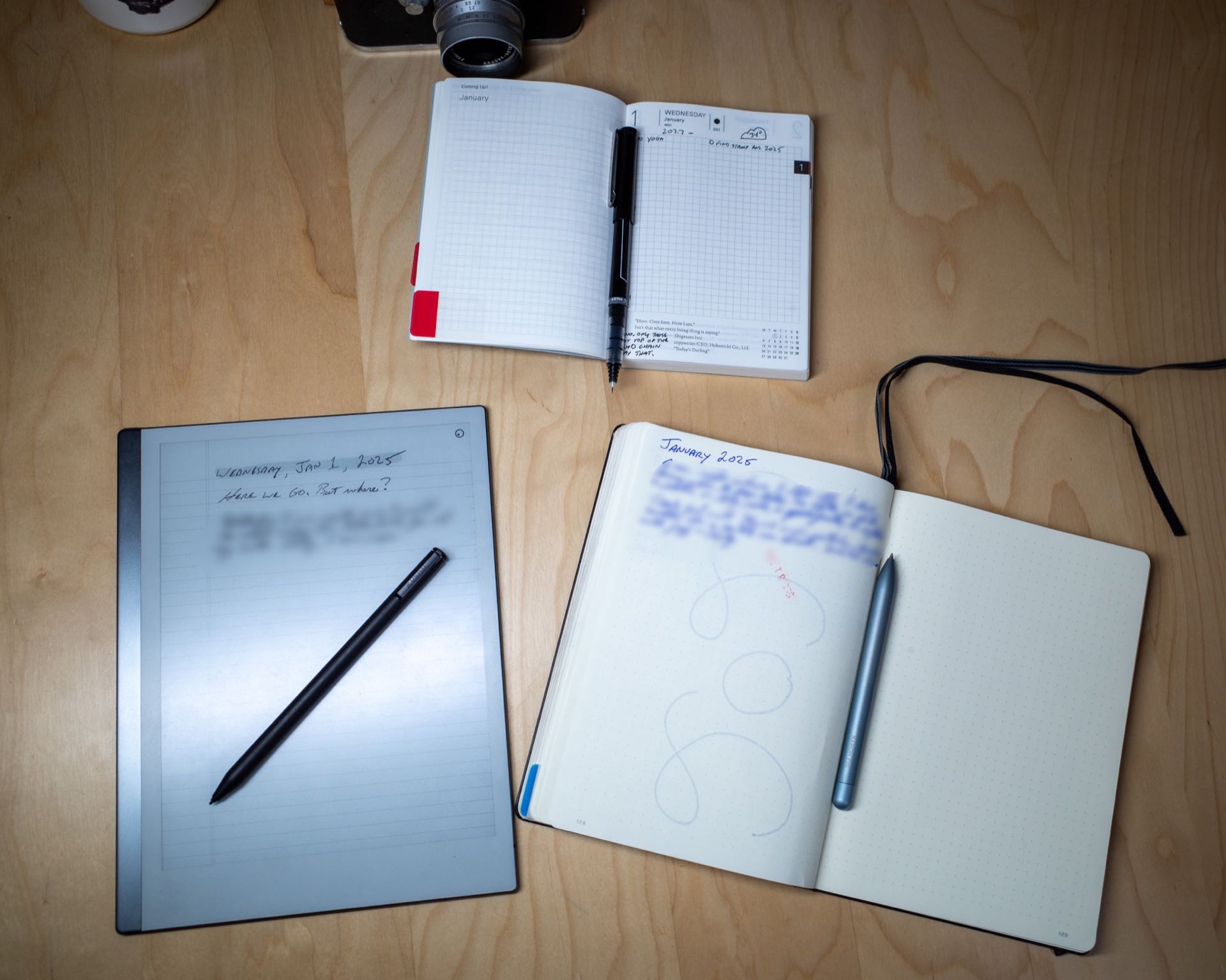
It's the same old story. I don't know whether I want to use one or multiple notebooks. Or even if I want to use paper notebooks at all. Here are some random thoughts about my intended notebook use for 2025.
Each year for the past 13 years I have ordered a Hobonichi Techo. Some years, I write in one nearly every day. Other years, I fill the first few pages, then it remains mostly blank for the rest of the year. This morning, I (optimistically, as always) set mine up for 2025.
My go-to notebook for journaling, logging, and bullet-journaling for years has been the Leuchtturm1917. It has an index, numbered pages, and decent quality paper. Or at least they used to have good paper. The paper in the last couple have been worse. Flimsier, somehow. Show-through has been more pronounced, even with non-fountain pens. I hear they've released a version with heavier paper, so I may try one of those.
Paper type is an issue, too. I prefer 7mm ruled paper. The Leuchtturm uses 5mm and the one I'm currently using is dot grid. I don't like dot grid pages. They feel like a half-assed compromise between plain and ruled pages, rather than the best-of-both-worlds solution that some people claim.
I am just over half-way through the current Leuchtturm. I planned to move to a nice 7mm ruled Midori MD Notebook for 2025, but I seem to always bail on notebooks before they're finished, and I'd love to stop doing that.
The dark horse here is the reMarkable tablet. If I was working, the reMarkable would be my tool of choice for meeting notes. I'm not working, though, so what is it for, then? I'm not sure. While the tablet is a terrific piece of hardware, it's not a paper notebook. Duh. The upside is that I can choose different paper types for every "notebook", and even on individual pages. I sometimes think that this device solves most of the problems I have with paper notebooks. Except it's not really paper, is it? I love the feel of paper. I love flipping back through pages. I love pasting in ticket stubs or little photos or magazine cut-outs. I love my pens. As good as the reMarkable is, it's not the same, and I don't think it's good enough to replace real paper. Sometimes I want the smell of a freshly-sharpened pencil.
Where does this leave me for 2025? Nothing will change, probably. I'd like to keep using the Leuchtturm until it's full. I'll use it to journal, log my day, write commonplace entries, record tasks, glue stuff, doodle, etc. Then, some days, I'll jot some todos or record some events in my Hobonichi, just as a change of pace.
You know, the usual.
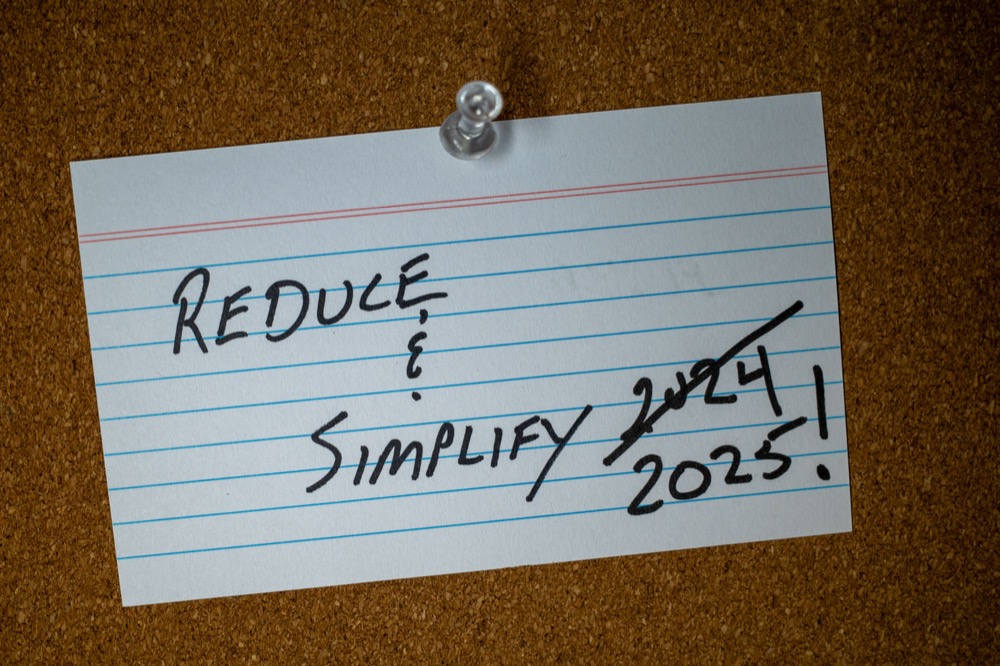
On this day, one year ago, I wrote a post titled "Reduce & Simplify". In that post, I wrote about how I planned to get rid of complexity and remove unnecessary "stuff" from my process.
I did almost none of those things. In fact, I may have made it worse.
So, I'm going to try again in 2025. This time, instead of switching to "simpler" apps, I plan to use the ones I'm already invested in. Mostly, that means Emacs. I'm pretty good at using Emacs. I've been at it for more than a decade. It has everything I could need for notes, publishing, etc. It can be a difficult app, but after all this time, it's actually simpler than the alternatives, because I don't need to learn anything to get stuff done.
I'm planning to apply this thinking to as many things as I can. It's not easy for me. I like to play with software. It's fun to try new ways of doing things. As long as I can distinguish between playing with something new and "OK, THIS is the way I'm doing everything from now on!" I should be fine.
Here's the idea, as of today:
I am finding it difficult to make some of these decisions. I may determine that I don't want to decide on some of these things. Still, the background noise throughout all of it will be "Reduce & Simplify". It's good to have goals.
I don't feel like writing full-on blog posts, lately. What I'm interested in is journaling...in public. I don't like this Hugo template for that purpose, but I have learned that changing Hugo templates isn't worth the trouble. Now what?
I want to be entirely self-sufficient, but I don't want the job of maintaining anything. How's that supposed to work?
In a media landscape where the only sure thing is that there are no sure things, our best bet is still to put a disc in a drive
After spending hours trying to find a decent alternative to Photo Mechanic, I ran across this post, by me, from June Photo Mechanic in 2024 | Baty.net, in which I describe how I ended up paying for a year subscription then. I'm very confused, because I don't remember doing that. At least I have 6 more months with PM, right?