Show a new tab when selecting New Tab in Zen Browser
I prefer seeing a new tab, not the URL search dialog
I prefer seeing a new tab, not the URL search dialog
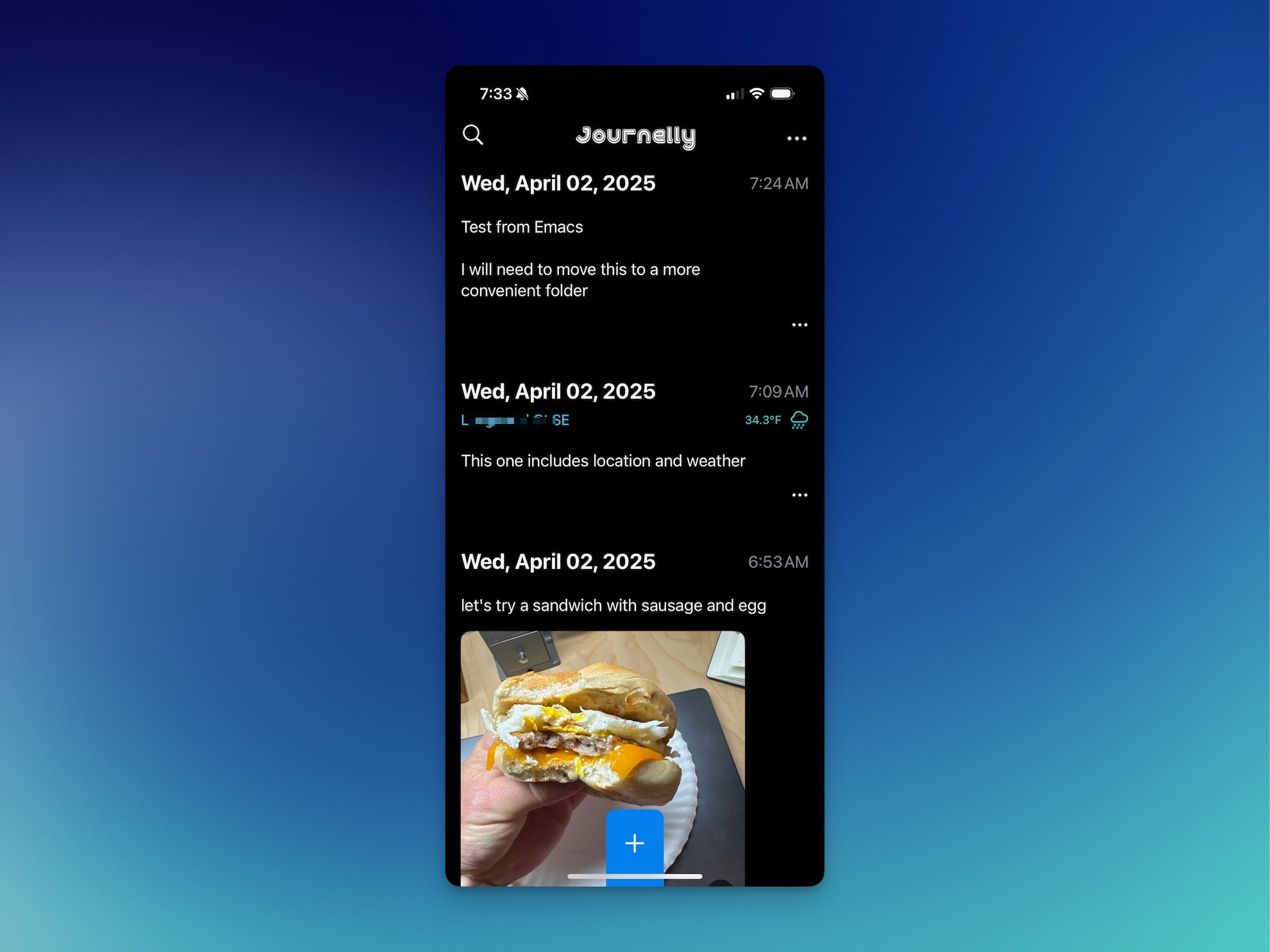
I saw the Irreal post about Journelly, but mostly ignored it because I wasn’t looking for a new iOS journaling app. He did mention that Journelly is by Álvaro Ramírez, author of Plain Org, lmno.lol, and others, so that made things more interesting. What intrigued me most, though, was learning that Journelly is backed by plain-text Org Mode files. Bonus! Now it had my attention. Álvaro was kind enough to let me into the TestFlight, and I’m putting it through its paces this morning. ...
I ran across something neat while reading the Mu4e release notes A (experimental) “transient” menu has been added for mu4e. You can use it e.g., with something like: (require 'mu4e-transient) (global-set-key (kbd "C-c m") #'mu4e-transient-menu) It’s very handy!
While tinkering with Obsidian recently, something I liked was having a daily notes template with a Dataview query showing the other files I’d added that same day. I added something similar for Denote. It’s a Yasnippet: # -*- mode: snippet -*- # name: Denote insert today's links # key: dnl # -- #+begin: denote-links :regexp "^`(format-time-string "%Y%m%d")`$0" #+end I just run that after first creating the daily note and I get a list of links to the other Denote files from that day. There’s probably a way to automate that, but this is good enough for who it’s for.
On macOS, hitting CMD-Shift-. in Finder toggles the display of hidden (.dot) files. I wanted the same thing in Dired mode.
Using both Howm and Denote for my notes in Emacs. But why?
Ladybird: Ladybird is a brand-new browser & web engine. Driven by a web standards first approach, Ladybird aims to render the modern web with good performance, stability and security. From its humble beginnings as an HTML viewer for the SerenityOS hobby operating system project, Ladybird has since grown into a cross-platform browser supporting Linux, macOS, and other Unix-like systems. Ladybird is currently in heavy development. We are targeting a first Alpha release for early adopters in 2026. ...
A week ago, I toyed with the idea of using Gnus for reading Email in Emacs. As expected, I hated it at first. But then… ...
I went down a rabbit hole with the built-in Remember mode in Emacs today. ...
lmq-10/denote-search This package provides a search utility for Denote, the simple-to-use, focused-in-scope, and effective note-taking tool for Emacs. The command denote-search is the main point of entry. It accepts a query, which should be a regular expression, and then searches the contents of all the notes stored in denote-directory for it. The results are put in a buffer which allows folding and further filtering; all standard commands offered by Xref are available as well. ...
I’m happy using Fish for my shell. One thing I’d not gotten around to after switching is finding a good directory jumper. The original z doesn’t work well with Fish. I used to use fasd and autojump, but thought I’d look around for something new. For some reason, I’d never heard of zoxide: A smarter cd command. Combined with zoxide.fish: Tab completion and initialization for zoxide in fish shell, zoxide does the job nicely. ...
Twibright Labs: Links It’s a Lynx-like web browser. I don’t quite understand why I would want to use it for everyday browsing, but it’s fun to see what sites look like without all the hubbub. Here’s this site in links: ...
Remember my recent email fiasco, during which I ended up with tens of thousands of duplicate emails? I remember it. After storming off and ignoring the problem for a week, I decided I should do something about it. Today, I fixed it! ...
I have a soft spot for Pass: The Standard Unix Password Manager, but Apple’s new Passwords app has been working fine. I use Safari, so the whole thing is very convenient. Sometimes I get twitchy about having things in only one place, so today I decided I’d like to import my Apple Password passwords into Pass. It took me a minute, so I’m jotting down some notes here, for next time. ...
All I wanted was to use notmuch on my MBP to manage email, just like I do on my Mac Mini. The only viable solution I found was muchsync. There’s no macOS installer for it1, so I figured I’d compile it myself. A few years ago I promised myself that if something required ./configure && make && make install I would skip it. Well, I really wanted to try it, so off I went. The make command failed immediately because it couldn’t find notmuch.h. Great, path problems. After an hour of throwing things at the wall, adding some environment variables worked: ...
I’d been happily using Doom Emacs until just over a month ago, when I decided to start from scratch again. ...
Fish shell welcome message showing weather conditions For some reason, I always want to know the weather conditions. I barely go outdoors, but I still like to know what’s happening. I have a few shell scripts that kick out some version of the weather. Here’s the one I use most: #!/bin/sh # Jack Baty, 2023 (https://baty.net) # Grab and parse weather info using WeatherAPI.com jq=/opt/homebrew/bin/jq # Save the response to temporary file # TODO: shouldn't this just be a variable or something instead? weatherfile=`mktemp` curl -s "https://api.weatherapi.com/v1/forecast.json?key=[SNIP]&q=49301&days=1&aqi=no&alerts=no" > $weatherfile now=`${jq} -r .current.condition.text ${weatherfile}` temp=`${jq} -r .current.temp_f ${weatherfile}` condition=`${jq} -r .forecast.forecastday[0].day.condition.text ${weatherfile}` high=`${jq} -r .forecast.forecastday[0].day.maxtemp_f ${weatherfile}` low=`${jq} -r .forecast.forecastday[0].day.mintemp_f ${weatherfile}` echo "${now} ${temp} | Low ${low}, High ${high}" Right now, this returns: Light snow 21.9 | Low 20.1, High 26.4 ...
Using GoAccess to process my web server logs is going fine. It’s nice not paying for an analytics service, but it’s definitely a messier process. I wrote a little about Filtering server logs for use with GoAccess recently, but have since tweaked things a little. One thing I found annoying was that GoAccess reports requests separated by HTTP protocol. So HTTP2 and HTTP1.1 requests are counted separately. Not what I wanted, so I discovered --http-protocol no and --http-method no. I’m always going to want this, so I added the following to /etc/goaccess/goaccess.config ...
Ghostty is a new, platform-native terminal app from Mitchell Hashimoto. I’ve been alternating between Ghostty and Apple’s Terminal for about a week. I like Ghostty. It feels nice right out of the box. Configuration is done via a simple text file, but almost no configuration is necessary. Sensible defaults always make a good first impression, and Ghostty makes a really good first impression. Most of the early reviews I’ve read begin with raves about how fast Ghostty is. Is it that fast, though? It’s pretty fast, actually, but it’s not noticeably faster on my Mac than Apple’s Terminal. I keep comparing the two, and I find no meaningful difference in speed for anything I do with a terminal. It’s not slower than Terminal, certainly, but I suspect that all this talk about speed is partially because we like new things and because everyone else says it’s fast. We’re an impressionable lot 😀. ...

I like the idea of building my own Emacs config, so I set Doom aside and (re)built my own configuration (mostly) from scratch.